
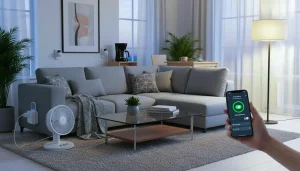
What Smart Plugs Do for Your Home? Imagine walking into your living room and turning off the lamps, fan, or coffee maker without lifting a finger. With these small devices, you can do exactly that. A smart plug allows your everyday electronics to communicate with your smartphone or voice assistant, transforming ordinary appliances into connected devices.
The benefits go beyond convenience. You can reduce electricity waste, make your home safer, and automate routines to simplify your life. Whether you’re a tech enthusiast or someone just starting to explore home automation, a plug like this is often the easiest way to begin your journey toward a more efficient, connected home.
How Smart Plugs Work to Power Smart Homes
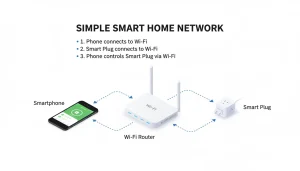
At its core, a smart plug connects your device to your home network. Most devices rely on Wi-Fi, while others use Bluetooth or a hub such as Amazon Alexa, Google Home, or Samsung SmartThings. Once connected, you can manage power through a mobile app, set schedules, or issue voice commands.
For example, you could schedule a bedside lamp to turn off every night at 11 PM or have your coffee machine start brewing as your morning alarm goes off. Many modern plugs also offer energy monitoring, letting you see exactly how much power each appliance consumes. Some even support the new Matter standard, which ensures better compatibility across devices and brands.
Key Benefits of Using a Connected Smart Plug
A smart plug offers far more than just remote control. Here’s a breakdown of why they’re increasingly popular:
- Remote Access: Switch devices on or off from anywhere using your phone.
- Automation & Scheduling: Set lights, fans, or appliances to follow your daily routine automatically.
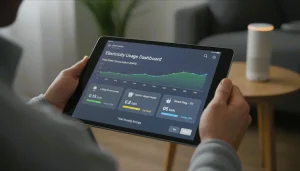
- Energy Monitoring: Track electricity usage and identify energy-hogging appliances.
- Safety Features: Auto-shutoff prevents overheating or reduces fire risk.
- Seamless Integration: Works with Alexa, Google Assistant, and Apple HomeKit, letting you expand your connected home ecosystem.
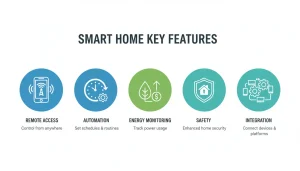
Essentially, these plugs make energy management simple, hands-free, and safe, without complicated wiring or technical know-how.
Popular Smart Plug Options in 2025
Let’s explore some of the top options on the market and what makes them stand out.
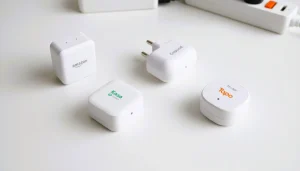
Amazon Smart Plug: Best for Alexa Users
If you rely on Alexa devices, this plug is a plug-and-play solution. Simply connect it to your Echo speaker or display, say “Alexa, discover my devices,” and you’re ready to go.
- Pros: Quick setup, reliable performance, works seamlessly with Alexa
- Cons: Limited to Alexa, lacks energy tracking
While it doesn’t provide detailed consumption data, it’s ideal for those seeking simplicity and convenience.
Third-Party Alexa-Enabled Plugs
The term “Alexa smart plug” also refers to third-party devices compatible with Amazon’s voice assistant. Brands like TP-Link and Gosund offer reliable options. These plugs allow you to control multiple devices with a single command or set up morning routines, such as turning on lights and starting the coffee maker simultaneously.
Gosund Plugs: Budget-Friendly and Functional
For users who want smart control without a big investment, Gosund Smart outlets are an excellent pick. They support both Alexa and Google Assistant, use the Gosund app, and offer energy monitoring — a rare feature at their price point.
They’re great for scheduling, automation, and remote access, but occasional Wi-Fi drops can occur if your router signal is weak. Overall, Gosund balances cost and performance well, making it one of the best affordable options.
CloudIntelligence Smart Home Plugs: Reconnect & Troubleshooting Guide
CloudIntelligence plugs focus on custom automation and power usage stats. If your CloudIntelligence smart plug disconnects, don’t worry; the fix is simple. Unplug the device, wait 10 seconds, and hold the power button until the indicator blinks rapidly. Then, reconnect it through the CloudIntelligence app using a 2.4 GHz Wi-Fi connection.
These plugs are affordable and support Alexa and Google Home, but their main strength lies in custom automation rules and power-usage stats. With a stable Wi-Fi setup, they perform reliably.
Outdoor Plugs: Weatherproof Automation
Outdoor plugs are designed to handle rain, snow, and heavy-duty usage. Look for plugs with an IP44 rating or higher. They allow you to automate garden lights, fountains, or seasonal decorations without leaving your house. Many models include dual outlets and support Alexa, Google Home, and SmartThings. Just ensure your outdoor Wi-Fi is strong to maintain uninterrupted control.
How to Choose the Right Plug for Your Home
Selecting a plug involves more than price. Consider these factors:
- Compatibility: Will it work with Alexa, Google Assistant, or Apple HomeKit?
- Energy Features: Do you need consumption tracking or usage reports?
- Environment: Indoor or outdoor placement?
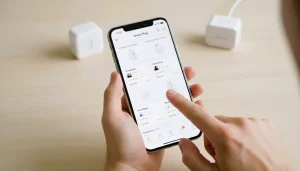
Other considerations include Wi-Fi frequency (2.4 GHz or dual-band) and app usability. For most households, a mid-range plug with scheduling, energy monitoring, and voice control provides the best balance between functionality and affordability.
Common Issues and How to Fix Them
Like any connected device, Smart sockets can face occasional problems. Here are the most common ones:
- Connectivity Problems: Ensure you’re using 2.4 GHz Wi-Fi and avoid VPN interference.
- Unresponsive Devices: Reset the plug or re-link it to your voice assistant.
- App & Firmware Updates: Keep the app up to date to prevent pairing errors.
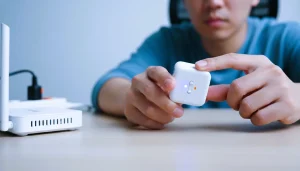
Most problems are quick fixes, and once the device is properly configured, it operates reliably.
Extending Your Automation: Beyond a Single Plug
While a plug is a great start, its full potential emerges when integrated into a broader smart ecosystem:
- Smart Lighting: Automate lights with your plug for seamless control.
- Energy-Efficient Appliances: Combine plugs with energy-tracking devices for optimal electricity use.
- Home Security: Pair with cameras or sensors to turn lights on when movement is detected.
- Routines & Scenes: Create “Good Morning” or “Movie Night” modes that adjust multiple devices simultaneously.
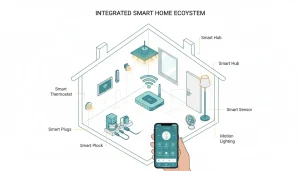
By thinking of the plug as part of a larger network, you can transform a standard home into a smart, intuitive environment.
Real-World Benefits: Safety, Convenience, and Savings
Many users underestimate the savings a simple plug can provide. Tracking energy usage reveals appliances that waste electricity, enabling you to reduce your bills. Automatic shutoff prevents hazards like overheating, while scheduled routines eliminate forgotten lights or devices left on overnight.
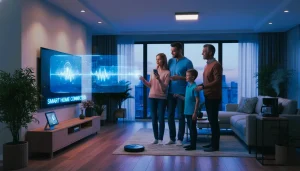
Beyond cost savings, the convenience of controlling devices from your phone or through voice commands enhances everyday life — freeing you to focus on more important tasks.
Smart Plug Trends in 2025
Looking ahead, these trends are shaping the market:
- Matter Standard Adoption: Ensures seamless compatibility across brands and ecosystems.
- Advanced Energy Analytics: More plugs now provide detailed consumption reports and actionable recommendations.
- Voice-First Automation: Increasing focus on intuitive voice controls for hands-free living.
- Sustainable Technology: Some manufacturers are prioritizing eco-friendly materials and low-power consumption designs.
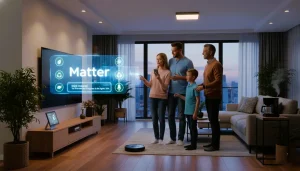
The evolution of these devices shows they are not just gadgets, but tools to create smarter, safer, and more efficient homes.
Best Smart Plugs in 2025: Our Top Picks
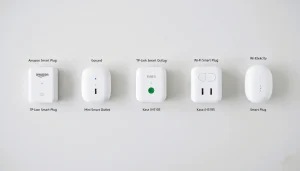
| Model | Best For | Voice Support | Energy Monitoring | Price Range |
| Amazon Smart Plug | Alexa users | Alexa only | No | $20–$25 |
| Gosund Smart Plug | Budget-friendly | Alexa, Google | Yes | $10–$15 |
| Kasa HS103 | Reliable usage | Alexa, Google | No | $15–$20 |
| Wyze Plug | Energy tracking | Alexa, Google | Yes | $15–$20 |
| TP-Link Kasa EP40 | Outdoor use | Alexa, Google | Yes | $25–$30 |
Expert Tips for Getting the Most from Your Smart Plugs
To maximize the benefits of your devices, follow these practical tips:
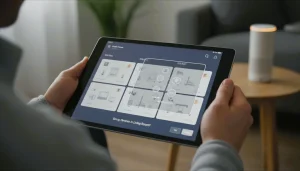
- Group Devices for Easy Control
Many apps allow you to create “rooms” or “scenes.” For example, group all living room lights under one command, like “Turn off living room lights.” This saves time and simplifies routines. - Set Smart Schedules Based on Your Lifestyle
Don’t just turn devices on and off at fixed times. Observe when you actually use appliances, and create schedules that match your daily routines. For example, set the coffee maker to brew right when your morning alarm goes off, or schedule lights to simulate occupancy when you’re away. - Monitor Energy Usage Regularly
Energy monitoring plugs provide real-time consumption data. Check weekly reports to identify which devices consume the most power. Over time, you can replace energy-hungry appliances or adjust usage habits to save on electricity bills. - Take Advantage of Voice Shortcuts
Use custom voice commands with Alexa, Google, or Siri. For instance, “Alexa, movie time” could dim lights, turn on the TV, and power a sound system automatically. This creates a seamless, hands-free experience. - Combine Plugs with Other Smart Devices
Pair plugs with motion sensors, smart bulbs, or cameras. For example, set lights to turn on automatically when someone enters a room, or activate garden lights when motion is detected outdoors. This boosts convenience, security, and energy efficiency.
Troubleshooting Common Problems Like a Pro
Even reliable plugs sometimes face issues. Here’s how to handle them effectively:
- Wi-Fi Drops
Most plugs require 2.4 GHz Wi-Fi. Ensure your router broadcasts on this band and consider moving the plug closer if the signal is weak. - Device Not Responding
If a device stops responding, try resetting it by unplugging it for 10–15 seconds and reconnecting via the app. - App or Firmware Glitches
Always keep the mobile app and plug firmware updated. Manufacturers often release updates that fix bugs or improve performance. - Connectivity Conflicts
Avoid using VPNs or firewall settings that block local devices. Also, check that other smart devices aren’t overloading your Wi-Fi network. - Outdoor Plugs Losing Signal
Outdoor plugs may struggle with distance. Consider a Wi-Fi extender or mesh system to ensure stable connectivity for devices placed far from your router.
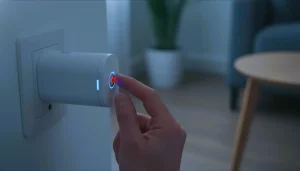
Energy-Saving Tricks You Can Apply Today
Smart plugs don’t just offer convenience — they’re powerful tools for cutting electricity waste:
- Turn Off Standby Devices
Many electronics consume power even when turned off (like TVs, routers, or printers). Schedule plugs to cut power completely during unused hours. - Automate Seasonal Appliances
Use plugs for holiday lights, heaters, or fans. Set timers so they operate only when needed, reducing unnecessary electricity use. - Monitor Peak Usage Times
Some apps let you track energy consumption by hour. Avoid running high-power appliances during peak-rate times to save on utility bills. - Set Smart Notifications
Receive alerts when devices consume unusually high energy. For example, if a heater uses more power than normal, you can check for issues or adjust settings. - Combine with Renewable Energy
If you have solar panels, sync plug schedules with sunlight hours. Appliances like washing machines or chargers can run when energy is most abundant, lowering costs and environmental impact.
Planning a Smarter Home Ecosystem
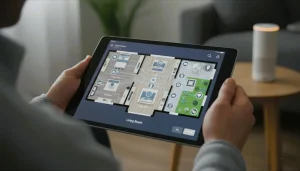
A single plug is useful, but integrating multiple devices unlocks true potential:
- Layer Automation
Combine plugs, smart bulbs, thermostats, and sensors to create fully automated routines. - Experiment Gradually
Start with essential devices, then expand to additional rooms or outdoor spaces. - Focus on Safety First
Always prioritize plugs with overload protection and auto-shutoff features to prevent hazards. - Future-Proofing
Choose devices compatible with Matter or other universal standards to ensure they work with new devices over time.
Why Small Devices Make a Big Difference
Wireless plugs might seem like simple accessories, but they play a pivotal role in modern connected homes. They save energy, enhance safety, and provide automation that can transform your daily life.
From beginner-friendly options like the Amazon Smart Plug to budget-savvy models like Gosund, or rugged outdoor variants for gardens and patios, these devices cater to a wide range of needs. By combining them with other smart products, you can create an intelligent ecosystem that adapts to your lifestyle — all while reducing waste and improving comfort.
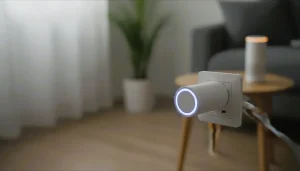
With these expert tips, troubleshooting hacks, and energy-saving tricks, your smart plug journey can go beyond convenience. It’s about efficiency, sustainability, and taking full control of your home environment.
FAQ: Smart Plugs for Beginners
Q1: What is a smart plug?
A: A device that allows remote control, scheduling, and energy tracking of appliances.
Q2: How do they work?
A: Connect via Wi-Fi, Bluetooth, or a hub to control devices through an app or voice commands.
Q3: Are smart plugs safe?
A: Yes, most have overload protection and auto-shutoff features.
Q4: Can I use them with any appliance?
A: Most small to medium devices work. Avoid high-wattage appliances.
Q5: Do they work with Alexa, Google, or Siri?
A: Many do; check compatibility before purchase.
Q6: Can they track energy usage?
A: Some models do, helping reduce electricity waste.
Q7: Do I need a hub?
A: Some plugs work directly with Wi-Fi; others need a hub for advanced automation.
Q8: Can I use them outdoors?
A: Yes, choose IP44+ rated plugs for weather resistance.
Q9: Why isn’t my plug responding?
A: Weak Wi-Fi, outdated app, or network issues. Reset and reconnect.
Q10: Are they worth it?
A: Yes — for convenience, safety, and energy savings.
Advanced FAQ: Expert Tips, Automation & Energy-Saving
Q1: Can smart plugs reduce electricity bills?
A: Yes. Energy-monitoring plugs help identify high-use devices and schedule them efficiently to save power.
Q2: What devices should I avoid using with smart plugs?
A: Avoid high-power appliances such as ovens, heaters, and air conditioners.
Q3: Can I control smart plugs remotely?
A: Yes. You can control them from anywhere as long as you have an internet connection.
Q4: How do I automate multiple devices?
A: You can group plugs by room or create scenes for automatic routines.
Q5: Are smart plugs compatible with smart home routines?
A: Yes. They work with motion sensors, lights, and cameras for seamless automation.
Q6: Can smart plugs help with home security?
A: Yes. You can automate lights or other devices to make your home look occupied.