
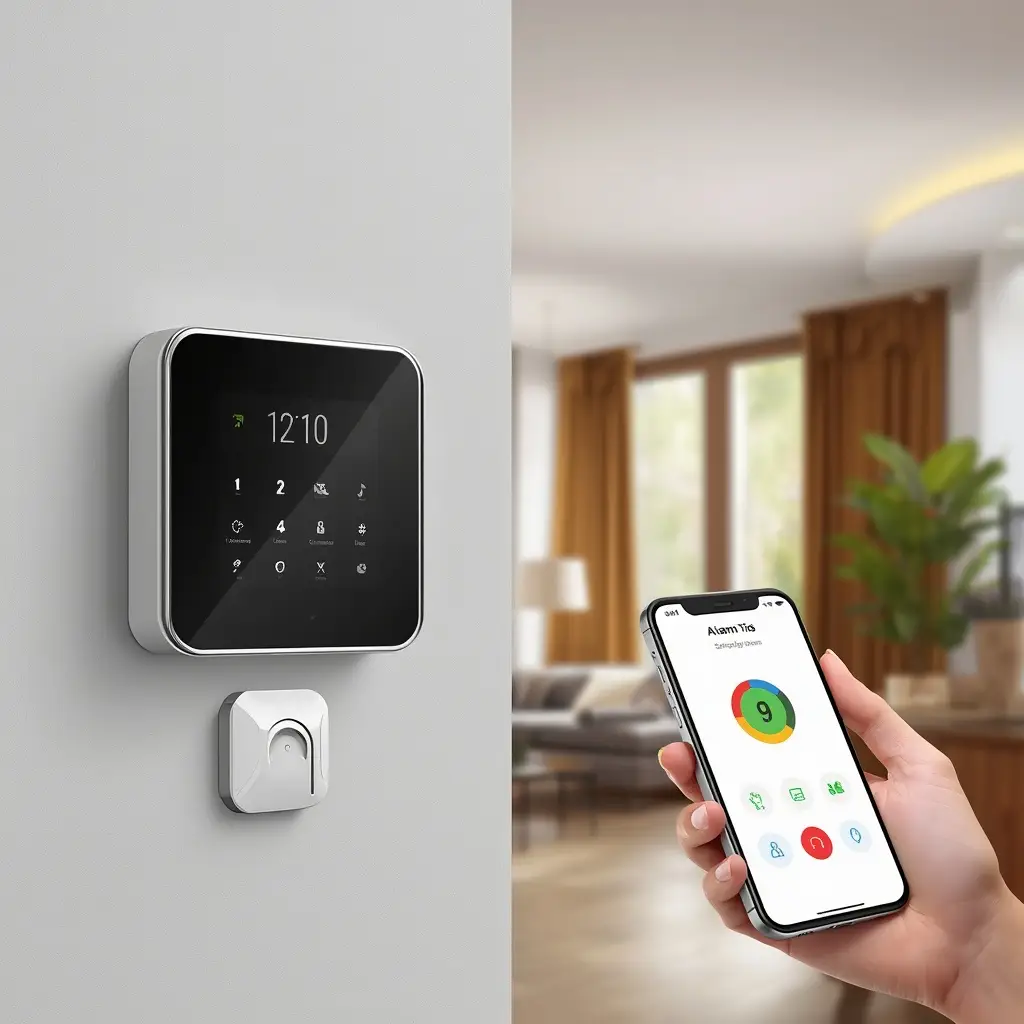
A smart alarm system can make home security more convenient, responsive, and easier to manage. Unlike traditional alarm systems, modern smart alarms can connect with smartphones, sensors, cameras, and other smart home devices. As a result, homeowners can monitor their property, receive instant alerts, and manage security settings from almost anywhere.
However, choosing the right system is not always simple. There are many options available, and each one may offer different sensors, connectivity features, monitoring plans, mobile apps, and smart home integrations. Therefore, understanding how these systems work can help you make a more confident decision.
Whether you live in an apartment, a small house, or a larger property, a reliable alarm system can provide an additional layer of protection. In this guide, we will explain what a smart alarm system is, how it works, which features matter most, and how to choose the right setup for your home.
What Is a Smart Alarm System?
A smart alarm system is a connected home security solution that uses wireless communication, sensors, and software to detect unusual activity and send alerts to homeowners.
Traditional alarm systems generally focus on sounding an alarm when a sensor is triggered. In contrast, smart systems can connect to the internet and communicate with smartphones, cameras, smart locks, lights, and other connected devices.
For example, when a door sensor detects unexpected activity, the system can immediately send a notification to your smartphone. At the same time, compatible cameras may begin recording, while smart lights can turn on automatically.
Because of this connected approach, smart alarm systems are more than simple sirens. They can become part of a broader home security ecosystem.Smart Camera Setup: Easy Installation Guide for Beginners
How Does a Smart Alarm System Work?
Most smart alarm systems use several components that work together.
These may include:
- Central hub or control panel
- Door and window sensors
- Motion sensors
- Glass-break sensors
- Indoor or outdoor cameras
- Smart locks
- Sirens
- Mobile apps
- Cloud or local storage
- Professional or self-monitoring services
The sensors continuously watch selected areas of your home. When unusual activity is detected, the system processes the event and can send an alert.
Furthermore, many systems allow users to customize what happens after a specific event. For instance, a door sensor may trigger a smartphone notification while a camera starts recording.
Smart Home Alarm System
A smart home alarm system is designed to protect a home while also working with other connected devices. This integration can make everyday security more convenient.
Instead of managing every device separately, homeowners may be able to control several security features from one app or central hub.
Key Benefits of a Smart Home Alarm System
One major advantage is remote access. You can often arm or disarm the system, check sensor status, and receive notifications without being at home.
Other benefits include:
- Real-time security alerts
- Remote system control
- Motion detection
- Door and window monitoring
- Camera integration
- Smart lock compatibility
- Automation features
- Customized notifications
- Flexible monitoring options
For example, you could create an automation that locks your smart doors and arms the alarm when you leave home. Likewise, the system could disarm automatically when an authorized user arrives.
Why Smart Integration Matters
Smart home integration can improve both security and convenience. A security alarm does not need to work alone. Instead, it can communicate with lights, locks, cameras, and voice assistants.
For instance, if motion is detected outside at night, connected outdoor lights could turn on automatically. This may help discourage unwanted activity while also improving visibility.
However, compatibility is important. Before buying a system, check whether it works with the devices and smart home platform you already use.
Wireless Smart Alarm System
A wireless smart alarm system communicates between sensors, the central hub, and other devices without requiring extensive security wiring.
This can make installation faster and more flexible. Therefore, wireless systems are especially attractive to renters, apartment owners, and homeowners who do not want to drill through walls.
Advantages of a Wireless Smart Alarm System
A wireless setup offers several practical benefits:
- Easier installation
- Flexible sensor placement
- Less visible cabling
- Easy expansion
- Simple relocation
- Convenient smartphone control
For example, you may install a door sensor in your entrance today and add window sensors later. In many systems, additional components can be paired with the existing hub without replacing the entire setup.
Are Wireless Alarm Systems Reliable?
Modern wireless security systems can be very reliable when properly installed and configured. Nevertheless, their performance depends partly on signal strength, battery condition, internet connectivity, and the quality of the equipment.
Therefore, place the main hub in a central location whenever possible. Also, regularly check sensor batteries and system notifications.
Some advanced systems can continue basic alarm functions even when the internet connection is temporarily unavailable. However, remote notifications may depend on internet or cellular connectivity.
Smart Security Alarm
A smart security alarm combines traditional alarm functionality with connected technology. Instead of simply sounding a siren, it can provide detailed information about what is happening around your home.
For example, the system might tell you that a specific window sensor has been triggered rather than simply reporting that an alarm event occurred.
Common Smart Security Alarm Features
Modern systems can include:
Door and Window Sensors
These sensors detect when a protected door or window is opened. They are among the most common components in home alarm systems.
A simple sensor can help protect entry points while also providing useful status information through the mobile app.
Motion Sensors
Motion sensors monitor movement inside selected areas. They can be useful in hallways, living rooms, garages, and other spaces.
Some advanced systems use smart detection to distinguish people from pets or other movement. This can help reduce false alerts.
Glass-Break Sensors
Glass-break sensors can detect the sound or vibration associated with breaking glass. They may provide another layer of protection for homes with large windows or glass doors.
Security Cameras
When integrated with the alarm system, cameras can provide visual confirmation of an event.
This is particularly useful because a sensor alert tells you that something happened, while a camera may help you understand what happened.
Loud Sirens
A siren can alert people inside the property when suspicious activity is detected. It can also help draw attention to an alarm event.
Smart Alarm System for Home
A smart alarm system for home should match the size, layout, and lifestyle of the household. There is no single setup that works perfectly for every property.
A small apartment, for example, may only require a hub, a few door sensors, and one motion sensor. A larger house may need multiple entry sensors, outdoor cameras, motion detectors, and smart locks. See More
How to Build a Smart Alarm System for Home
Start by identifying the areas that need protection.
Focus on:
- Front and back doors
- Ground-floor windows
- Garage doors
- Hallways
- Living areas
- Stairways
- Outdoor entrances
- Valuable storage areas
Once you identify the vulnerable areas, choose sensors based on each location.
For example, door and window sensors are ideal for entry points, while motion sensors are useful for open indoor spaces.
How Many Sensors Do You Need?
The number of sensors depends on the size and layout of your home.
Rather than placing sensors everywhere, start with the most important entry points. You can then expand the system as your needs change.
Additionally, consider future expansion when choosing a system. A system that supports extra sensors and cameras can save you from replacing everything later.
Smart Alarm System With Mobile App
One of the most useful features of a modern alarm system is mobile app control.
A smartphone app can allow you to manage your security system from almost anywhere. Depending on the platform, you may be able to arm or disarm the alarm, view cameras, receive alerts, and check sensor status.
Benefits of Mobile App Control
Mobile access can provide:
- Instant security notifications
- Remote arm and disarm controls
- Live camera viewing
- Event history
- Sensor status updates
- User management
- Customized settings
For example, imagine leaving home in a hurry and forgetting to arm the system. With a compatible mobile app, you may be able to activate the alarm remotely.
Similarly, if a sensor is triggered while you are away, you can review the notification and decide what action to take.
Smart Alarm System With Camera
A smart alarm system with camera combines alarm sensors with video monitoring. This combination can provide more complete information during a security event.
Suppose a motion sensor detects movement in your living room. The alarm system can send an alert to your phone while the camera records the event.
Why Add Cameras to a Smart Alarm?
Cameras can provide visual verification. Instead of relying only on a sensor alert, you may be able to see whether the event involved a person, pet, delivery, or another cause.
Furthermore, camera integration can make it easier to check your home while you are traveling or at work.
When choosing a camera-integrated alarm system, consider:
- Video resolution
- Night vision
- Motion detection
- Two-way audio
- Storage options
- Mobile app quality
- Privacy controls
Self-Monitoring vs. Professional Monitoring
Another important decision is how your alarm system will be monitored.
Self-Monitoring
With self-monitoring, your system sends alerts directly to you. You can then decide how to respond.
Advantages include:
- Lower ongoing costs
- Direct control
- No monitoring contract in some cases
- Easy smartphone access
However, self-monitoring also means you are responsible for responding to alerts.
Professional Monitoring
Professional monitoring services use a dedicated monitoring center to receive alarm events. Depending on the service and local procedures, trained personnel may contact you or follow an agreed response process.
This can be useful for people who may not always be available to check their phones.
However, professional monitoring usually involves an additional monthly or annual fee.
Therefore, compare the long-term cost and the level of service you actually need.
What Features Should You Look for in a Smart Alarm System?
Buying an alarm system based only on the number of devices in the package can be misleading. Instead, focus on functionality, reliability, and compatibility.
1. Reliable Connectivity
The system should maintain a stable connection between the hub and sensors. If the system relies on Wi-Fi, check signal strength throughout the property.
2. Backup Connectivity
Some advanced systems offer cellular backup so that important communication can continue if the home internet connection fails.
3. Battery Backup
A battery backup can keep the system operating temporarily during a power outage.
4. Easy Installation
If you prefer a DIY setup, look for clearly designed components and simple installation procedures.
5. Expandability
Choose a system that allows you to add more sensors, cameras, or smart devices later.
6. Strong Mobile App
A confusing app can make even a powerful security system frustrating to use. Look for easy navigation and reliable notifications.
7. Smart Home Compatibility
Check whether the system supports the smart home ecosystem you already use.
8. Security and Privacy
Because these systems collect sensitive information, security should be a priority. Use strong passwords, enable two-factor authentication when available, and keep firmware updated.
Common Smart Alarm System Mistakes to Avoid
Even a high-quality system may not work effectively if it is installed incorrectly.
One common mistake is placing motion sensors in poor locations. For example, placing a sensor directly toward a heat source or area with frequent harmless movement may result in unnecessary alerts.
Another mistake is installing too few sensors around important entry points. Protecting the front door while leaving easily accessible windows uncovered can create gaps in your security setup.
Furthermore, some users forget to test the alarm regularly. Testing helps confirm that sensors, notifications, sirens, and other components are functioning correctly.
You should also avoid choosing a system without checking subscription costs. Some devices may offer a low initial price but require a monthly payment for advanced features.
How to Install a Smart Alarm System Correctly
Proper installation is just as important as choosing the right equipment.
Step 1: Install the Main Hub
Place the hub in a secure and reasonably central location. Avoid placing it inside cabinets or behind large metal objects that may interfere with wireless signals.
Step 2: Add Door and Window Sensors
Install sensors at important entry points. Make sure each sensor is aligned correctly and securely attached.
Step 3: Place Motion Sensors
Install motion sensors in areas where movement is meaningful, such as hallways and major living spaces.
Step 4: Install Cameras
Place cameras where they can cover important areas without creating unnecessary privacy concerns.
Step 5: Connect the Mobile App
Pair the system with the manufacturer’s app and set up notifications, user accounts, and security preferences.
Step 6: Test Everything
Finally, test every sensor, camera, siren, and alert. This step is essential because it helps identify problems before you actually need the system.
How to Maintain a Smart Alarm System
Regular maintenance helps keep your system dependable.
Check batteries periodically and replace them when necessary. Also, clean camera lenses and make sure outdoor devices remain free from dirt and debris.
In addition, install software and firmware updates when they become available. These updates may improve performance, add features, or address security issues.
It is also useful to review your security notifications occasionally. If you receive too many false alerts, adjust motion sensitivity or activity zones.
Is a Smart Alarm System Worth It?
For many homeowners, a smart alarm system can be a worthwhile investment because it combines security with convenience.
You can receive alerts while working, check cameras while traveling, and automate different security tasks. Moreover, wireless installation makes it easier to start small and expand over time.
However, the best system depends on your property, budget, monitoring preferences, and existing smart home devices.
A basic setup may be enough for an apartment, while a large house may benefit from multiple sensors, cameras, smart locks, and professional monitoring.
Therefore, think about your actual security needs before choosing a package.
Final Thoughts
A smart alarm system can provide a practical and flexible way to improve home security. With connected sensors, mobile alerts, cameras, and smart home integration, modern systems offer much more functionality than traditional alarms.
A smart home alarm system can help you manage several security devices from one platform, while a wireless smart alarm system provides easier installation and flexible placement.
Likewise, a smart security alarm can combine sensors, sirens, cameras, and smartphone notifications to create a more responsive security setup. If you are protecting your own property, a smart alarm system for home can be customized around your home’s most important entry points and activity areas.
Ultimately, the right system is not necessarily the one with the most features. Instead, look for reliable connectivity, easy management, useful sensors, strong privacy protections, flexible storage and monitoring options, and room for future expansion.
By choosing thoughtfully and installing the system correctly, you can create a security setup that is easier to manage and better suited to your everyday needs.