
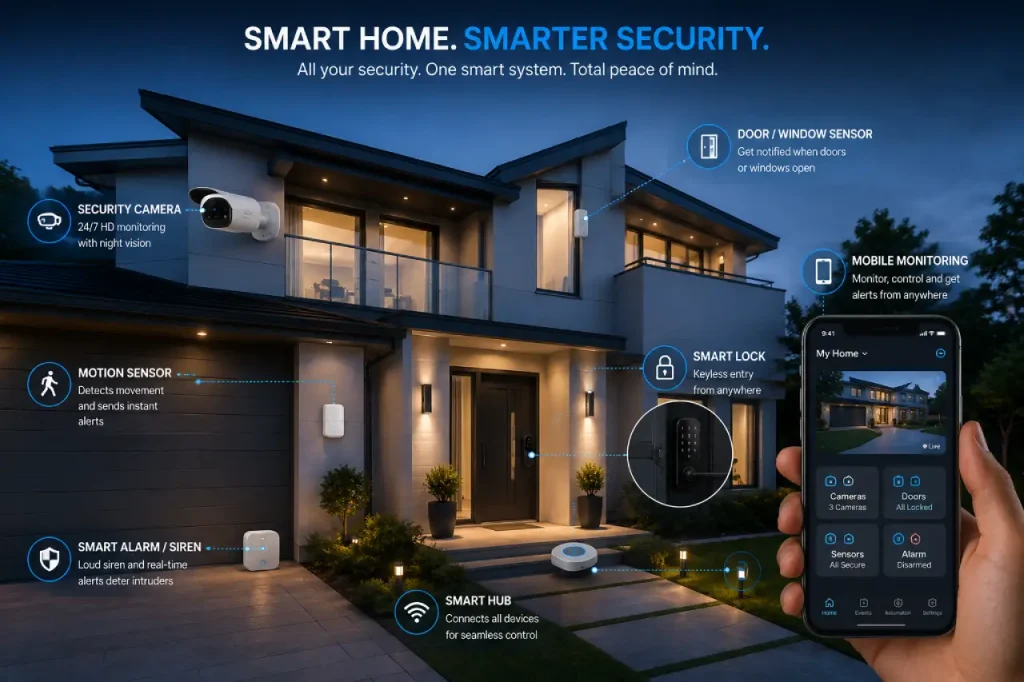
Home security is no longer limited to traditional locks, guards, or basic alarm systems. Today, technology allows homeowners to monitor their property, control access, and receive instant alerts from almost anywhere. A reliable smart home security system can make everyday life safer, more convenient, and easier to manage.
From smart security cameras and door locks to motion sensors and alarms, modern devices offer different ways to protect your home. However, buying every available gadget is not always the best solution. Instead, you should understand your home’s security needs and choose devices that work well together.
What Is Smart Home Security?
Smart home security refers to connected devices that help monitor, protect, and manage your home. These devices may connect through Wi-Fi, Bluetooth, Zigbee, cellular networks, or a dedicated hub.
Unlike traditional systems, smart devices can often send real-time alerts directly to your phone. For example, if someone opens your front door while you are away, a sensor can notify you immediately. Similarly, a camera may allow you to check live activity around your property.
A typical system may include:
- Smart security cameras
- Smart door locks
- Smart motion sensors
- Smart window and door sensors
- Smart home alarms
- Mobile apps or control hubs
The biggest advantage is that these devices can work together. As a result, you can create a connected system instead of relying on a single security device.
1. Smart Home Security Starts With Your Home’s Weak Points
Before buying any device, take a close look at your property. Every home has different security concerns. Therefore, the right setup for a large house may not suit a small apartment.
Start by checking:
- Main entrances and back doors
- Accessible windows
- Garages or balconies
- Dark outdoor areas
- Rooms containing valuable items
- Areas that remain empty for long periods
For example, if your front door is the most vulnerable area, a camera, smart lock, and door sensor may provide more value than installing multiple indoor devices.
Therefore, identify the areas that need the most attention first. Then, build your system step by step.
Divide Your Home Into Security Zones
A simple way to plan your setup is to divide the property into several zones.
Entry Zone
This includes front doors, back doors, and other main access points. Since these areas provide direct entry, they should receive priority.
Perimeter Zone
The perimeter includes driveways, gates, balconies, and accessible windows. Cameras and sensors can help you monitor these spaces.
Interior Zone
Hallways, living rooms, and central areas can benefit from motion sensors or indoor cameras.
By following this approach, you can avoid spending money on devices that do not solve a real problem.
2. Smart Home Security Cameras Improve Visibility
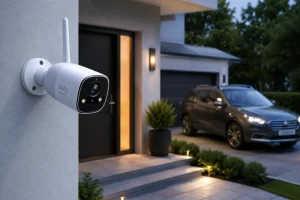
Cameras are often one of the first devices people add to a security system. They can help you monitor entrances, outdoor spaces, and important areas inside the home.
However, camera placement matters just as much as camera quality.
Useful features may include:
- High-quality video
- Night vision
- Motion detection
- Two-way audio
- Wide viewing angles
- Local or cloud storage
- Person or vehicle detection
For outdoor use, choose cameras designed to handle weather conditions. Meanwhile, indoor cameras can help monitor hallways, entrances, or other important areas.
Where Should You Place Security Cameras?
For better coverage, consider placing cameras near:
- Front and back doors
- Driveways
- Garages
- Accessible ground-floor windows
- Main interior entry areas
However, avoid placing cameras where family members or visitors expect privacy. In addition, always respect local privacy rules when positioning outdoor cameras.
After installation, test your camera during both day and night. A small change in angle can significantly improve the footage.
Smart Security Cameras Without WiFi
Reliable internet is not available everywhere. Moreover, internet connections can sometimes fail. In such situations, smart security cameras without WiFi may offer a useful alternative.
Depending on the model, these cameras may use:
- Local SD card storage
- Cellular connectivity
- Wired connections
- Dedicated recording systems
However, not every offline camera provides remote access. Therefore, check how the device stores footage and which features continue working during an internet outage.
3. Smart Door Locks Give You Better Access Control
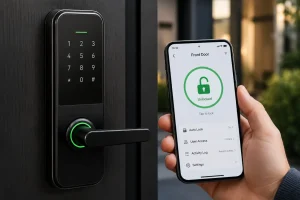
Traditional locks remain essential, but smart door locks can add convenience and flexibility.
Depending on the device, you may unlock your door through a smartphone app, keypad, fingerprint scanner, or temporary access code.
For example, instead of giving a physical key to a guest, you can create a temporary code. Once the person no longer needs access, you can remove that code.
Useful features include:
- Remote locking and unlocking
- Temporary access codes
- Fingerprint access
- Auto-lock options
- Activity history
- Low-battery alerts
- Emergency backup access
However, convenience should never come before security. Choose a lock that fits your door properly and provides a reliable backup.
Also, protect the connected account with a strong password and, whenever possible, two-factor authentication.
4. Smart Motion Sensors Detect Unexpected Movement
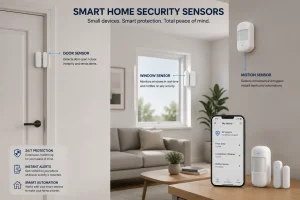
Motion sensors can help you monitor areas where movement should not normally occur.
For instance, you can place a sensor in a hallway and receive an alert if it detects movement while the house is empty.
Smart motion sensors can also trigger other devices. For example, when movement is detected, your system may:
- Start camera recording
- Turn on outdoor lights
- Send a notification
- Activate an alarm
However, placement is important. Pets, heating systems, moving curtains, and other activities may cause false alerts.
To reduce unnecessary notifications, adjust the sensitivity and test the sensor before depending on it.
5. Smart Window and Door Sensors Add Extra Protection
Doors and windows are common entry points. Therefore, smart window and door sensors can be a simple but useful addition to your security setup.
These sensors usually detect when a door or window opens. Once the connection breaks, the system can send an alert or trigger another action.
For example, you can create a routine where opening a monitored window while the system is armed activates a notification or alarm.
You may install these sensors on:
- Front doors
- Back doors
- Balcony doors
- Garage doors
- Accessible windows
- Storage rooms
In addition, these sensors can also improve everyday awareness. Parents, for example, may receive a notification when a child arrives home and opens the door.
6. Smart Home Alarms Create a Stronger Response
Detecting suspicious activity is useful, but your system also needs a clear response. That is where smart home alarms can help.
Depending on the system, an alarm may include a siren, smartphone notification, emergency alert, or professional monitoring service.
For example, your setup could follow this sequence:
- A door sensor detects unexpected entry.
- A camera starts recording.
- A motion sensor detects additional movement.
- The system sends an instant notification.
- If multiple devices trigger, the alarm activates.
This connected response provides more information than relying on one device alone.
However, configure your alarms carefully. Too many false alarms can make people ignore important notifications.
7. How Smart Home Security Devices Work Together
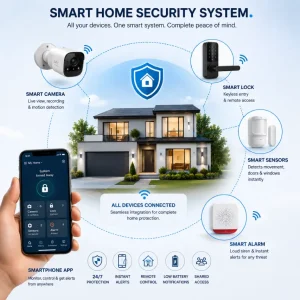
The real benefit of a connected system comes from automation.
Imagine that a window sensor detects an unexpected opening. Immediately, a nearby camera begins recording. Then, if a motion sensor detects movement, you receive another alert.
This gives you more context and helps you decide whether the situation requires immediate action.
Similarly, a smart lock can work with your security mode. Locking the door may activate selected sensors, while authorized entry can automatically disarm them.
However, do not create complicated automations just because you can. Start with simple routines and test them regularly.
Check Device Compatibility
Before buying several devices, make sure they can work together.
Check for:
- Hub requirements
- Supported platforms
- Communication protocols
- Mobile app support
- Automation options
- Local and cloud control
- Subscription requirements
As a result, you can avoid building a system with devices that cannot communicate properly.
8. Protect the Digital Side of Smart Home Security
Physical protection and digital security should go together. Smart devices connect to accounts and networks, so weak passwords or outdated software can create security problems.
Follow these simple practices:
Use Strong, Unique Passwords
Avoid using the same password for multiple accounts. Instead, create a unique password for every important service.
Enable Two-Factor Authentication
Two-factor authentication adds another layer of account protection and can help prevent unauthorized access.
Keep Devices Updated
Manufacturers often release software updates to fix bugs and security issues. Therefore, install important updates as soon as possible.
Secure Your Wi-Fi Network
Use a strong router password and modern security settings. If possible, separate smart devices from computers that contain sensitive information.
Review Who Has Access
Check who can access your cameras, locks, and security apps. Remove old users, expired guest codes, and unnecessary permissions.
9. Common Smart Home Security Mistakes to Avoid
Even advanced devices may not provide good protection if you use them incorrectly.
Here are some common mistakes:
Buying Too Many Devices
More devices do not always mean better security. Start with the areas that need the most protection.
Ignoring Privacy Settings
Review camera access, recording settings, microphones, and shared accounts.
Forgetting About Power Backup
Understand what happens during a power failure or low battery situation.
Depending Only on Wi-Fi
Some features may stop working when the internet goes down. Therefore, consider backup options for critical devices.
Using Default Passwords
Change default passwords immediately and keep your accounts secure.
10. Building Smart Home Security on a Budget
You do not need to buy everything at once. A practical setup can start with a few essential devices.
Consider beginning with:
- One security camera for the main entrance
- A secure smart lock
- Window or door sensors
- A motion sensor for a central area
- A smart alarm or siren
Afterward, evaluate your setup.
Are there blind spots? Do you receive too many alerts? Are some areas more vulnerable than expected?
Then, add new devices based on actual needs.
This gradual approach can save money and help you build a system that truly works for your home.
11. Smart Home Security for Apartments and Renters
Renters may think that advanced security requires permanent installation. Fortunately, many devices are designed for easier setup.
Possible options include:
- Wireless cameras
- Battery-powered sensors
- Removable window and door sensors
- Portable indoor cameras
- Compatible smart locks
- App-controlled alarms
However, always check your building rules or rental agreement before making permanent changes.
For apartment dwellers, the main focus may be the entrance door, accessible windows, and interior access points. Therefore, a smaller setup may provide enough protection.
Frequently Asked Questions
Is smart home security worth it?
Yes, for many homeowners and renters, it can improve visibility, access control, and awareness. However, the best system depends on your specific needs.
Can smart security devices work without Wi-Fi?
Some devices can continue operating without Wi-Fi, depending on their design. Local storage, cellular connectivity, and dedicated hubs may provide alternatives.
Are smart door locks safe?
They can be safe when properly installed and protected with strong account security. Physical lock quality and backup access methods also matter.
Do security cameras record all the time?
It depends on the device. Some offer continuous recording, while others record only when motion or another event occurs.
Do I need professional monitoring?
Not always. Self-monitoring may work well if you can respond to alerts. However, professional monitoring can provide additional support for some households.
Final Thoughts
A good smart home security system is not about buying the most expensive devices. Instead, it is about understanding your home, identifying vulnerable areas, and choosing technology that solves real problems.
Start with your most important entry points. Add cameras where visibility matters, use sensors to detect unusual activity, and choose locks that give you secure access control.
Then, connect your devices through simple and useful automations.
Most importantly, do not forget the basics. Use strong passwords, keep your devices updated, review access permissions, and test your equipment regularly.
When cameras, sensors, locks, and alarms work together, they can create a safer and more convenient home environment. Ultimately, smart home security is not about filling your house with gadgets. It is about protecting your home intelligently and staying informed about what matters most.