
Have you ever walked into a room and felt like the air just… didn’t feel right? Maybe it’s stuffy, dusty, or carries lingering odors. Indoor air quality affects more than just comfort, it can impact your health, your energy levels, and even how well you sleep at night.
When I first got an air purifier, I didn’t expect such a small machine to make such a big difference in how my home felt. Suddenly, the air was cleaner, my allergies were less bothersome, and I actually slept better. It made me wonder: Why didn’t I do this sooner?
If you’ve ever thought about improving your home’s air, or wondered whether an air purifier is worth it, this guide is for you. By the end, you’ll know how air purifiers work, which type is right for your home, how to set it up, and tips to keep your air fresh and healthy all without feeling overwhelmed.
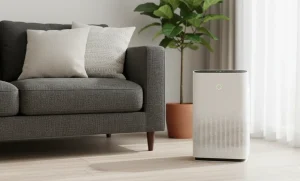
What is an Air Purifier?
An air purifier is a device that cleans the air in your home by removing dust, allergens, smoke, odors, and even some germs. Think of it as a filter for your indoor air helping you breathe easier and feel more comfortable.
Most air purifiers use HEPA filters, carbon filters, or UV technology to trap particles and improve air quality. Some smart models even let you monitor and control the air from your phone.
Why I Use an Air Purifier?
I noticed a difference almost immediately: the air felt fresher, dust settled less quickly, and my allergies weren’t acting up as much. It became one of those little things that quietly improves daily life.
Here’s why I find it so useful:
Reduces allergens, dust, and odors:
Air purifiers trap dust, pollen, pet dander, and even smoke, helping reduce common allergens and lingering odors. This means fewer sneezes, less coughing, and a fresher home environment.
Improves air quality and breathing:
By filtering out harmful particles, air purifiers make the air cleaner to breathe. This is especially helpful for anyone with asthma, allergies, or respiratory concerns.
Supports sleep and energy levels:
Cleaner air can improve sleep quality and help you feel more energized during the day. Breathing easier at night makes mornings feel less groggy and more refreshing.
Adds convenience for homes with pets or pollution concerns:
Air purifiers quietly handle pet hair, dander, and outdoor pollutants, so you don’t have to constantly dust or worry about lingering smells. They work in the background while you focus on your day.
Reduces airborne germs and bacteria:
Some air purifiers use HEPA or UV filters to capture bacteria, viruses, and mold spores. This helps lower the spread of germs indoors and keeps your home healthier.
Creates a more comfortable living environment:
Beyond health, clean air just makes your home feel fresher and more inviting. You’ll notice the difference in how airy and pleasant rooms feel, especially in areas where ventilation is limited.
Types of Air Purifiers: Find Your Best Match
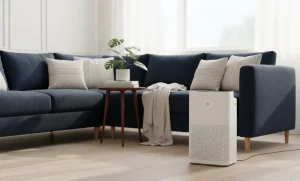
HEPA Filter Models – Effective Against Allergens and Dust
HEPA filters are the gold standard for capturing tiny particles like dust, pollen, and pet dander. I love these models because they make a noticeable difference during allergy season, and you can really feel the air getting cleaner as it circulates. If you or your family suffer from allergies, this is often the best place to start.
Activated Carbon Models – Ideal for Odors, Smoke, and VOCs
Activated carbon purifiers are excellent at removing smells, smoke, and volatile organic compounds (VOCs) from the air. I use one in my kitchen area because it neutralizes cooking odors and keeps the air fresh. If odors or indoor smoke are your main concern, a carbon filter is a smart choice.
UV-C & Ionizers – Extra Protection for Germs, Bacteria, and Mold
UV-C lights and ionizers add another layer of protection by reducing bacteria, viruses, and mold spores in the air. I find these helpful in bathrooms or humid areas where mold is more likely to form. They’re great for anyone looking for extra germ-fighting power in addition to standard filtration.
Smart/Wi-Fi Models – Remote Monitoring and App Control
Smart air purifiers connect to your phone, letting you check air quality, change settings, or schedule operation from anywhere. I especially like these because I can turn it on before arriving home or adjust it while at work. If you love convenience or already have a smart home setup, a Wi-Fi model makes life easier.
Step-by-Step Setup and Correct Use of an air purifier?
Step 1: Unbox and Inspect
When I first get a new air purifier, I take a minute to carefully unbox it and check for any damage. Removing all the packaging and protective covers ensures nothing blocks the airflow or filter. It’s a small step, but it prevents headaches later.
Step 2: Install Filters
Next, I install the filters. Most purifiers come with HEPA, carbon, or pre-filters that need to be placed correctly. I double-check the instructions to make sure each filter goes in the right slot this is key for maximum efficiency.
Step 3: Choose Location
Placement makes a big difference. I avoid corners and walls that block airflow and aim for open spaces where air can circulate freely. For bedrooms or living areas, I keep it near where I spend the most time but make sure it has at least a few feet of space around it.
Step 4: Power On and Select Mode
Once it’s in place, I plug it in and power it on. Then I choose the mode, auto, purify, or fan speed depending on how clean I want the air and how quiet I need it to be. I usually start on auto to let the purifier adjust itself based on air quality.
Step 5: Monitor and Adjust
Finally, I keep an eye on the indicators or app (for smart models) to see how the air quality is improving. Over time, I adjust settings for optimal performance higher fan speed during cooking or lower at night for quiet operation.
Maintenance Tips for an Air Purifier
Regular Filter Replacement Schedule
One of the simplest ways to keep your air purifier working well is to replace the filters on time. HEPA and carbon filters usually have a lifespan of 6–12 months, depending on usage. I like to mark my calendar so I never forget, it keeps the air consistently fresh.
Cleaning the Unit and Pre-Filters
Many purifiers come with pre-filters that catch larger dust and hair. I clean these every few weeks to prevent buildup, which helps the main filter work more efficiently. A quick wipe of the exterior also keeps the unit looking clean and running smoothly.
Seasonal Checks and Adjustments
I check my purifier at the start of each season. Allergies, dust levels, and even outdoor pollution can change, so adjusting fan speed or mode accordingly makes a big difference in performance.
Using Hold/Auto Modes Wisely
Some purifiers have a “Hold” or “Auto” mode. I use Hold only when I need temporary extra power, like during cooking. Auto mode is great for everyday use because it adapts to air quality and helps extend the life of the filters.
Troubleshooting Common Issues
Unit Not Turning On
If your air purifier doesn’t power up, the first thing I check is the plug and power connections. Make sure it’s properly plugged in and the outlet works. Sometimes a simple reconnection solves the problem instantly.
Poor Airflow
Low airflow usually means the filters aren’t installed correctly or the unit is in a spot that blocks circulation. I always double-check filter placement and move the purifier away from walls or corners to let air flow freely.
Unusual Noises
If the purifier starts making strange sounds, it might be time to clean or replace the filters. Dust buildup can make the fan work harder, so a quick cleaning often fixes the noise—and keeps the purifier running efficiently.
Wi-Fi or App Connection Problems
For smart models, connection issues can be frustrating. I usually restart both the purifier and my router, then reconnect via the app. Keeping the device within range of Wi-Fi often solves most connectivity problems.
FAQs
What is the best routine for an air purifier?
Run it during the times when air quality is most affected, such as cooking, high pollen hours, or when someone is home. Using Auto mode can simplify this.
Where should I place my air purifier in my room?
Place it in an open area with at least a few feet of space around it, away from corners and walls, for proper airflow.
How do I know if my air purifier is working correctly?
Check indicator lights, airflow, and filter status. Smart models often show real-time air quality in the app.
Should you close the door when using an air purifier?
Yes, keeping the door closed helps the purifier clean the air in that room more efficiently.
Can we run an air purifier whole night?
Yes, most purifiers are designed for continuous use. Running on low or Auto mode at night is ideal for quiet operation.
Can I have my window open while my air purifier is on?
You can, but open windows may reduce efficiency by letting in dust and pollen. For best results, keep windows closed in high-pollution or allergy-heavy conditions.