
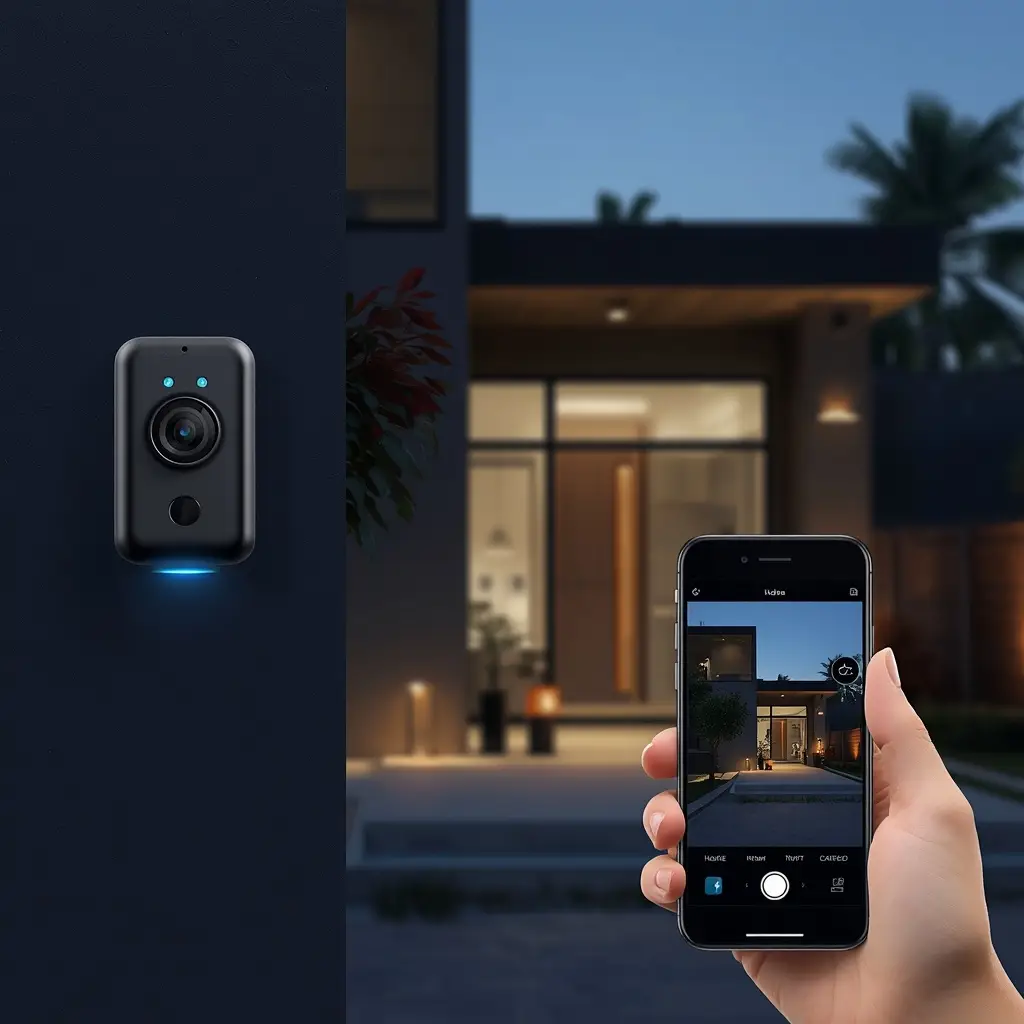
Choosing the best wireless security camera can make your home safer, more convenient, and easier to monitor. Unlike traditional wired cameras, wireless security cameras are generally easier to install because they do not require long video cables running through walls or ceilings. As a result, they are a popular choice for apartments, houses, offices, and small businesses.
However, finding the right camera is not always simple. There are many options with different features, prices, video resolutions, storage methods, and connectivity choices. Some models are designed for indoor use, while others are built to withstand rain, dust, and changing weather conditions.
Therefore, it is important to understand what makes a wireless security camera reliable before buying one. In this guide, we will explain the key features to consider and explore the most useful types of wireless security cameras for different home security needs.
What Is a Wireless Security Camera?
A wireless security camera is a surveillance camera that sends video and other data wirelessly, usually through Wi-Fi, to a connected device, cloud service, or local storage system.
Because there is no need for a dedicated video cable, installation is often much easier than with traditional wired security systems. You can place a wireless camera in a suitable location, connect it to your Wi-Fi network, and monitor the footage through a smartphone app or another compatible device.
However, “wireless” does not always mean completely cable-free. Many wireless cameras still need a power source unless they use a rechargeable battery or solar power. Therefore, always check the power requirements before purchasing a camera.
Why Choose the Best Wireless Security Camera?
A good wireless security camera can provide several benefits for homeowners. First, it allows you to monitor important areas of your property without installing complicated wiring.
Moreover, many modern cameras offer smart features that make monitoring more convenient.
Key Benefits of Wireless Security Cameras
- Easy installation
- Flexible camera placement
- Remote smartphone access
- Motion detection alerts
- Night vision
- Two-way audio
- Cloud or local storage
- Smart home integration
- Real-time notifications
- Easy relocation when needed
For example, you can install a camera near your front door and receive an alert when motion is detected. Similarly, you can place another camera inside your home to monitor pets, children, or important rooms.
Best Wireless Home Security Camera
A best wireless home security camera should provide reliable video quality, easy installation, strong connectivity, and useful smart features. Since home security needs vary from one household to another, the ideal camera depends on where you plan to install it and what you want to monitor.
For general home security, look for a camera with at least Full HD video quality. Higher-resolution models can provide clearer details, which can be particularly useful when identifying people or objects.
Features to Look for in a Wireless Home Security Camera
- 1080p or higher video resolution
- Motion detection
- Night vision
- Smartphone notifications
- Two-way audio
- Secure Wi-Fi connection
- Cloud or local storage
- Wide viewing angle
- Easy mobile app control
Additionally, consider the camera’s field of view. A wider viewing angle can cover more space, which may reduce the number of cameras required.
Wireless Home Security Camera System
If you need to monitor several areas, a wireless home security camera system may be a better option than buying individual cameras.
A complete system can include multiple cameras, a central hub, storage options, and mobile app support. Consequently, you can monitor the front door, backyard, garage, and indoor areas from one platform.
Before buying a system, however, check how many cameras it supports and whether additional cameras can be added later.
Best Wireless Outdoor Security Camera
Outdoor areas require cameras that can handle changing weather conditions. Therefore, the best wireless outdoor security camera should be durable, weather-resistant, and capable of maintaining a stable connection.
Outdoor cameras are commonly installed near entrances, driveways, garages, backyards, and other exposed areas.
Important Features for Outdoor Wireless Cameras
- Weather-resistant construction
- Night vision
- Motion detection
- Wide-angle viewing
- Strong Wi-Fi connectivity
- High-resolution video
- Two-way audio
- Smartphone alerts
- Durable housing
A weather-resistant design is especially important because outdoor cameras may be exposed to rain, humidity, dust, and temperature changes.
Wireless Outdoor Security Camera
A wireless outdoor security camera gives you more flexibility when choosing an installation location. Instead of running long cables across your property, you can place the camera where it provides the best view.
However, Wi-Fi signal strength should not be ignored. If the camera is too far from your router, the connection may become unstable. In that case, a Wi-Fi extender, mesh network, or compatible hub may improve performance.
Outdoor Wireless Security Camera
An outdoor wireless security camera is particularly useful for monitoring areas where traditional wired installation would be difficult.
For example, you might use one to monitor:
- Front doors
- Back doors
- Driveways
- Garages
- Backyards
- Side entrances
- Garden areas
- Outdoor storage spaces
Furthermore, choosing a camera with infrared or color night vision can improve visibility after dark.
Best Wireless Security Camera System
A best wireless security camera system is ideal for homeowners who want broader property coverage. Instead of managing several unrelated cameras, a complete system can allow multiple devices to work through one app or central platform.
When choosing a system, consider the number of cameras included, storage options, video quality, installation requirements, and smart home compatibility.
What Should a Wireless Security Camera System Include?
A good system may include:
- Multiple wireless cameras
- Central hub or base station
- Smartphone application
- Motion detection
- Night vision
- Local or cloud storage
- Two-way audio
- Smart notifications
- Remote viewing
Additionally, check whether the system requires a monthly subscription. Some systems offer free basic storage, while others require a paid plan for advanced recording features.
Wireless Security Cameras With Motion Detection
Motion detection is one of the most useful features in a modern security camera. Instead of continuously checking live footage, you can receive an alert when movement is detected.
However, not all motion detection systems work in the same way. Some basic cameras detect any movement, while smarter models can distinguish between people, vehicles, animals, and other objects.
Why Motion Detection Matters
Motion detection can help you:
- Receive instant alerts
- Reduce unnecessary recordings
- Monitor entrances
- Detect unexpected activity
- Save storage space
- Respond quickly to suspicious events
Therefore, if your main goal is home security, motion detection should be high on your feature checklist.
Wireless Security Cameras With Night Vision
Security monitoring should not stop after sunset. For that reason, night vision is another important feature to consider when choosing a wireless camera.
Most cameras use infrared LEDs to capture footage in low-light conditions. More advanced models may offer color night vision when enough ambient light is available.
What Makes Good Night Vision?
Look for:
- Clear low-light video
- Adequate night vision range
- Infrared support
- Automatic day/night switching
- Reduced image noise
For outdoor installations, good night vision can be particularly valuable because driveways, entrances, and backyards may have limited lighting.
Wireless Security Camera With Two-Way Audio
Two-way audio allows you to communicate through the camera using a built-in microphone and speaker.
For example, if someone is standing at your front door, you can speak to them through your smartphone without opening the door. Similarly, you can use two-way audio to communicate with family members or check on pets.
Therefore, two-way audio adds convenience as well as an extra layer of interaction to your security setup.
Smart Wireless Security Camera With Mobile App
A modern wireless camera should ideally work with a reliable mobile app. A smartphone application allows you to view live footage, receive notifications, adjust settings, and sometimes download recorded clips.
Useful App Features
- Live video streaming
- Motion alerts
- Two-way communication
- Video playback
- Camera settings
- Cloud storage management
- User sharing
- Smart detection controls
Moreover, some apps allow you to connect several cameras in one dashboard. This makes it easier to manage an entire home security setup.
Wi-Fi Connectivity and Wireless Security Cameras
Wi-Fi performance plays an important role in the reliability of a wireless camera. Even if a camera has excellent video quality, a weak connection can cause delays, buffering, or disconnected footage.
Therefore, check the distance between your router and the planned camera location before installation.
If you have a large home, a mesh Wi-Fi system can help provide stronger coverage across different rooms and outdoor areas. See More
Cloud Storage vs. Local Storage
Storage is another important consideration when choosing a wireless security camera.
Cloud Storage
Cloud storage allows recorded footage to be uploaded to an online service. You can usually access your recordings remotely from your smartphone.
Advantages:
- Easy remote access
- Automatic backups
- Convenient playback
- No local storage device required
Disadvantages:
- May require a monthly subscription
- Requires a reliable internet connection
- Long-term costs can increase
Local Storage
Some cameras support microSD cards, network storage, or a dedicated hub.
Advantages:
- No recurring cloud fee in some cases
- More control over recordings
- Useful for continuous recording
Disadvantages:
- Storage capacity is limited
- The storage device may need maintenance
- Local footage can be lost if the device is damaged
Therefore, choose the storage method that best matches your budget and security preferences.
How to Choose the Best Wireless Security Camera
Before buying a camera, consider your specific security needs rather than choosing a model based only on its price.
1. Consider the Installation Location
First, decide whether the camera will be used indoors or outdoors. Outdoor cameras need weather-resistant construction, while indoor cameras can focus more on compact design and smart features.
2. Check Video Quality
A camera with Full HD resolution can provide clear footage for general monitoring. If you need more detailed images, consider a higher-resolution model.
3. Check Wi-Fi Compatibility
Make sure the camera works with your existing Wi-Fi network. Also, check the expected range and whether the camera supports your router’s frequency bands.
4. Look at Night Vision
If you need 24-hour monitoring, choose a camera with reliable night vision. This is especially important for outdoor areas.
5. Compare Motion Detection
Look for smart motion detection if you want fewer false alerts. Person, vehicle, and animal detection can make notifications more useful.
6. Review Storage Options
Compare cloud subscriptions with local storage. Consider both the initial price and long-term costs.
7. Check Smart Home Compatibility
If you already use smart home products, choose a camera that works with your preferred smart home ecosystem.
8. Consider Privacy and Security
Finally, do not overlook privacy. Choose a camera from a reputable manufacturer, use a strong account password, enable two-factor authentication when available, and keep the camera firmware updated.
Common Mistakes to Avoid
Even the best wireless security camera may not perform well if it is installed incorrectly.
Avoid placing the camera too far from the Wi-Fi router. Also, do not point it directly toward strong light sources because glare can reduce image quality.
Another common mistake is choosing a camera without checking its storage requirements. A low-cost camera may become more expensive if its useful features require a monthly subscription.
Finally, avoid buying a camera based only on megapixels. Video resolution matters, but image processing, lens quality, night vision, field of view, and software also affect real-world performance.
Final Thoughts
Choosing the best wireless security camera becomes much easier when you know what features actually matter. A reliable camera should offer good video quality, stable connectivity, useful motion detection, night vision, secure storage, and convenient mobile access.
For basic home monitoring, a wireless home security camera can provide an easy and flexible solution. Meanwhile, an outdoor wireless security camera is better suited to driveways, entrances, and exposed areas. If you need broader coverage, a wireless security camera system can connect multiple cameras and simplify monitoring.
Most importantly, focus on your specific needs rather than simply choosing the most expensive model. Compare video quality, storage, smart features, connectivity, installation requirements, and long-term costs. By doing so, you can choose a wireless security camera that provides dependable monitoring and fits your home security goals.