
Data privacy of smart homes is a concerning matter.Smart home devices know a lot about you — when you’re home, what temperature you like, when you sleep, even what you say.
From smart speakers to security cameras, your home is full of data-gathering gadgets. But the big question is:
👉 Who owns your smart home data?
And more importantly, how private is that data really?
Let’s break down how data privacy in smart homes works, what risks are involved, and what you can do to take back control.
📦 What Kind of Data Do Smart Home Devices Collect?
Smart home devices collect a wide range of data depending on their function.
🔍 Common Smart Home Data Includes:
-
Voice recordings (Alexa, Google Assistant, Siri)
-
Video footage (smart cameras, doorbells)
-
Motion and occupancy data (sensors)
-
Location and usage history
-
Temperature and energy usage
-
Wi-Fi network and device information
Much of this data is uploaded to the cloud, where it can be stored, processed, or shared.
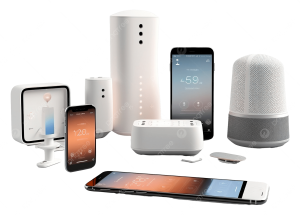
🧑⚖️ Who Really Owns Your Smart Home Data?
Short answer: It depends.
Most smart home device companies claim ownership or usage rights over your data through their privacy policies and terms of service.
When you click “Agree” during setup, you often give permission for:
-
Data collection
-
Data storage
-
Data sharing with third parties
-
Use of data to train AI models or improve services
📜 Real-World Example:
Amazon retains your Alexa voice recordings unless you manually delete them. Google stores your smart device activity unless auto-delete is enabled.
So even though it’s your home, the data often belongs to the tech company unless you take action.
❌ Risks of Poor Data Privacy in Smart Homes
1. Hacking and Unauthorized Access
If your smart home isn’t secured properly, hackers can access devices, watch live feeds, or even control your systems.
2. Data Selling to Third Parties
Some companies may sell anonymized (or not-so-anonymized) data to advertisers, insurers, or marketers.
3. Surveillance and Privacy Invasion
Your daily routines, voice commands, or footage may be stored and analyzed without your full knowledge.
4. Government Access and Subpoenas
In some countries, authorities can request access to cloud-stored smart home data during investigations.
✅ How to Protect Your Smart Home Data Privacy
Here are practical steps you can take to secure your data and maintain privacy:
🔒 1. Read Privacy Policies Carefully
Know what data is being collected and how it’s being used before buying a device.
🧹 2. Delete Data Regularly
Most platforms let you review and delete data like voice recordings and history.
-
Amazon Alexa: Settings → Alexa Privacy
-
Google Home: My Activity → Delete activity
🔧 3. Turn Off Unnecessary Features
If you’re not using the voice assistant or camera, disable the mic or cover the lens.
🔐 4. Use Strong Passwords & Two-Factor Authentication
Protect access to your smart home apps and Wi-Fi network.
📵 5. Avoid Untrusted Brands
Choose smart home products from reputable brands that offer regular updates and transparency.
🧠 Smart Home Ecosystem & Privacy: How They Compare
| Platform | Data Privacy Level | Data Control | Notes |
|---|---|---|---|
| Apple HomeKit | 🔒🔒🔒 High | Strong control | Data stays mostly on-device |
| Google Home | 🔒🔒 Medium | Some control | Good auto-delete options |
| Amazon Alexa | 🔒🔒 Medium | Manual control | Stores voice data unless deleted |
| Samsung SmartThings | 🔒 Medium | Varies | Relies on third-party devices too |
🏁 Final Thoughts: Who Owns Your Data in a Smart Home?
When it comes to data privacy in smart homes, ownership is complicated.
While you live with the devices, the companies often own the data — unless you take steps to limit access and visibility.
🔑 The key to smart home privacy is awareness and control.
By choosing the right platforms, managing settings, and regularly reviewing your data, you can enjoy a smart home that’s not only smart — but also safe.
🔎 FAQs: Data Privacy in Smart Homes
Q: Can I stop my smart speaker from recording me?
Yes. You can mute the microphone or adjust privacy settings in the app.
Q: Who can access my smart home footage?
Device manufacturers, third-party services, and in some cases, law enforcement (if legally requested).
Q: Is local storage safer than cloud storage?
Yes. Local storage (like an SD card or local server) keeps your data offline and in your control.
Q: Are smart homes legal privacy risks?
Not illegal, but smart homes do create potential risks if you’re not aware of how your data is handled.