
Is your Ecobee thermostat not turning on? Don’t worry. Try these quick fixes to get it working again and enjoy the right temperature.
My Ecobee thermostat is meant to make life easier. I set the temperature, save energy, and keep the house comfortable. But sometimes, it stops working. The screen goes blank, and it does not respond at all. If you’ve found yourself staring at a lifeless display, wondering if the device is gone for good, you’re not alone.
The good news? Most of the time, an Ecobee not turning on is fixable with a few checks and adjustments. I’ve run into this myself, and I know how frustrating it feels when your “smart” device suddenly acts not-so-smart.
In this guide, I’ll walk you through:
- Quick things I check before digging into wiring and HVAC systems.
- The most common reasons an Ecobee thermostat won’t power up.
- Practical fixes that usually solve the problem.
- Signs it’s time to call in professional help.
- Preventive steps so you don’t run into this issue again.
So, before you consider tossing the thermostat or blaming it for every HVAC issue, let’s troubleshoot together.
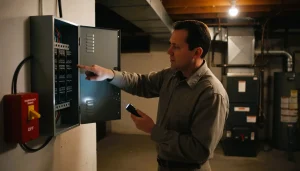
Ecobee Thermostat: Turning Quick Checks Before Going Deeper
Whenever my Ecobee refuses to turn on, I start with the simplest checks. You’d be surprised how often the “big problem” is just a tiny oversight.
- Tap the screen. It sounds silly, but sometimes the display just looks off until you touch it.
- Check the furnace or air handler power switch. This switch usually looks like a light switch near your unit. If it’s off, flip it back on.
- Look at the breaker box. Head over to your electrical panel and check the breaker for your heating or cooling system. If it’s tripped, reset it.
If the breaker keeps tripping, that’s a red flag for a deeper issue. Don’t keep resetting it—it’s time to dig further or call an electrician.
Why My Ecobee Thermostat Won’t Turn On
If the quick checks don’t bring the screen back to life, the problem usually falls into one of these categories.
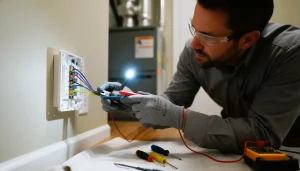
2.1. Power Supply Issues
If the thermostat isn’t getting power, it can’t function. This could be a tripped breaker, a blown fuse inside the furnace, or a faulty power switch.
2.2. Wiring Problems
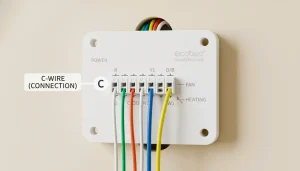
Loose, misconnected, or missing wires can cut power to the thermostat. The most common culprit is the missing C-wire (common wire), which ecobee needs for continuous power.
2.3. HVAC System Safety Triggers
Sometimes, the thermostat isn’t the issue at all. The furnace or AC unit might shut down to protect itself, and when that happens, the thermostat goes dark too.
2.4. Device Trouble
It’s rare, but the Ecobee device itself could be defective. I usually treat this as the last possibility after ruling out everything else.
Step-by-Step Fixes That Work for the Ecobee Thermostat Not Turning On
Here’s where we roll up our sleeves. These steps cover the most common solutions I’ve used (and recommended) when an Ecobee thermostat won’t power on.
3.1. Reset the Breaker and Power Switch
- Find your home’s electrical panel.
- Locate the breaker labeled “HVAC,” “Furnace,” or “AC.”
- If it’s tripped, reset it by flipping it fully off, then back on.
- Double-check the furnace or AC power switch near the unit as well.
If the breaker immediately trips again, that points to a larger electrical issue in the system. At this stage, I’d pause DIY troubleshooting and call a professional.
3.2. Inspect the Thermostat Wiring
If the power supply looks fine but the screen stays blank, the wiring might be the culprit.
Here’s what I do:
- Turn off the breaker to cut power. Safety first.
- Remove the Ecobee faceplate from the wall.
- Check wire connections. Each wire should be snug in its terminal—no loose or dangling ones.
- Look for damage. Burnt, frayed, or bent wires are a bad sign.
If you do not see a C wire, use the Power Extender Kit from Ecobee. Without a C wire or the kit, the thermostat will not stay powered.
Need more background? I also covered installation basics in the Ecobee thermostat guide.
3.3. Check the Furnace or AC Unit
The thermostat depends on the HVAC system. If the system is off, the thermostat can’t work either.
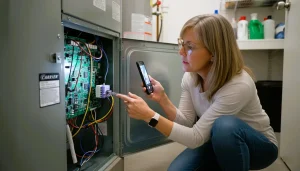
Here’s what I look for:
- Furnace door: If it’s not closed securely, the safety switch cuts off power.
- Error lights or codes: Many units flash error codes when something’s wrong. I keep the manual handy or search the code online.
- Pilot light (for gas furnaces): If it’s out, the system won’t run, and neither will the thermostat.
3.4. Replace the Furnace Fuse
Most furnaces have a small fuse (usually 3–5 amps) that protects the system from electrical overload. If it blows, the thermostat loses power.
Steps I follow:
- Ecobee Thermostat Not Turning On: Turn off the breaker to the furnace.
- Find the fuse on the control board (it looks like a small car fuse).
- Pull it out and inspect it. If the metal inside is broken or blackened, it’s blown.
- Replace it with a fuse of the same rating.
3.5. Check the Condensate Drain
This one caught me off guard the first time: if your AC condensate drain gets clogged, the system shuts down to prevent water damage. And when that happens, the ecobee screen goes dark.
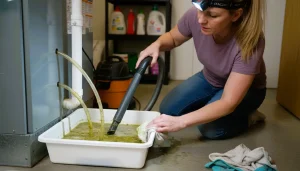
I check the drain pan under the unit and the PVC drain pipe. If I see standing water, it’s time to clear the blockage with a wet/dry vacuum or call in a pro.
3.6. Restart the Ecobee Thermostat
Sometimes, the thermostat itself just needs a fresh start.
- Remove it from the wall plate for 30 seconds.
- Reattach it and wait for it to reboot.
If that fails, I try a factory reset:
- Go to Menu > Settings > Reset > Reset All Settings.
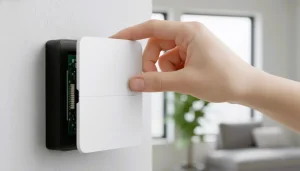
Just remember: this wipes out schedules, preferences, and settings. It feels like starting fresh, but it can solve software hiccups.
3.7. Update the Firmware
Ecobee pushes updates that fix bugs and improve stability. If your thermostat powers on intermittently but keeps shutting off, check the firmware version.
- Open Menu > Settings > About > Firmware Version.
- If an update is available, let it install.
Outdated firmware might not be the direct cause of a dead screen, but staying updated helps prevent glitches down the road.
When I Call for Backup
I like to fix things myself, but sometimes it’s smarter (and safer) to let a professional step in.
Here’s when I stop troubleshooting:
- The breaker keeps tripping.
- The furnace fuses blow repeatedly.
- Wires look burnt, melted, or otherwise unsafe.
- The HVAC system shows error codes I can’t clear.
- The thermostat stays dead even after all the steps above.
At that point, I call an HVAC technician. Ecobee also offers a Find a Pro tool on its website that connects you with local experts.
Preventing Future Problems
I’ve learned that a little maintenance goes a long way in avoiding ecobee thermostat not turning on troubles. Here’s what I do:
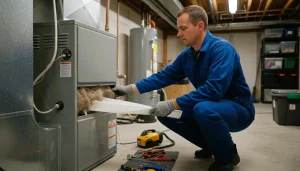
- Schedule annual HVAC service. A professional tune-up keeps the system healthy.
- Change furnace filters regularly. Dirty filters can cause system strain and unexpected shutdowns.
- Check wiring connections during cleaning. A loose wire can stop the thermostat in its tracks.
- Don’t ignore early warning signs. Random reboots, clicking noises, or partial blackouts usually mean something’s off.
Wrapping Up
When my Ecobee thermostat won’t turn on, it’s tempting to assume the device has failed. But nine times out of ten, the problem lies in power, wiring, or the HVAC system itself.
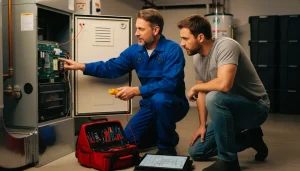
By working through the simple steps—checking breakers, wires, furnace fuses, and drains—I usually get my Ecobee running again without spending money on a replacement.
If all else fails, calling in a professional is the safest move. After all, sometimes peace of mind is worth more than the time spent troubleshooting.
Meanwhile, if you want to dig deeper into how the Ecobee thermostat works when it is behaving, I’ve also written about that here: Ecobee thermostat.
Frequently Asked Questions (FAQs)
- Why is my ecobee thermostat screen blank?
Most of the time, it’s a power issue—a tripped breaker, blown furnace fuse, or loose wiring. Start by checking your HVAC power switch and breaker before digging deeper.
- How do I know if my ecobee thermostat is getting power?
If the screen won’t light up after tapping it, try removing the thermostat from the wall and reattaching it. If it still stays off, check the furnace fuse and breaker.
- Do I need a C-wire for my ecobee to work?
Yes, Ecobee thermostats require a C-wire (common wire) for continuous power. If you don’t have one, Ecobee includes a Power Extender Kit (PEK) that solves the issue.
- Can a blown furnace fuse cause my Ecobee to shut off?
Absolutely. The small fuse on the furnace control board protects the system. If it blows, your thermostat will lose power until you replace it.
- My Ecobee thermostat keeps turning off randomly—why?
That usually points to wiring issues, a clogged condensate drain, or a problem with your HVAC system’s safety switches. Updating the firmware can also help
prevent random shutdowns.
- Should I reset my Ecobee if it won’t turn on?
A quick reboot (removing it from the wall for 30 seconds) can help. If that fails, try a factory reset—but only after you’ve ruled out wiring or HVAC issues.
- When should I call a professional?
If breakers keep tripping, furnace fuses blow repeatedly, or wiring looks burnt or unsafe, it’s best to stop troubleshooting and call an HVAC technician.
- How do I prevent my ecobee from going blank again?
Schedule yearly HVAC maintenance, change furnace filters regularly, and make sure wiring connections stay secure. Keeping the system clean and well-maintained helps avoid sudden shutdowns.
Final Thoughts
A blank Ecobee screen doesn’t automatically mean your thermostat has failed. Most of the time, the fix is simple: flip a switch, reset a breaker, replace a small fuse, or secure a loose wire. By tackling these steps one at a time, you’ll usually have your ecobee back online without much hassle.
And if nothing works? Don’t worry—that’s when a professional steps in. Sometimes, peace of mind is worth more than the hours spent troubleshooting.
For more Ecobee insights, you can check out my detailed guide here: Ecobee thermostat.