

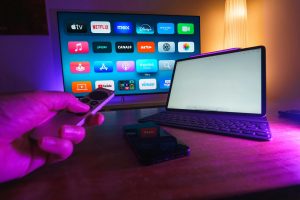
Choosing between a Non-Smart TV vs Smart TV: Which One Should You Choose? Many buyers struggle to decide if smart features are worth the extra cost. In this post, I’ll help you compare both types, explain their key differences, and guide you toward the best choice for your needs. Television is still the centerpiece of home entertainment, but the way we use it has completely changed over time. Years ago, TVs were simple boxes that displayed cable or antenna channels. Today, smart TVs function more like computers with streaming apps, built-in Wi-Fi, and integration with other smart devices. With so many options on the market, deciding between a non-smart TV and a smart TV can be confusing.
This article will break down the differences, advantages, and drawbacks of both types, while also exploring which one might be better suited for your lifestyle, budget, and viewing habits.
What is a Non-Smart TV?

A non-smart TV is essentially a traditional television. It displays content from external devices but has no built-in internet or apps. Think of it as a “display-only” device. These TVs can connect to:
– Set-top boxes and cable TV services
– DVD and Blu-ray players
– Gaming consoles
– Streaming sticks or boxes like Roku, Fire Stick, or Chromecast
Who Should Buy a Non-Smart TV?
– Viewers who prefer live TV via cable or satellite
– Households with limited or unreliable internet access
– Older adults who want simple, user-friendly devices
– Budget-conscious buyers who don’t need advanced features
What is a Smart TV?
A smart TV is more than just a display—it’s an entertainment hub. With internet connectivity and operating systems (like Android TV, WebOS, Tizen), it allows users to stream content, browse the internet, and connect with other smart home devices.

Who Should Buy a Smart TV?
– Streaming enthusiasts who use Netflix, Amazon Prime, Disney+, or YouTube daily
– Families who want multiple entertainment options in one device
– Tech-savvy users who enjoy advanced features like voice commands and screen mirroring
– People who want to reduce clutter by avoiding extra devices
Non-Smart TV vs Smart TV: Key Feature Comparison
| Feature | Non-Smart TV | Smart TV |
| Internet Access | ❌ No | ✅ Yes |
| Streaming Apps | ❌ Requires device | ✅ Built-in apps |
| Price Range | 💲 Low | 💲💲 Medium to High |
| Ease of Use | ✅ Simple | ⚠️ Moderate (needs updates) |
| Upgradability | ✅ Add external box | ❌ Limited to built-in OS |
Advantages of Non-Smart TV
1. Budget-Friendly – Great for buyers who don’t want to overspend.
2. Durable – With no operating system, it avoids slowdowns and bugs.
3. Flexible – Pair it with any streaming stick to make it “smart” when needed.
4. Better for Weak Internet – Works perfectly with cable or USB drives, even without Wi-Fi.
Advantages of Smart TV
1. All-in-One Convenience – No need for external devices; apps are built-in.
2. Modern Features – Voice assistants, screen mirroring, and even AI recommendations.
3. Smart Home Integration – Syncs with Alexa, Google Assistant, and other devices.
4. Future-Ready – Keeps up with new apps and updates.
Real-Life Example
Imagine two households:
– Household A buys a non-smart TV for $200 and adds a $40 streaming stick. They get access to Netflix and YouTube without paying extra for smart features.
– Household B invests in a $500 smart TV. They enjoy built-in apps, smart assistants, and wireless screen mirroring without additional gadgets.
Both households enjoy streaming, but Household A saves money while Household B gets more convenience.
Buying Considerations
When choosing between the two, think about:
– Internet Speed: Smart TVs require strong internet.
– Budget: A non-smart TV plus a streaming stick may be cheaper.
– Tech Comfort: If you’re not comfortable with updates, a non-smart TV might be easier.
– Future Use: Smart TVs will likely dominate the market in the next decade.
The Future of Television
The global TV market is shifting toward smart technology. According to industry reports, over 80% of TVs sold worldwide in 2025 are smart TVs. Features like AI-driven recommendations, integration with home security systems, and cloud gaming are becoming standard. However, non-smart TVs will remain valuable in rural areas, low-internet regions, and for buyers seeking affordability.
Which One Should You Choose?

– Pick Non-Smart TV if: you want a simple, affordable, and long-lasting option.
– Pick Smart TV if: you want modern features, built-in streaming, and convenience.
Both non-smart TVs and smart TVs serve their audiences well. A non-smart TV is the best choice if you prioritize cost, simplicity, and reliability. On the other hand, a smart TV is worth the investment if you love streaming, want integration with other smart devices, and prefer an all-in-one solution.
No matter which one you choose, the key is to align the purchase with your needs, internet availability, and long-term viewing habits.
Frequently Asked Questions (FAQs)
1. Can I make a non-smart TV into a smart TV?
Yes. You can connect a non-smart TV to a streaming device such as Amazon Fire Stick, Roku, Google Chromecast, or Apple TV. This will allow you to access streaming apps like Netflix, YouTube, and Prime Video.
2. Do smart TVs require the internet to work?
Smart TVs can work without the internet for basic functions like watching cable TV or playing DVDs. However, most of their features—such as streaming apps, updates, and voice assistants—require a stable internet connection.
3. Which is better for gaming: a smart TV or a non-smart TV?
Both can be good for gaming, but it depends on specifications like refresh rate, input lag, and resolution. Non-smart TVs with HDMI ports can connect to gaming consoles easily, while some smart TVs also support cloud gaming services.
4. Are non-smart TVs still available in 2025?
Yes. While most modern TVs are smart, non-smart TVs are still available, especially in budget-friendly and smaller screen-size models. They are popular in areas with low internet access or for people who prefer simplicity.
5. Do smart TVs last as long as non-smart TVs?
Hardware lifespan is similar, but smart TVs may feel outdated faster due to software updates and app support ending after several years. Non-smart TVs remain usable longer because they don’t depend on software.
6. Is a smart TV worth the extra money?
If you stream a lot of content and want convenience, then yes, a smart TV is worth it. But if you only watch cable TV or use external devices, a non-smart TV with a streaming stick may save you money.
7. Which one is safer: smart TV or non-smart TV?
Non-smart TVs are safer from privacy concerns since they don’t collect data. Some smart TVs track user behavior for personalized ads, but you can usually limit tracking in the settings.
—
SEO-Friendly Title: Non-Smart TV vs Smart TV: Pros, Cons, and Buying Guide (2025)
Meta Description: Confused between a non-smart TV and a smart TV? Explore their pros, cons, key differences, and future trends in this detailed 2025 buying guide.
Image Alt Tags (for 6 images):
1. “Non-smart TV vs smart TV side-by-side comparison”
2. “Budget-friendly non-smart TV setup”
3. “Smart TV home entertainment system”
4. “Pros and cons of smart and non-smart TVs”
5. “Family watching movies on a smart TV”
6. “Buying guide for non-smart and smart televisions”
Want to explore more? Check out my post on How to Know if You Have a Smart TV.