
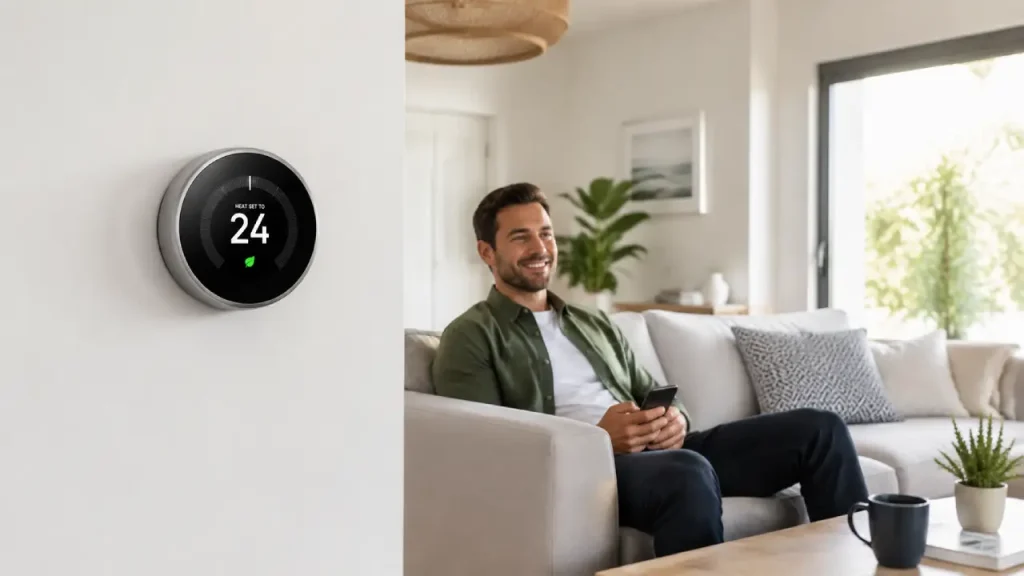
If you are new to smart home technology, a smart thermostat for beginners can be one of the easiest devices to understand and use. Unlike a traditional thermostat, it gives you more control over your home’s temperature and often lets you manage settings from a smartphone. However, many first-time users feel confused about installation, Wi-Fi setup, scheduling, and daily use.
Fortunately, you do not need to be a technology expert to understand how a smart thermostat works. Once you learn the basics, you can use it to create a more comfortable and convenient home environment. This guide explains everything in simple language, from the basic features to setup, scheduling, and common mistakes beginners should avoid.
What Is a Smart Thermostat?
A smart thermostat is a connected device that controls your home’s heating and cooling system. While a traditional thermostat mainly allows you to manually change the temperature, a smart thermostat can offer additional features such as Wi-Fi connectivity, mobile app control, scheduling, notifications, and sometimes automatic temperature adjustments.
For example, you may lower the temperature before leaving home and then adjust it again before returning. Instead of walking to the wall thermostat every time, you can often make these changes from your phone.
However, features can vary from one model to another. Some devices offer simple scheduling, while others may learn from your habits or work with other smart home devices.
In short, a smart thermostat gives you more flexibility over how and when your heating or cooling system operates.
How Does a Smart Thermostat Work?
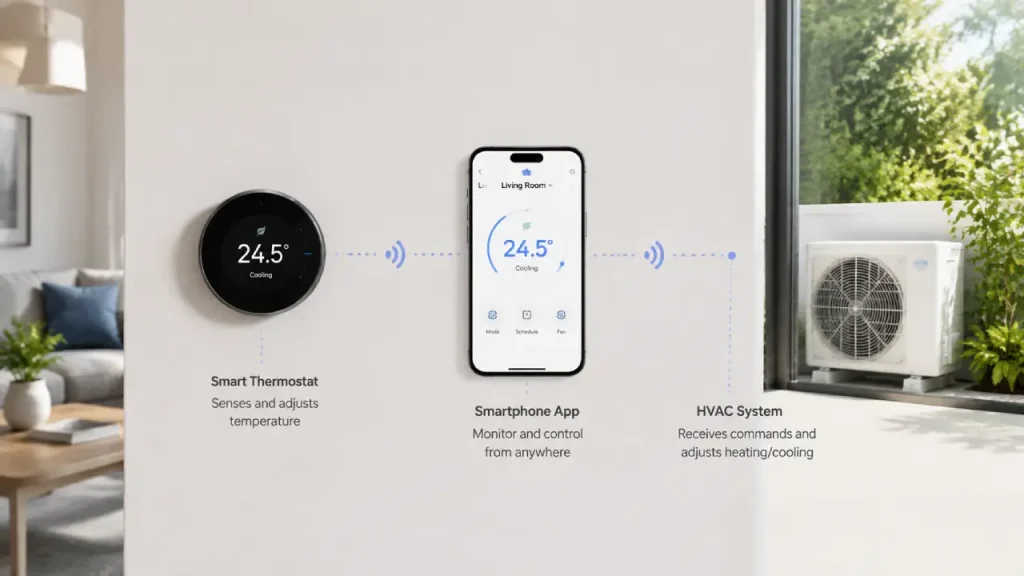
At its core, a smart thermostat communicates with your heating and cooling system and tells it when to turn on or off. The difference is that the thermostat can also connect to a Wi-Fi network.
Once connected, you can usually control the device through a mobile application.
The basic process often looks like this:
- The thermostat monitors the current room temperature.
- You select your preferred temperature.
- The thermostat communicates with your HVAC system.
- The heating or cooling system runs when necessary.
- You can review or change settings through the thermostat or its app.
Additionally, many models allow you to create schedules. Therefore, you do not have to remember to change the temperature several times every day.
For instance, you might prefer one temperature during the day and another while sleeping. A schedule can automatically manage those changes for you.
Why a Smart Thermostat for Beginners Can Be a Good Choice
For someone new to smart home devices, a thermostat is often easier to understand than more complex systems. You do not need to automate your entire house at once. Instead, you can start with one device and gradually learn how smart home technology fits into your daily routine.
Simple Temperature Control
The main purpose remains straightforward: controlling your home’s temperature.
Although smart thermostats may include many additional features, you can start with the basics. Set a comfortable temperature, adjust it when needed, and learn the other features over time.
This makes the technology less intimidating for first-time users.
Remote Access
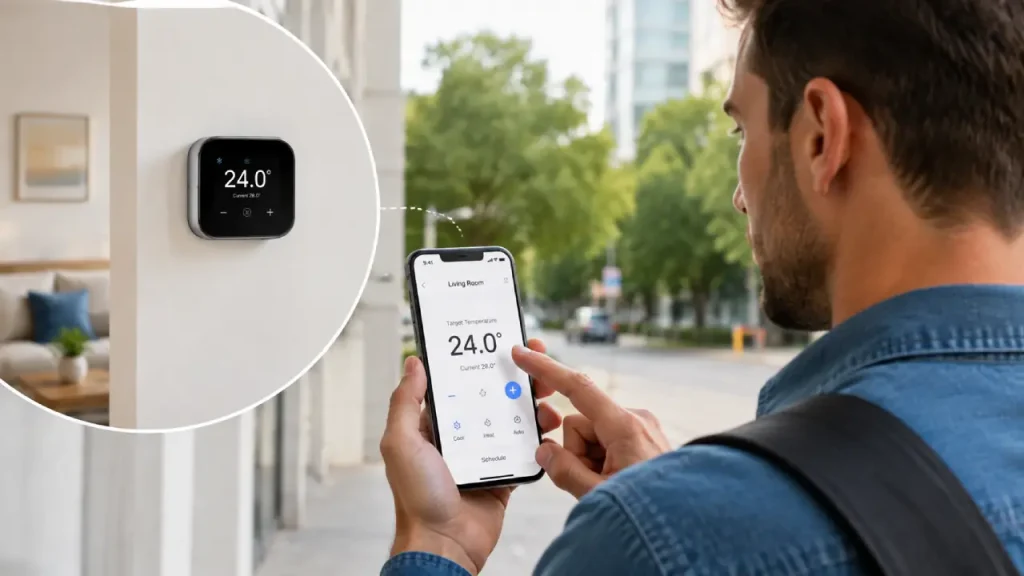
One of the most useful features is remote control. If your thermostat supports an app and internet connection, you may be able to check or adjust your home’s temperature when you are away.
For example, imagine leaving home and realizing that the heating or cooling system is still running. Instead of waiting until you return, you may be able to review the settings from your phone.
Of course, remote access depends on the specific thermostat, internet connection, and system configuration.
Flexible Scheduling
A schedule can make daily temperature management easier.
For example:
- A comfortable setting when you wake up
- A different setting while the house is empty
- Another adjustment before you return
- A suitable temperature for sleeping
As a result, you do not need to make the same manual changes every day.
Helpful Notifications
Some smart thermostats can send alerts or reminders. Depending on the model, these may relate to temperature changes, connectivity issues, maintenance reminders, or other system information.
However, beginners should remember that notifications are not the same as professional HVAC diagnostics. If you receive a serious system warning or notice unusual heating or cooling behavior, contacting a qualified technician is often the safer choice.
Smart Thermostat Features Beginners Should Understand
A smart thermostat can include many features, but you do not need to learn everything immediately. Instead, focus on the functions that you will actually use.
1. Wi-Fi Connectivity
Wi-Fi allows the thermostat to connect with its companion app and, in some cases, other smart home services.
Without a stable connection, some remote features may not work properly. Therefore, check your Wi-Fi signal near the thermostat location before installation.
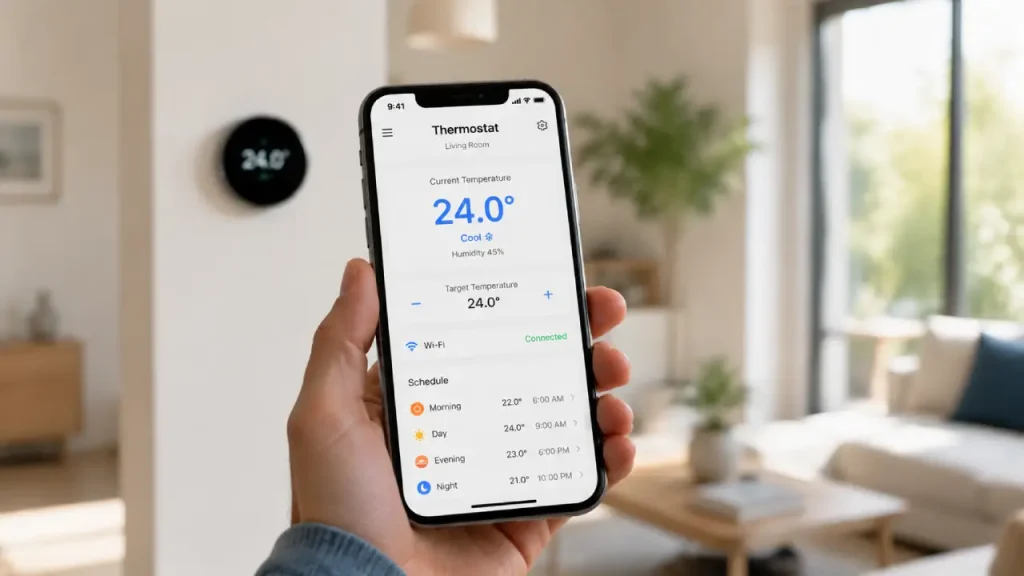
2. Mobile App Control
Most smart thermostats use an app for setup and daily control.
Through the app, you may be able to:
- Change the target temperature
- Create schedules
- Check current conditions
- Receive alerts
- Review certain usage information
- Manage connected features
Nevertheless, the exact options depend on the manufacturer and model.
3. Temperature Scheduling
Scheduling is especially useful for beginners because it creates a predictable routine.
Instead of constantly changing the thermostat, you can set different preferences for different times of the day.
However, keep the first schedule simple. You can always make it more detailed later.
4. Automatic Adjustments
Some smart thermostats offer occupancy detection, learning features, location-based controls, or other forms of automation.
These features can be convenient. However, they may not suit every household.
Therefore, beginners should test automatic settings gradually. If the thermostat makes changes that you do not like, review the settings instead of assuming the device is malfunctioning.
5. Smart Home Integration
Depending on the model, a thermostat may connect with voice assistants or other smart home platforms.
For example, you may eventually connect your thermostat with other devices and create routines. Still, this feature is optional. You can use a smart thermostat perfectly well without building a large smart home ecosystem.
Smart Thermostat for Beginners: What to Check Before Buying
Before choosing a device, take a few minutes to understand your existing heating and cooling system. This step can prevent compatibility problems later.
Check Your HVAC System
Not every thermostat works with every heating or cooling setup.
Therefore, identify the type of system you have before purchasing anything. You may need to check:
- Heating type
- Cooling system
- Number of heating or cooling stages
- Existing thermostat wiring
- Power requirements
- Compatibility with your HVAC equipment
If you are unsure, check your current thermostat documentation or ask a qualified HVAC professional.
Look at the Existing Wiring
Before removing your current thermostat, take a clear photo of the wiring.
This simple step can save time during installation. More importantly, do not rely only on wire colors. Terminal labels and the manufacturer’s compatibility guidance are generally more useful.
Some systems use a common wire, often called a C-wire, while others may support alternative installation methods. Requirements vary by thermostat and HVAC system.
Therefore, always check the instructions for the exact model you plan to use.
Consider Your Internet Connection
Since many smart features depend on Wi-Fi, a reliable connection matters.
If the thermostat sits in an area with a weak signal, remote control and synchronization may become unreliable. Consequently, it is worth checking connectivity before choosing the installation location or expecting advanced online features to work consistently.
Think About the Features You Actually Need
More features do not always mean a better experience.
For a first-time user, these basic features may be enough:
- App-based control
- Wi-Fi connectivity
- Simple scheduling
- Clear temperature display
- Compatibility with your HVAC system
Once you become comfortable, you can explore additional automation and smart home integration.
How to Set Up a Smart Thermostat
Setting up a smart thermostat can be straightforward, but electrical and HVAC systems require care.
First, read the manufacturer’s instructions for your specific model. Do not assume that every thermostat uses the same wiring or installation process.
A typical setup may involve the following steps.
Step 1: Check Compatibility
Use the manufacturer’s compatibility information before installation.
Confirm that the thermostat supports your heating and cooling system.
Step 2: Turn Off Power
Before working with thermostat wiring, switch off the appropriate power source according to the installation instructions.
Safety should always come first.
Step 3: Document the Existing Wiring
Take a photo of the current wiring and note the terminal labels.
This can make troubleshooting much easier if you need to compare the old setup with the new installation instructions.
Step 4: Install the New Thermostat
Follow the manufacturer’s instructions carefully.
Do not force wires or connectors into place. If something does not match the instructions, stop and investigate before continuing.
Step 5: Connect to Wi-Fi
Once the physical installation is complete, connect the thermostat to your home network.
You may need to download the manufacturer’s app and create an account.
Step 6: Test the System
Finally, test heating and cooling according to the setup instructions.
Check whether the thermostat responds correctly and whether the system turns on and off as expected.
If you notice unusual behavior, such as equipment failing to start, repeatedly cycling, or producing unexpected results, stop troubleshooting beyond your comfort level and consider contacting a qualified technician.
How to Create Your First Temperature Schedule
A common beginner mistake is creating a complicated schedule immediately.
Instead, start with a simple routine.
For example, divide your day into three or four periods:
Morning: Set a comfortable temperature when people wake up.
Away time: Adjust the setting when the home is empty, based on your comfort needs and local conditions.
Evening: Return to your preferred comfort level.
Night: Choose a temperature that feels comfortable for sleeping.
After using the schedule for several days, you can make small changes.
This gradual approach works better because every household has different routines. A setting that works well for one family may not feel comfortable for another.
Common Mistakes Beginners Should Avoid
Learning how to use a smart thermostat does not have to be difficult. However, a few common mistakes can create unnecessary frustration.
Changing the Temperature Too Often
Some users constantly adjust the thermostat throughout the day.
Instead, give your schedule and system time to work. Frequent changes can make it difficult to understand which settings actually suit your household.
Ignoring Compatibility
Never buy a thermostat simply because it has attractive features.
Compatibility should come first. Otherwise, you may face installation problems or discover that important functions do not work with your HVAC system.
Forgetting About Wi-Fi Coverage
A smart thermostat may still control temperature locally even if online features become unavailable, depending on the model. However, weak Wi-Fi can affect app control and connected services.
Therefore, check the signal strength in advance.
Using Automation Without Understanding It
Automation can be helpful, but beginners should understand what each setting does.
For example, location-based controls or occupancy features may change the temperature automatically. If you do not know that a feature is active, the changes may seem unexpected.
Review automation settings one at a time.
Ignoring Maintenance
A smart thermostat cannot solve every heating or cooling problem.
If your HVAC system needs maintenance, the thermostat may only reveal that something is unusual. It does not replace professional servicing.
Regular maintenance of your heating and cooling equipment remains important.
Smart Thermostat for Beginners and Energy Awareness
Many people choose smart thermostats because they want better control over household energy use.
A smart thermostat may help you become more aware of how your heating and cooling habits affect energy consumption. Scheduling, remote control, and automation can reduce unnecessary operation in certain situations.
However, actual savings are never guaranteed.
Your results can depend on many factors, including:
- Climate
- Home size
- Insulation
- HVAC system efficiency
- Household habits
- Temperature preferences
- Local energy costs
- How the thermostat is configured
Therefore, it is better to think of the device as a tool that gives you more control rather than a device that automatically guarantees lower energy bills.
A good approach is to review your habits over time and make small adjustments when appropriate.
When Should You Call a Professional?
Some thermostat installations are simple, while others can be more complicated.
Consider professional help if:
- You are unsure about the wiring
- Your HVAC system has an unusual configuration
- The installation instructions do not match your setup
- The system does not operate correctly after installation
- You notice electrical concerns
- You do not feel comfortable working with the equipment
There is nothing wrong with asking for help. In fact, proper installation can protect your equipment and prevent unnecessary troubleshooting.
Is a Smart Thermostat Worth It for Beginners?
For many households, the answer can be yes.
A smart thermostat may offer a convenient way to manage home comfort without requiring advanced technical knowledge. The key is choosing a compatible model and starting with the basic features.
You do not need to use every advanced setting on the first day.
Begin with temperature control and scheduling. Next, learn how the mobile app works. Then, if you want, explore automation and smart home integrations.
This step-by-step approach makes the technology easier to understand.
Final Thoughts
A smart thermostat for beginners does not have to feel complicated. Although modern models can offer Wi-Fi control, scheduling, automation, and smart home connections, the basic purpose remains simple: helping you manage your home’s temperature more conveniently.
The best way to get started is to focus on the essentials. First, check compatibility with your HVAC system. Next, install the thermostat carefully or seek professional help if needed. Then, create a simple schedule and use it for a few days before making changes.
Most importantly, do not feel pressured to use every feature immediately. Smart home technology should make daily life easier, not more confusing.
Once you understand the basics, you can gradually explore more advanced options and decide which features genuinely improve your comfort and routine.