
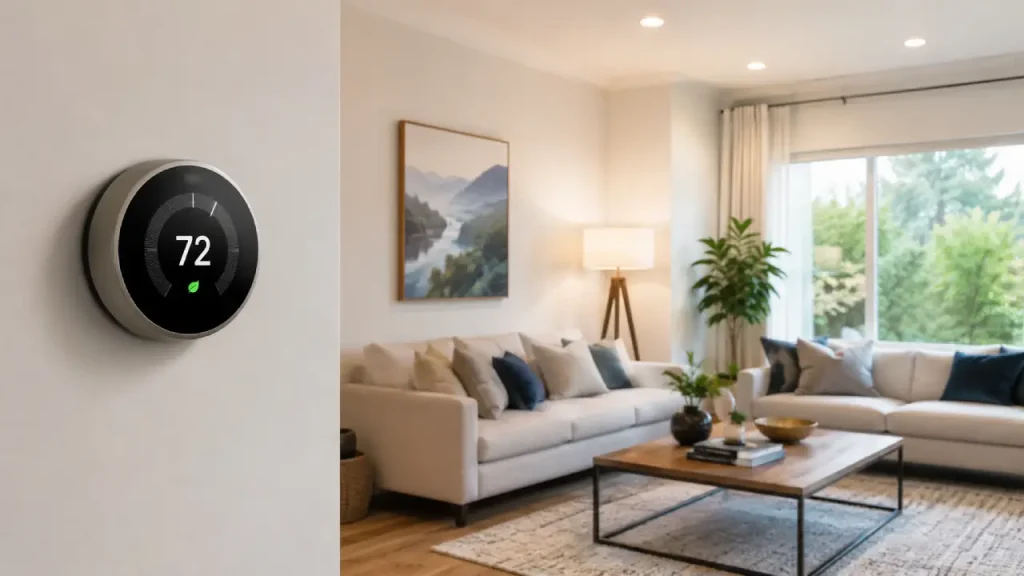
Managing your home’s temperature should not feel complicated. However, many people still adjust their heating or cooling manually throughout the day, often forgetting to change the settings when they leave home or go to sleep. A smart thermostat can make this process much easier by giving you more control over your home’s temperature and, in many cases, helping you manage energy use more efficiently.
Unlike a traditional thermostat, a smart model can offer scheduling, automation, mobile control, learning features, and other connected functions. Nevertheless, not every smart thermostat works in the same way. Some require Wi-Fi, while others focus more on scheduling and local control. Therefore, understanding the available features can help you choose a system that actually fits your home and daily routine.
What Is a Smart Thermostat?
A smart thermostat is a temperature control device designed to manage your home’s heating, cooling, or both. While a basic thermostat lets you set a temperature manually, a smart model offers additional control and automation.
For example, instead of remembering to lower the temperature before leaving home, you may be able to create a schedule that adjusts it automatically. Similarly, some models allow you to control the system through a mobile app.
Depending on the device, a smart thermostat may offer features such as:
- Temperature scheduling
- Remote control through a smartphone
- Energy usage reports
- Motion or occupancy detection
- Automatic temperature adjustments
- Integration with other smart home devices
- Voice control
- Multiple temperature sensors
- Maintenance or system alerts
However, features vary from one model to another. Therefore, it is important to check what a specific thermostat can actually do before choosing one.
How Does a Smart Thermostat Work?
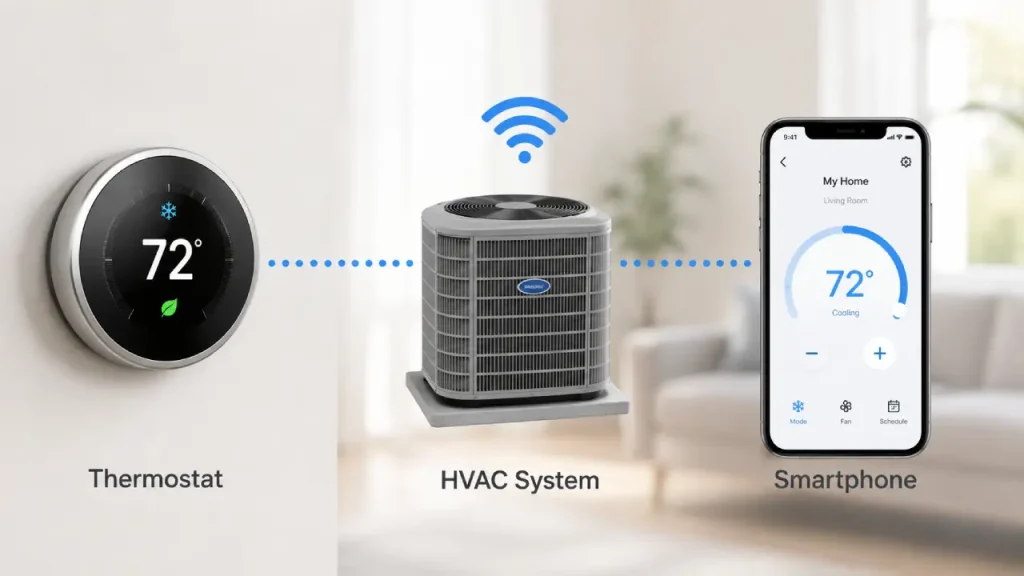
At its core, a thermostat monitors the temperature of your home and communicates with your heating or cooling system. When the temperature moves away from your selected setting, the thermostat can signal the HVAC system to turn on or off.
A smart version adds more flexibility to this process.
For instance, you might set the temperature higher during the day when nobody is home and return it to a more comfortable level before people arrive. Some devices allow you to create these schedules manually, while others can adjust settings based on occupancy patterns or user preferences.
The exact process usually looks like this:
- The thermostat measures the current indoor temperature.
- It compares that temperature with your chosen setting.
- If necessary, it communicates with the heating or cooling system.
- The system runs until the desired condition is reached.
- Additional smart features may adjust future settings based on schedules, sensors, location, or other available information.
As a result, the thermostat can reduce the amount of manual adjustment required during everyday life.
Smart Thermostat Features That Make Everyday Life Easier
Not everyone needs every available feature. Still, understanding the most common options can help you decide which functions matter most.
1. Remote Temperature Control
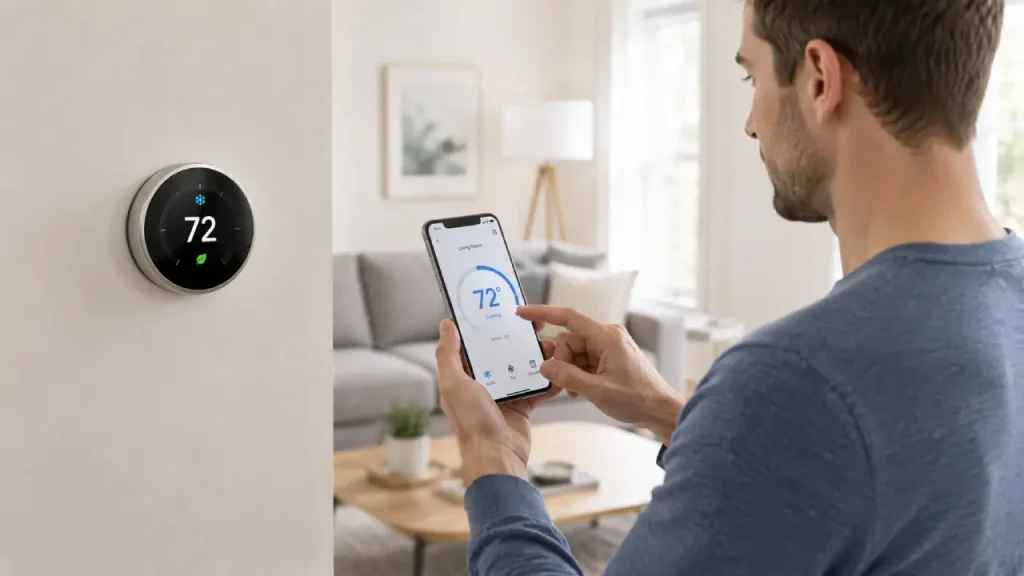
One of the most convenient features is remote access. With a compatible connected thermostat, you may be able to check or change the temperature from your smartphone.
For example, imagine leaving home in a hurry and forgetting to adjust the cooling. Instead of waiting until you return, you can potentially change the setting remotely.
Likewise, you might start adjusting the temperature before arriving home. This can make the house more comfortable when you walk through the door.
However, remote control generally depends on the device, internet connection, and app compatibility.
2. Smart Thermostat Scheduling
A smart thermostat can make temperature scheduling much more flexible than simply turning the system up or down manually.
You might create different settings for:
- Morning
- Working hours
- Afternoon
- Evening
- Bedtime
- Weekends
For instance, you may prefer a cooler environment while sleeping but a more comfortable temperature before waking up. Instead of changing the thermostat every night and morning, a schedule can handle those adjustments automatically.
The important point is that the schedule should match your real lifestyle. An overly complicated schedule may become frustrating to manage. Therefore, starting with a simple routine often works better.
3. Occupancy and Presence Detection
Some smart thermostats can use sensors, smartphone location, or other signals to estimate whether someone is home.
If the house appears empty, the system may switch to an energy-saving setting. Later, when someone returns, it can move back toward a preferred comfort level.
This feature can be useful for people with unpredictable schedules. For example, someone who works different hours each week may benefit more from occupancy-based adjustments than from a fixed daily schedule.
Still, no detection system is perfect. Therefore, users should understand how the feature works and adjust its settings if necessary.
4. Energy Reports and Usage Insights
Some models provide information about heating and cooling activity. These reports may show patterns such as:
- How long the system operated
- Which days required more heating or cooling
- How temperature settings changed over time
- Whether certain schedules may increase energy use
This information can help homeowners understand their habits.
For example, you may discover that your cooling system runs heavily during hours when nobody is home. Consequently, you could experiment with a different schedule.
The report itself does not automatically guarantee lower energy bills. Instead, its value comes from helping you identify opportunities to adjust how the system operates.
5. Room Sensors
The temperature shown on a thermostat does not always represent the temperature in every room.
For example, an upstairs bedroom may feel warmer than the living room where the main thermostat is installed. Similarly, sunlight, insulation, appliances, and room size can create temperature differences throughout a home.
Some systems support additional room sensors. These sensors can provide more information about conditions in different areas.
As a result, the system may be able to focus more effectively on the rooms people actually use at certain times.
6. Voice and Smart Home Integration
Many modern devices can connect with wider smart home systems. Depending on compatibility, this may allow you to adjust the temperature using voice commands or include climate control in automated routines.
For example, a bedtime routine could potentially:
- Adjust the temperature
- Turn off selected lights
- Lock compatible doors
- Activate other connected devices
However, compatibility is important. Therefore, check whether a thermostat works with your existing smart home ecosystem before purchasing it.
Smart Thermostat for Energy Saving: How It Can Help
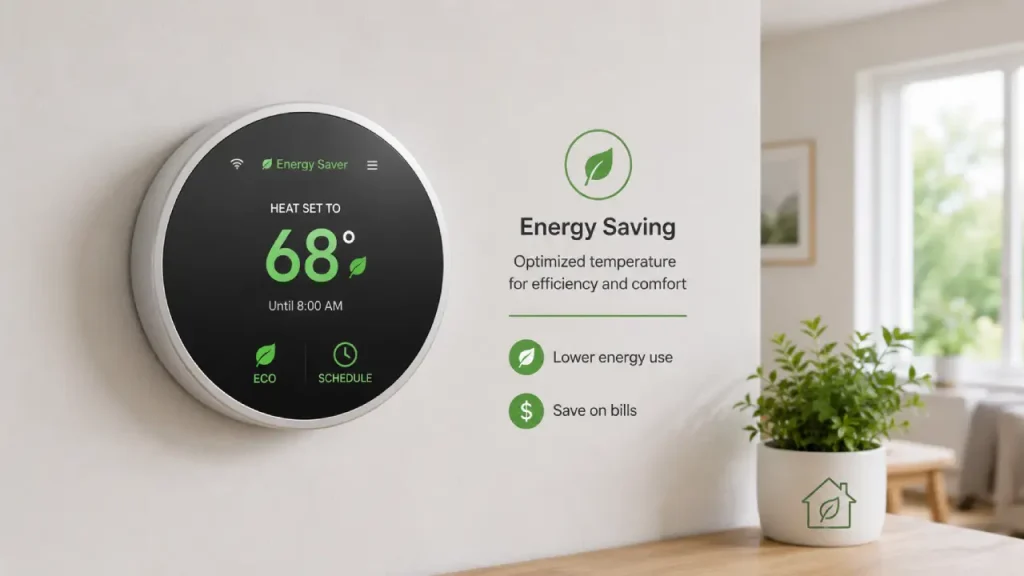
A smart thermostat for energy saving can be useful because it helps users avoid maintaining the same temperature at all hours of the day.
Heating or cooling an empty home at the same comfort level used when people are present may not always be necessary. Therefore, adjusting the settings during unoccupied periods can help reduce unnecessary system runtime.
For example, a household could create a routine where:
- The system uses a comfort setting in the morning.
- The temperature changes when everyone leaves.
- The preferred setting returns before people come home.
- A different setting activates during sleep.
This approach can support more efficient energy use without requiring constant manual changes.
However, actual savings depend on many factors, including:
- Local climate
- Home size
- Insulation quality
- HVAC system efficiency
- Temperature preferences
- Household schedule
- How the thermostat is configured
Therefore, it is better to think of a smart thermostat as a tool that can support better energy management rather than a device that guarantees a specific amount of savings.
Is a Smart Thermostat Difficult to Use?
For many people, the idea of a connected thermostat sounds more complicated than the experience.
In most cases, daily use can be simple. After installation and initial setup, users often adjust only a few main settings, such as:
- Preferred home temperature
- Away temperature
- Sleep temperature
- Weekly schedule
After that, the device handles many routine changes automatically.
Nevertheless, beginners should not feel pressured to activate every advanced feature immediately.
Smart Thermostat for Beginners: Start Simple
A smart thermostat for beginners should feel useful rather than overwhelming. Therefore, the easiest approach is to begin with the most basic functions.
First, set a comfortable temperature for when you are home.
Next, choose a different setting for times when the house is empty or when everyone is sleeping.
Then, create a simple schedule based on your typical routine.
After using the thermostat for a few days, you can explore additional options such as app control, energy reports, sensors, or smart home automation.
This gradual approach makes it easier to understand which features actually improve your daily routine.
Smart Thermostat Installation: What Should You Check First?
Installation can vary significantly depending on your home’s existing heating and cooling system.
Before buying a thermostat, check the following:
1. HVAC Compatibility
Not every thermostat works with every system. Some homes use central heating and cooling, while others rely on heat pumps, boilers, electric systems, or other setups.
Therefore, always review the thermostat’s compatibility requirements before purchasing.
2. Wiring Requirements
Many smart thermostats require a stable power connection. Depending on the system, this may involve a common wire, often called a C-wire.
However, installation requirements differ by product and HVAC setup. Some devices include alternative solutions, while others may require additional wiring.
If you are unsure about your home’s wiring, it is safer to consult a qualified HVAC technician or electrician.
3. Wi-Fi Availability
If you want app control, remote access, cloud-based features, or some types of smart home integration, Wi-Fi may be necessary.
Nevertheless, this does not mean every advanced thermostat becomes completely useless without an internet connection.
Can You Use a Smart Thermostat Without Wi-Fi?
Yes, in some cases. A smart thermostat without Wi-Fi may still offer local scheduling, temperature control, sensors, or other automated functions.
The exact capabilities depend on the model.
For example, if Wi-Fi becomes unavailable, a thermostat may continue following its existing schedule. However, features such as remote control through a smartphone app may no longer work until the connection returns.
Therefore, if reliable local operation is important to you, check the following before buying:
- Can the thermostat operate without internet access?
- Does the schedule continue during a Wi-Fi outage?
- Can you adjust settings directly on the device?
- Which features require a cloud connection?
- Does the thermostat store settings locally?
This is especially important for users who prefer simple, reliable operation without depending heavily on an internet connection.
Programmable Smart Thermostat vs. Traditional Thermostat
A programmable smart thermostat and a traditional thermostat both allow you to control indoor temperature. However, the overall experience can be quite different.
A traditional thermostat usually focuses on direct manual control. You select a temperature, and the system works to maintain it.
A programmable model allows you to create temperature changes based on time. For example, you can schedule different settings for morning, daytime, and nighttime.
A smart model may go further by adding features such as:
- Mobile control
- Automatic adjustments
- Usage insights
- Occupancy detection
- Smart home integration
- Alerts and notifications
However, more features do not automatically mean a device is better for everyone.
Someone with a very predictable schedule may find a simple programmable option perfectly sufficient. On the other hand, someone with changing routines may appreciate the flexibility of connected automation.
Therefore, the best choice depends on how much control and automation you actually need.
Who Should Consider a Smart Thermostat?
A smart thermostat can be useful for many types of households. In particular, it may suit people who want more control over heating and cooling without constantly adjusting settings manually.
It can be a good option for:
Busy Households
Families with changing daily routines may benefit from schedules, remote control, and automation.
Frequent Travelers
Remote access can make it easier to check or adjust temperature settings while away.
Smart Home Users
People who already use connected lighting, security devices, or voice assistants may want to include climate control in their wider smart home setup.
Energy-Conscious Homeowners
Users who want to better understand heating and cooling patterns may find scheduling and usage insights helpful.
Beginners
A beginner does not need advanced technical knowledge to benefit from automated temperature control. Starting with a simple schedule can provide practical value without using every available feature.
Common Mistakes to Avoid When Using a Thermostat
Even a well-designed device may not perform as expected if it is configured poorly. Fortunately, several common mistakes are easy to avoid.
Setting Extreme Temperatures
Some people believe that setting an extremely high or low temperature will make the home reach the desired temperature faster.
In most systems, that is not how the thermostat works. Instead, the system generally operates according to its normal capacity until the desired temperature is reached.
Therefore, choose a realistic target temperature rather than making dramatic adjustments.
Creating an Unrealistic Schedule
A schedule should reflect your actual lifestyle.
If your routine changes constantly, a rigid schedule may create unnecessary heating or cooling. In that situation, occupancy features or simple manual adjustments may work better.
Ignoring Placement
The thermostat’s location can affect how accurately it represents the home’s temperature.
Direct sunlight, nearby appliances, drafts, or unusual airflow may influence its readings. Therefore, proper placement matters.
Assuming Every Feature Works Automatically
Smart features still require correct setup.
For example, location-based automation, room sensors, or smart home routines may need additional permissions or configuration.
Take time to understand each feature before relying on it.
Smart Thermostat Maintenance and Everyday Care
A thermostat itself usually requires very little maintenance. However, your overall heating and cooling system still needs proper care.
To keep your system working effectively:
- Review your schedule occasionally.
- Update the thermostat software when appropriate.
- Replace batteries if your model uses them.
- Keep sensors clean and unobstructed.
- Pay attention to unusual system alerts.
- Follow your HVAC system’s regular maintenance schedule.
Additionally, review your temperature preferences as the seasons change.
A schedule that works well during a hot summer may not make sense during a cooler season. Therefore, occasional adjustments can help keep the system aligned with your actual needs.
Privacy and Security Considerations
Connected home devices can collect and process information related to their operation. Depending on the product, this may include temperature data, schedules, device settings, or occupancy-related information.
Therefore, before choosing a connected thermostat, review:
- Privacy settings
- Account security options
- Software update support
- Two-factor authentication availability
- Data-sharing controls
- Manufacturer support policies
It is also a good idea to use a strong, unique password for the account connected to your thermostat.
Furthermore, keep the device and its associated app updated when security updates are available.
These simple steps can help you use connected features more responsibly.
Frequently Asked Questions
Is a smart thermostat worth it?
A smart thermostat can be worthwhile if you want easier scheduling, remote access, automation, or better visibility into your heating and cooling habits. However, the value depends on your home, HVAC system, daily routine, and the features you actually use.
Does a smart thermostat save energy?
It can support energy-saving habits by helping you schedule or automate temperature changes when full heating or cooling is not needed. However, actual results vary based on the home, climate, equipment, and user settings.
Does a smart thermostat work without internet?
Some functions may continue to work without internet access, such as direct temperature adjustment or existing schedules. However, remote access and cloud-based features may require Wi-Fi. Always check the specific model’s capabilities.
Is a smart thermostat easy to install?
Installation difficulty depends on your existing HVAC system and wiring. Some homes support a straightforward replacement, while others may need additional wiring or professional installation.
Can beginners use a smart thermostat?
Yes. Beginners can start with basic temperature control and a simple schedule. Advanced features can be explored later as needed.
What temperature should I set?
There is no single perfect temperature for every household. Comfort preferences, outdoor conditions, health considerations, and energy goals can all affect the ideal setting. Choose a comfortable range and adjust gradually based on your needs.
Final Thoughts
A smart thermostat can make home temperature management more convenient, flexible, and personalized. Instead of repeatedly adjusting the controls throughout the day, you can use schedules, automation, sensors, and connected features to create a routine that better matches your lifestyle.
However, the best results do not come from simply buying the most feature-packed device. First, check HVAC compatibility. Then, consider how you actually use your home, whether your schedule is predictable, and which features you are likely to use regularly.
For beginners, a simple schedule may be enough. For busy households, remote access and occupancy-based automation can add convenience. Meanwhile, users focused on efficiency may benefit from reviewing energy patterns and adjusting settings over time.
Ultimately, the goal is simple: choose a thermostat that gives you useful control without making everyday life more complicated. When configured thoughtfully, it can become a practical part of a more comfortable and efficient smart home.