
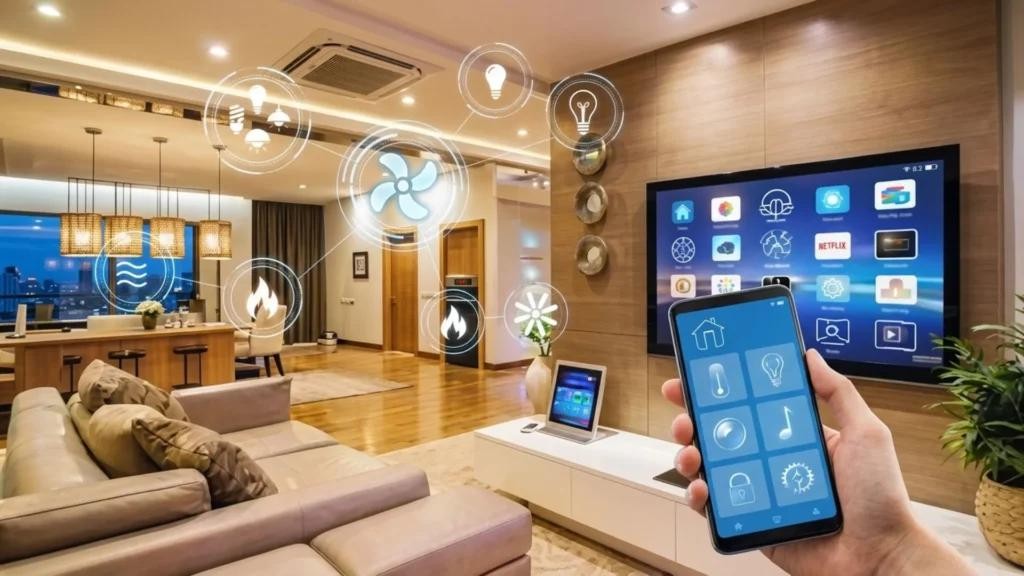
Imagine arriving home after a long day and having the lights turn on automatically, the temperature adjust to your preferred setting, and your doors lock themselves when you leave. This is the convenience that smart home automation can bring to everyday life.
Smart home automation connects compatible devices and allows them to work together through predefined schedules, triggers, sensors, or commands. Instead of controlling every device manually, homeowners can create routines that perform repetitive tasks automatically.
From smart lighting and thermostats to security cameras and smart locks, automation can transform a traditional house into a connected and responsive home
What Is Smart Home Automation?
Smart home automation is the use of connected technology to monitor, control, and automate household functions.
A smart device by itself may simply allow remote control through an app. Automation goes one step further by allowing that device to perform an action automatically.
For example, a smart bulb can be controlled from a phone. But when the bulb turns on automatically when motion is detected after sunset, it becomes part of an automation.
Most automations follow a simple pattern:
Trigger → Condition → Action
For example:
Motion detected → It is after sunset → Hallway light turns on
This simple concept can be used to create increasingly useful routines throughout a home.
How Does a Smart Home Automation System Work?
A typical smart home automation system contains several components.
Smart Home Devices
These are the physical products that perform actions.
Examples include:
- Smart bulbs
- Smart plugs
- Smart thermostats
- Smart locks
- Security cameras
- Motion sensors
- Door sensors
- Smart speakers
- Connected appliances
Each device can have different capabilities, so compatibility should be checked before building a system.
Sensors
Sensors provide information about what is happening in the home.
A motion sensor can detect movement. A door sensor can detect whether a door is open or closed. Temperature sensors can monitor changes in the environment.
These events can become triggers for automation.
For example:
Door opens → Entry light turns on
Controller or Smart Home Platform
A controller or platform brings compatible devices together.
Depending on the system, automation may be managed through a smartphone app, smart speaker, hub, or another controller.
Choosing a compatible platform early can make it easier to expand the system later.
Connectivity
Smart devices need a way to communicate.
Depending on the device, connectivity may involve Wi-Fi, Bluetooth, Thread, Zigbee, Z-Wave, Matter, or another supported technology.
You do not necessarily need to understand every protocol before starting. The most important thing is to check compatibility between the devices and platform you intend to use.
Popular Uses of Smart Home Automation
Smart Lighting
Lighting is one of the easiest areas to automate.
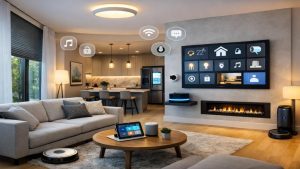
You can schedule lights, use motion sensors, create scenes, or turn lights off automatically when nobody is using a room.
For example, outdoor lights can be scheduled around sunset.
Home Security
Smart security automation can connect cameras, sensors, locks, alarms, and notifications.
A possible routine could be:
Door opens unexpectedly → Sensor detects activity → Phone receives notification
The exact features depend on the products and services being used.
Climate Control
Smart thermostats can follow schedules and, on supported systems, respond to occupancy or other conditions.
You might create different temperature settings for morning, daytime, evening, and sleeping hours.
Energy Management
Smart plugs, lights, and thermostats can help homeowners manage when certain devices operate.
Automation can reduce unnecessary operation by switching compatible devices off according to schedules or conditions.
Entertainment
Smart speakers, televisions, and other compatible entertainment devices can sometimes be included in routines.
A movie routine, for example, could adjust compatible lights and start selected entertainment devices.
Benefits of Smart Home Automation
Convenience
Automation reduces repetitive manual tasks.
Instead of turning off several devices individually, one routine can perform multiple actions.
Remote Control
Many smart devices can be controlled remotely through an app.
This can be useful when you are away and want to check or adjust compatible devices.
Personalization
Smart home automation allows routines to be designed around individual lifestyles.
A morning routine can be different from a bedtime routine, while an away mode can use completely different settings.
Home Monitoring
Connected sensors and security devices can provide notifications about selected events.
This can make it easier to stay informed about what is happening at home.
Energy Management
Automation can help manage when lights, thermostats, and compatible appliances operate.
Actual energy savings will depend on the devices, settings, home, and how the system is used.
Smart Home Automation for Beginners
You do not need to automate your entire home immediately.
A better approach is to identify one repetitive task.
For example:
- Lights are frequently left on.
- You want better door monitoring.
- You want a consistent bedtime routine.
- You want easier thermostat control.
Choose one problem and build a simple automation around it.
Once it works reliably, expand gradually.
Starting small is a common recommendation because buying too many devices before understanding compatibility can make a system unnecessarily complicated.
Smart Home Automation Security
Connected devices should be treated as networked technology, not simply household accessories.
Use strong passwords, keep software updated, secure your Wi-Fi network, and enable additional security features such as multi-factor authentication when available.
It is also useful to review privacy settings and understand what information your devices collect.
Final Thoughts
Smart home automation can make a home more convenient, responsive, and easier to manage.
The most effective system is not necessarily the one with the largest number of devices. It is the system that solves real problems and works reliably.
Start with one useful automation, choose compatible products, test your routines, and expand gradually.
With the right planning, smart home automation can turn everyday tasks into simple routines that happen with less effort.