
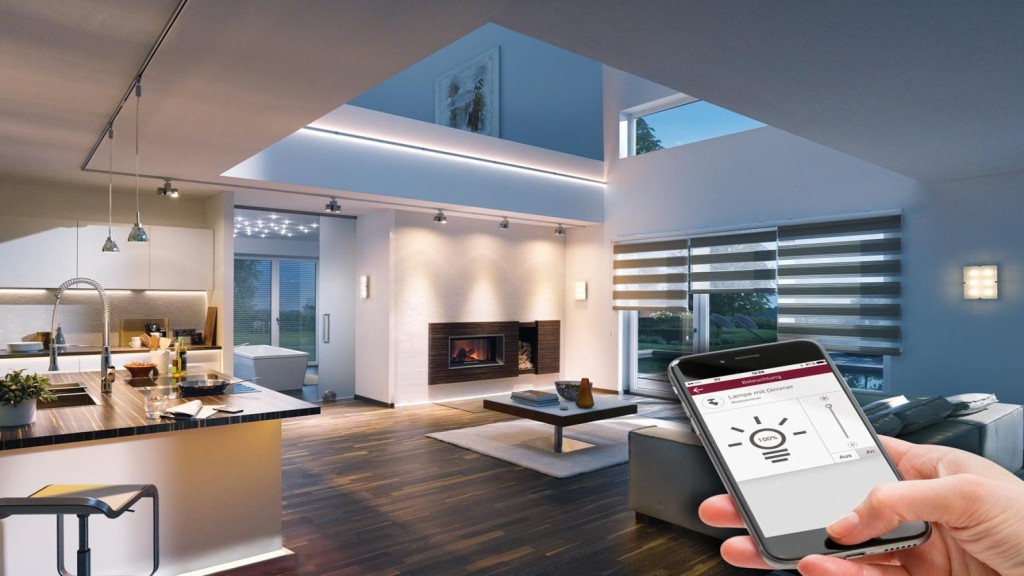
Smart Home Automation Ideas become much more useful when your devices work together instead of operating separately.
For example, a smart light that you control from your phone is useful, but a light that automatically turns on when you enter a room can be even more convenient.
That is where smart home automation ideas become valuable.
From morning routines and automatic lighting to security alerts and energy management, there are many ways to build useful automations without making your home unnecessarily complicated.
1. Smart Home Automation Ideas for Morning Routines
To begin, start the day with an automated routine.
At a selected time, compatible lights can turn on, while other devices respond according to your settings.
For example:
Morning → Bedroom light on → Thermostat adjusts
2. Smart Home Automation for Hallway Lighting
Next, motion sensors can trigger hallway lights when movement is detected.
This is especially useful at night when you do not want to search for a light switch.
3. Smart Home Automation for Outdoor Lights
Outdoor lights can be scheduled around sunset and switched off at a selected time.
As a result, this can provide convenience without requiring you to remember the lights every evening.
4. Smart Home Automation for Leaving Home
A leaving-home routine can combine several actions.
For example:
Leave home → Selected lights off → Doors lock → Thermostat adjusts
The exact actions depend on compatible devices.
5. Smart Home Automation for Bedtime
Similarly, a bedtime routine can reduce several repetitive tasks.
For example:
Bedtime → Lights off → Doors lock → Thermostat changes
For beginners, this is one of the simplest useful smart home routines to create.
6. Automate Your Smart Thermostat
A compatible thermostat can follow a daily schedule.
For instance, you can create different settings for morning, daytime, evening, and sleeping hours.
7. Use Motion Sensors
Motion sensors can become triggers for different automations.
For example:
Motion detected → Bathroom light turns on
In addition, you can add conditions so the automation only operates at selected times.
8. Automate Smart Plugs
Smart plugs can automate compatible devices that do not have built-in smart features.
For example, a lamp connected to a smart plug can be scheduled to turn on and off.
However, always check that the appliance is appropriate for the smart plug and follow the manufacturer’s safety instructions.
9. Create a Vacation Routine
A vacation routine can combine selected lights and security devices.
For example, lights may follow a schedule while security notifications remain active.
The goal, therefore, is to maintain useful monitoring without creating unnecessary complexity.
10. Automate Security Notifications
Door and window sensors can send notifications when selected events occur.
For example:
Door opens → Smartphone notification
As a result, this can help you stay informed while away from home.
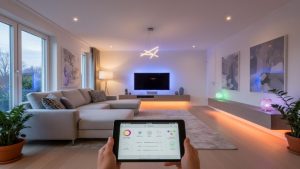
11. Create a Movie Night Routine
Entertainment can also be part of smart home automation.
For example, a movie routine might:
- Dim compatible lights
- Turn off selected lights
- Activate entertainment equipment
The exact capabilities depend on the devices and platform.
12. Automate Kitchen Lighting
Kitchen lights can respond to schedules or motion.
For instance, under-cabinet lighting can turn on during selected hours.
13. Automate Bedroom Lighting
Bedroom lights can be scheduled or connected to routines.
Additionally, a gradual lighting routine can help create a consistent evening environment.
14. Create an Away Mode
An away mode can combine several compatible devices.
For example:
Away → Selected lights off → Security system active → Thermostat adjusts
In this way, an away mode can simplify the process of leaving home.
15. Automate Garage or Entry Areas
Compatible sensors and lights can work together.
For example:
Entry detected → Garage or entry light turns on
However, always check the safety requirements for any automated door or garage system.
16. Create an Energy-Saving Routine
You can schedule compatible lights, plugs, and thermostats to operate only when needed.
For example:
No one home → Selected lights off
In this way, automation can make energy management easier, although actual savings depend on device usage and settings.
17. Create a Night Light Routine
A motion sensor can trigger a dim light during nighttime hours.
As a result, this can provide enough illumination without turning on bright room lighting.
18. Automate Door Sensors
Door sensors can trigger notifications or other compatible actions.
For example:
Door opens → Notification sent
Moreover, more advanced systems can use additional conditions to prevent unnecessary alerts.
19. Create a Personalized Scene
A scene can combine several device settings.
For example, a relaxation scene might dim compatible lights and adjust other devices to your preferred settings.
20. Build Your Own Custom Routine
The best smart home automation idea is one that solves a real problem in your daily life.
Therefore, think about repetitive tasks you perform every day.
Ask:
“What do I repeatedly do that my smart home could handle for me?”
That question can lead to useful automation ideas.
How to Choose the Best Automation Ideas
Most importantly, do not try to automate everything at once.
Start with one room or one category.
For example:
Stage 1: Lighting
Start by automating your home’s lighting.
Stage 2: Security
Next, add useful security automations such as door sensors and notifications.
Stage 3: Temperature
After that, automate temperature settings with a compatible thermostat.
Stage 4: Advanced Routines
Finally, create more advanced routines that combine multiple devices and actions.
By following this approach, troubleshooting becomes easier, and you can understand which automations actually provide value.
Common Mistakes to Avoid
Buying Too Many Devices
More devices do not necessarily mean a better smart home.
Ignoring Compatibility
Before purchasing anything, always check whether devices work with your preferred platform.
Creating Complicated Automations Too Early
Instead, start with simple triggers and actions.
Forgetting Security
Connected devices should use strong passwords and updated software.
Final Thoughts
The best smart home automation ideas are practical rather than complicated.
Automatic lights, bedtime routines, security notifications, thermostat schedules, smart plugs, and leaving-home routines can all reduce repetitive tasks.
To get started, choose one useful automation, make sure it works reliably, and then gradually expand your smart home.
Ultimately, a well-designed smart home should make life easier—not create another system you constantly have to manage.