
Smart Home Automation: The Ultimate Guide for 2026

Picture this: You pull into your driveway after a brutally long day at work. Before you even touch the front door handle, the exterior lights gently glow to welcome you, the smart lock disengages as your phone connects to the local network, and your living room thermostat adjusts itself to your preferred evening temperature through the power of smart home automation. Inside, a soft playlist starts rolling on the kitchen speakers.
That is not a scene from a sci-fi movie—that is the everyday reality of connected living. For a long time, turning a house smart felt like an expensive, complicated hobby reserved for tech gurus. But times have changed dramatically. Today, connected home technology has matured into something intuitive, reliable, and genuinely useful. Whether you want to trim your monthly energy bills or simply stop getting up to turn off bedroom lights, automated setups offer a seamless upgrade. For more insights on protecting your connected gear, check out our internal guide on securing your home Wi-Fi network.
In this comprehensive guide, we will break down everything you need to know about setting up your connected space—from choosing the right ecosystem and hardware to mapping out routines that actually save you time and stress.
What Is Smart Home Automation and How Does It Work?
At its core, smart home automation refers to the use of internet-connected devices, sensors, and appliances that you can monitor, control, and program remotely. Unlike traditional electronics that require a manual physical flip of a switch, smart devices communicate with each other over wireless protocols like Wi-Fi, Zigbee, Thread, or Bluetooth.
A proper automated setup relies on three main components:
-
The Sensors/Triggers: These are the eyes and ears of your house (motion detectors, smart buttons, door sensors, or even a timer set on your phone).
-
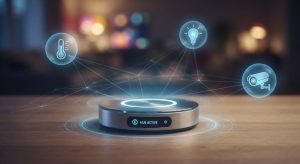
The Hub/Controller: This acts as the brain, processing signals from your triggers and deciding what action to take (such as a smart home speaker or a unified app like Apple Home, Google Home, or Amazon Alexa).
-
The Actuators/Actions: These are the physical devices that carry out the command (smart bulbs turning on, smart plugs cutting power, or motorized blinds rolling down).
When these elements work together harmoniously, your house stops being a passive shelter and starts functioning as a responsive, adaptive environment.
The Core Pillars of Smart Home Automation
Building a smart home isn’t about buying every gadget on the market. It is about focusing on specific zones of your home where automation genuinely improves your quality of life. Let’s break down the foundational pillars:
1. Smart Lighting and Ambiance
Lighting is almost always the gateway drug into home automation. Swapping out standard bulbs for smart alternatives or installing smart wall switches opens up a world of convenience.
-
Scheduling: Program your outdoor lights to turn on automatically at sunset and off at sunrise.
-
Dimming & Color: Transition from bright daylight-white in the morning to warm amber tones in the evening to help your body wind down naturally.
-
Geofencing: Have your hallway lights turn off automatically the moment the last person leaves the house.
2. Intelligent Climate Control
Heating and cooling account for the lion’s share of household energy expenses. A smart thermostat does much more than let you adjust the temperature from your phone—it learns your habits. Devices like the Ecobee or Google Nest notice when you are home, when you are away, and even track local weather patterns to optimize your HVAC usage, trimming up to 20–30% off your energy bills.
3. Comprehensive Home Security
Modern security goes far beyond loud, traditional alarm systems. Today’s smart security ecosystem integrates high-definition video doorbells, smart locks, glass-break sensors, and floodlights.
-
Keyless Entry: Give temporary digital access codes to dog walkers or cleaning services, and check your phone to confirm the door locked securely behind them.
-
Real-Time Alerts: Receive instant video snippets on your smartphone whenever motion is detected near sensitive entry points.

Ecosystem Showdown: Choosing the Best Smart Home Automation Platform
One of the biggest pitfalls beginners face is buying random gadgets from five different brands without checking if they talk to each other. To avoid app fatigue, you need to choose a central smart home automation ecosystem.
| Ecosystem | Best For | Standout Features | Ecosystem Compatibility |
| Google Home | Android users & voice search | Exceptional natural language processing via Google Assistant, strong smart display integration. | Broad third-party support, great with Nest hardware. |
| Apple HomeKit | Apple/iOS device loyalists | Top-tier data privacy, deep integration with iPhone/Apple Watch, elegant interface. | Requires certified “Works with Apple Home” accessories. |
| Amazon Alexa | Versatility & budget flexibility | Massive device catalog, highly capable routines, affordable Echo hardware. | Works with virtually every budget brand on the market. |
The Rise of “Matter”
If you are worried about locking yourself into a single brand, relax. The industry standard known as Matter has transformed how manufacturers build hardware. Matter-certified devices communicate locally across different ecosystems seamlessly, meaning your Apple, Google, and Amazon devices can finally play nicely in the same sandbox without complex workarounds.
Practical Setup Strategy for Smart Home Automation
If you try to automate your entire house in a single weekend, you will likely end up frustrated, broke, and tangled in app settings. Instead, follow a phased approach:
-
Step 1: Fix Your Infrastructure. A smart home is only as reliable as your Wi-Fi network. Invest in a robust mesh Wi-Fi router if you have a larger home, ensuring every corner gets a strong, steady signal.
-
Step 2: Pick One Entry Point. Start with either smart lighting in your living room or a smart thermostat. Live with it for a week or two to get comfortable with how the app and voice controls feel.
-
Step 3: Layer in Automations. Once you have a few devices, create your first routine. For instance, set a “Good Night” routine where saying “Hey Google, time for bed” locks the front door, turns off all downstairs lights, and lowers the thermostat by two degrees.
-
Step 4: Expand Gradually. Add security cameras, smart plugs for coffee makers or holiday lights, and window sensors as your confidence grows.
Common Mistakes to Avoid in Smart Home Automation
Even experienced tech enthusiasts occasionally fall into common traps. Keep these pitfalls in mind to save time and money:
-
Over-relying on Wi-Fi: While Wi-Fi bulbs are cheap and easy to set up, connecting 50 Wi-Fi devices will choke your home router. For large deployments, look for devices using Zigbee, Z-Wave, or Thread, which create a separate, low-power mesh network that keeps your main Wi-Fi running fast.
-
Ignoring Local Control: Many cloud-dependent smart gadgets brick or stop working entirely if your internet drops out. Prioritize devices that support local processing so your switches still turn on lights even during an ISP outage.
-
Forgetting the Family Factor: If your automation routines are so complex that other members of the household or visiting guests can’t figure out how to turn on a lamp, the system is too complicated. Always keep physical switches or manual overrides accessible.
Frequently Asked Questions About Smart Home Automation
1. Do I need technical skills to install smart home automation?
Not at all. The vast majority of modern smart home devices are designed for plug-and-play installation. Smart bulbs screw into regular sockets, smart plugs simply plug into wall outlets, and companion apps walk you through step-by-step Wi-Fi pairing animations. Basic screwdriver work is usually all that is needed for smart switches or video doorbells.
2. Is smart home data safe and private?
Privacy depends heavily on the ecosystem and brands you choose. Established ecosystems like Apple HomeKit prioritize local data processing and encrypted cloud storage. When purchasing budget-friendly third-party cameras or plugs, always check the manufacturer’s privacy policy, enable two-factor authentication on your accounts, and keep your firmware updated.
3. Will smart home automation actually lower my utility bills?
Yes, especially when utilizing smart thermostats, smart radiator valves, and automated lighting routines. By ensuring heating or cooling isn’t running in an empty house and scheduling lights to shut off automatically when rooms are vacant, most homeowners see noticeable savings on their monthly electricity and gas bills.
4. What happens to my smart devices if the internet goes down?
It depends on the communication protocol. Devices relying strictly on cloud servers may become temporarily unresponsive without internet. However, systems leveraging local protocols (like Zigbee, Z-Wave, or Thread hubs) will continue executing local automations and responding to physical switches even if your internet connection goes offline.
Conclusion
Smart home automation has evolved from a futuristic luxury into a practical, empowering tool that simplifies daily life, enhances security, and cuts down on energy waste. By starting small, choosing a unified ecosystem that fits your lifestyle, and building sensible automation routines, you can turn your living space into a responsive environment that works for you—not the other way around.
Ready to take the first step? Pick one room or one routine to upgrade this week—whether it’s a smart bulb that wakes you up gently with sunrise lighting or a smart thermostat that optimizes your climate. Experience the convenience for yourself, and watch how effortlessly your home adapts to you! Don’t forget to explore our smart plug reviews before picking your hardware!