
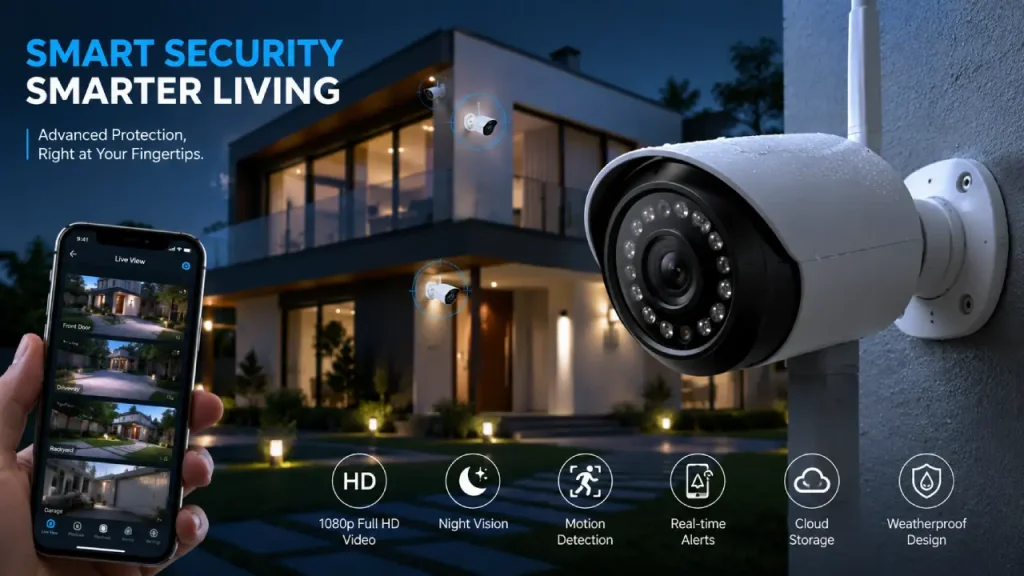
Home security has changed significantly over the years. In the past, people mostly relied on traditional locks, gates, and simple alarm systems. However, technology now makes it easier to monitor and protect a property from almost anywhere. A smart security camera is one of the most useful tools in modern home protection because it allows users to watch live footage, receive alerts, and check important activity through a smartphone or other connected device.
Whether you live in an apartment, a family home, or manage a small office, choosing the right security system can make a noticeable difference. Moreover, when a camera works alongside smart locks, sensors, alarms, and mobile controls, it can become part of a larger connected protection system. You can also learn more about building a complete connected setup in our Smart Home Security guide.
What Is a Smart Security Camera?
A smart security camera is a connected camera that captures video and sends information through a network, usually Wi-Fi. Unlike older surveillance systems that only record footage locally, many smart cameras allow users to view live video remotely through a mobile app or web platform.
For example, imagine you are away from home, and someone approaches your front door. A compatible camera can detect movement and send an alert to your phone. You can then open the app, check the live view, and understand what is happening without physically being there.
However, smart cameras do much more than simply record video. Depending on the model and setup, they may offer:
- Live video monitoring
- Motion detection
- Instant smartphone notifications
- Two-way audio
- Night vision
- Cloud or local storage
- Person, vehicle, or package detection
- Activity zones
- Integration with other smart home devices
As a result, they provide more flexibility and awareness than many traditional camera systems.
How Does a Smart Security Camera Work?
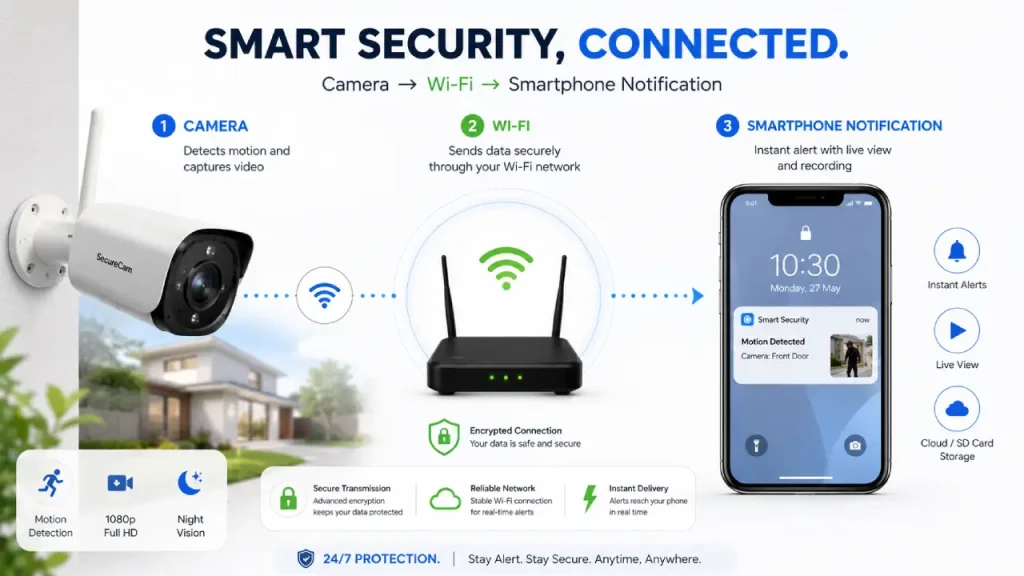
Although different brands use different technologies, the basic process is relatively simple.
First, the camera captures video through its lens and image sensor. Then, it processes the footage and sends it through a Wi-Fi or wired network. After that, users can access the video through a connected app, computer, or monitoring platform.
When the system detects motion, it may immediately send a notification. More advanced models can also analyze what caused the movement. Therefore, instead of receiving an alert every time a tree branch moves, you may be able to receive alerts specifically for people, vehicles, or other selected activity.
The typical process looks like this:
Camera detects activity → System processes the event → Alert reaches your device → You check the live or recorded footage
This quick flow is one reason smart cameras have become an important part of modern home protection.
Key Features of a Smart Security Camera
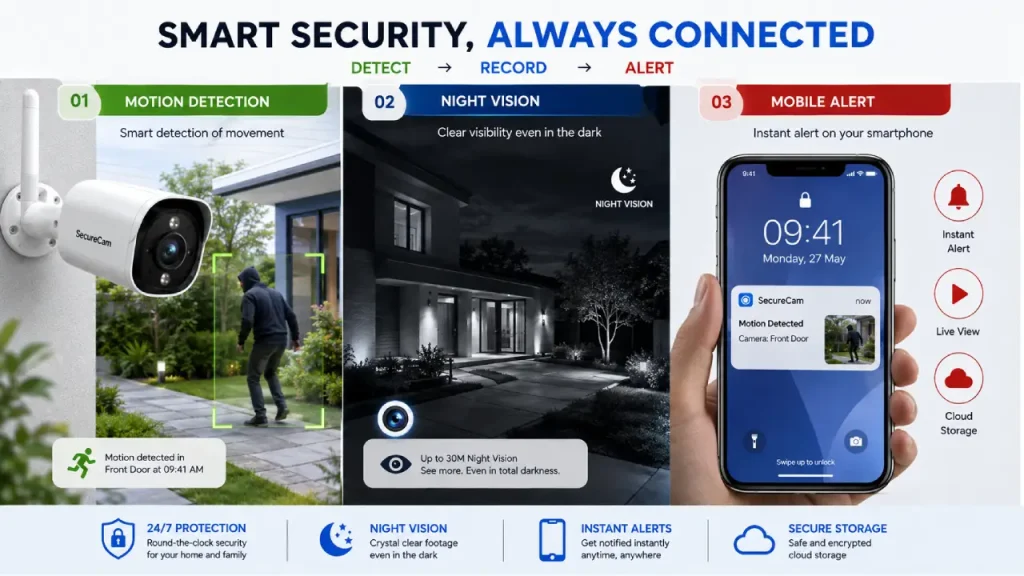
Not every camera offers the same level of performance. Therefore, understanding the available features can help you choose a system that actually fits your needs.
1. High-Quality Video Resolution
Video quality matters because unclear footage can make it difficult to identify faces, objects, or important details. Many modern cameras offer HD, Full HD, 2K, or higher resolution.
However, higher resolution is not always the only thing that matters. Lighting conditions, camera placement, lens quality, and internet performance can also affect the final image.
For most homes, clear Full HD or 2K video can provide a good balance between image quality and storage requirements.
2. Motion Detection and Smart Alerts
Motion detection allows the camera to respond when something moves within its viewing area. Once movement occurs, the system can send an alert to your phone.
However, basic motion detection can sometimes create unnecessary notifications. Pets, passing cars, rain, shadows, and moving branches may trigger the camera.
For that reason, advanced detection features can be especially useful. Some systems allow users to:
- Detect people separately from general motion
- Identify vehicles
- Create custom activity zones
- Adjust motion sensitivity
- Reduce unnecessary alerts
Consequently, the system can become more useful and less distracting.
3. Night Vision
Security concerns do not disappear after sunset. Therefore, night vision is an essential feature for outdoor cameras, entrances, driveways, and other low-light areas.
Most smart cameras use infrared technology to capture black-and-white footage in darkness. Meanwhile, some models use built-in lighting to provide color night vision.
Before choosing a camera, consider how dark the installation area becomes at night. A camera that performs well during the day may not always provide the same clarity in very low light.
4. Two-Way Audio
Two-way audio allows you to hear what is happening near the camera and speak through it using your smartphone.
For example, you may use this feature to communicate with a visitor, delivery person, family member, or guest. In some situations, simply speaking through the camera can help you respond without opening the door.
Nevertheless, audio quality can vary depending on the microphone, speaker, surrounding noise, and internet connection.
5. Remote Access
Remote access is one of the biggest advantages of a smart security camera. As long as the camera and your device have the required connection, you can usually check the live feed from another location.
This feature can be helpful when:
- You are traveling
- You are at work
- Children arrive home before you do
- You want to check an entrance
- You are monitoring a vacation property
Therefore, security monitoring no longer requires you to sit in front of a dedicated screen inside the house.
Types of Smart Security Cameras
Different locations require different types of cameras. Choosing the wrong type can reduce both convenience and effectiveness.
Indoor Cameras
Indoor cameras are designed to monitor areas inside a property. People commonly place them near entrances, living rooms, hallways, or other important spaces.
Some models offer privacy features such as physical shutters or the ability to disable recording when family members are at home.
Outdoor Cameras
Outdoor cameras are built to handle changing weather conditions. They often include weather-resistant housing, night vision, motion detection, and wider viewing angles.
However, proper placement is extremely important. Install the camera where it can cover important areas without being blocked by walls, plants, or other objects.
Doorbell Cameras
Doorbell cameras combine a traditional doorbell with video monitoring. When someone approaches or presses the doorbell, you can receive a notification and communicate through the device.
As a result, they can provide an additional layer of awareness around one of the most important entry points of a home.
Wired and Wireless Cameras
Wireless cameras are usually easier to install because they can connect through Wi-Fi. However, many still require a power cable unless they use batteries or solar charging.
Wired cameras, on the other hand, can offer a more stable connection but may require professional installation.
Therefore, your choice should depend on your property layout, power access, internet reliability, and installation preferences.
Smart Security Camera Benefits for Modern Homes
The biggest benefit of a smart camera is awareness. Instead of discovering an event later, you may receive information while it is happening.
For instance, if motion occurs near your entrance, the system can alert you immediately. You can then decide whether the activity is normal or requires further attention.
Other important benefits include:
Better Everyday Monitoring
You can check important areas without constantly being physically present. This can be useful for monitoring entrances, garages, driveways, or shared spaces.
Faster Response to Activity
Instant notifications allow you to review events quickly. Consequently, you can react faster when something unexpected happens.
Flexible Installation
Many modern cameras do not require a complex surveillance setup. Depending on the model, users may install and manage the system with minimal equipment.
Integration with Smart Home Devices
A camera can become even more useful when connected with other devices. For example, motion sensors, smart lights, alarms, and door locks can work together to create a more complete security environment.
Where Should You Install a Smart Security Camera?
Camera placement can be just as important as the camera itself. Even an advanced device cannot provide useful footage if it points in the wrong direction.
Consider these common locations:
Front Entrance
The front door is one of the most important places to monitor. A camera can help you see visitors and activity near the entrance.
Back Door
Back and side entrances can sometimes receive less attention. Therefore, placing a camera in these areas can improve overall coverage.
Driveway or Garage
A camera facing the driveway can help monitor vehicles, deliveries, and movement around the property.
Main Indoor Areas
Indoor cameras can provide visibility in important spaces. However, privacy should always remain a priority, especially in bedrooms, bathrooms, or other private areas.
When installing cameras, avoid placing them directly toward bright sunlight whenever possible. Strong backlighting can reduce image clarity. Additionally, make sure trees, decorations, or walls do not block the view.
Smart Security Camera and Smart Home Integration
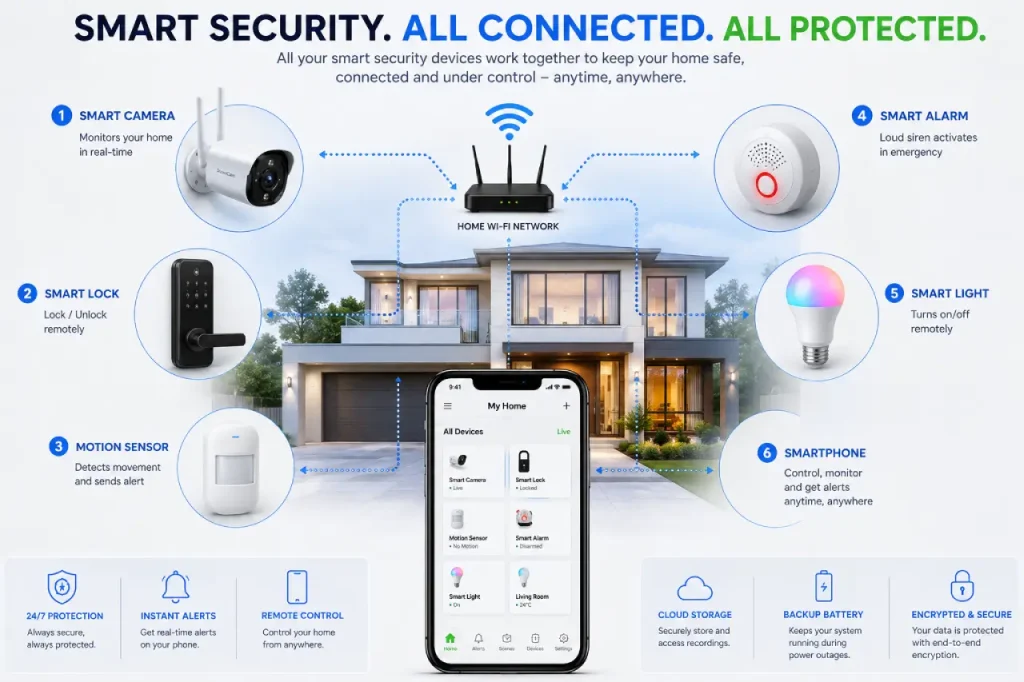
A camera becomes more powerful when it works as part of a connected system.
For example, imagine this situation:
A motion sensor detects movement near your front entrance. The smart camera starts recording and sends an alert to your phone. At the same time, outdoor smart lights turn on. You then check the live footage and decide whether further action is necessary.
This type of connected automation can make home monitoring more responsive.
A smart security setup may include:
- Smart cameras
- Smart door locks
- Door and window sensors
- Motion sensors
- Smart alarms
- Connected lighting
- Mobile monitoring applications
However, compatibility is important. Before purchasing multiple devices, check whether they can work together through the same platform or ecosystem.
Important Privacy and Security Considerations
Smart devices can improve home monitoring, but they also require responsible use.
First, protect your camera account with a strong and unique password. Whenever possible, enable two-factor authentication. This adds another layer of protection if someone attempts to access your account.
Additionally, keep the camera firmware and mobile application updated. Updates may improve performance and address known security issues.
You should also review the camera’s privacy settings. Check who has access to live footage, recorded videos, microphones, and shared accounts.
Furthermore, consider where you point the camera. Avoid recording areas where people reasonably expect privacy. Local laws and regulations may also affect how and where you can use surveillance equipment.
In short, smart security should protect your home without unnecessarily compromising privacy.
What to Consider Before Buying a Smart Security Camera
Before making a decision, think about your actual security needs instead of simply choosing the camera with the longest feature list.
Video Quality
Look for clear footage that suits the area you want to monitor. Higher resolution can provide more detail, but it may also require more bandwidth and storage.
Field of View
A wider viewing angle can cover more space. However, extremely wide angles may sometimes distort objects near the edges.
Storage Options
Some cameras use cloud storage, while others support local storage through memory cards or connected devices.
Cloud storage can provide convenient remote access. However, some services may require a subscription. Local storage may reduce recurring costs but can have its own limitations.
Power Source
Choose between wired power, battery operation, or solar-assisted charging based on the installation location.
Battery-powered cameras can be flexible, but they require regular charging or battery replacement.
Internet Connection
Wi-Fi cameras depend heavily on network performance. Therefore, check whether your Wi-Fi signal is strong enough where you plan to install the device.
Subscription Costs
The camera itself may not be the only expense. Some advanced features, cloud recording, or video history options may require a monthly or annual plan.
As a result, always consider the long-term cost, not just the purchase price.
Common Problems and How to Avoid Them
Even a good camera can become frustrating if the setup is poorly planned.
One common problem is weak Wi-Fi coverage. Before installation, test your internet signal near the camera location.
Another issue is receiving too many motion alerts. Fortunately, you can often reduce this problem by adjusting motion sensitivity or creating activity zones.
Poor camera placement can also create blind spots. Therefore, test the viewing angle before permanently mounting the device.
Finally, many people forget about account security. Using a weak password or ignoring software updates can create unnecessary risks. Regular maintenance is simple, yet it plays an important role in keeping a connected system secure.
Are Smart Security Cameras Worth It?
For many homeowners, renters, and small business owners, smart cameras can provide a practical way to improve visibility and awareness.
They allow you to check live activity, receive notifications, and review recorded events without relying entirely on a traditional surveillance room.
However, they are not a complete solution on their own. A camera can show you what is happening, but it cannot physically stop every incident. Therefore, the strongest approach usually combines cameras with good locks, proper lighting, sensors, alarms, and other security measures.
Final Thoughts
A smart security camera can be a valuable addition to a modern home because it combines monitoring, alerts, remote access, and intelligent features in one connected device.
However, choosing the right camera requires more than looking at resolution or price. You should consider placement, night performance, storage, privacy, internet reliability, power options, and compatibility with other devices.
Most importantly, think about your real needs. A small apartment may require only one or two well-placed cameras, while a larger property may benefit from several devices working together.
Ultimately, a smart camera works best as part of a larger security strategy. When combined with smart locks, sensors, alarms, and proper home security habits, it can help create a more connected, responsive, and practical protection system.
Before buying or installing any device, take time to plan your setup. A thoughtful security system does not need to be unnecessarily complicated. Instead, the right combination of technology and smart placement can help you stay more aware of what matters most.