
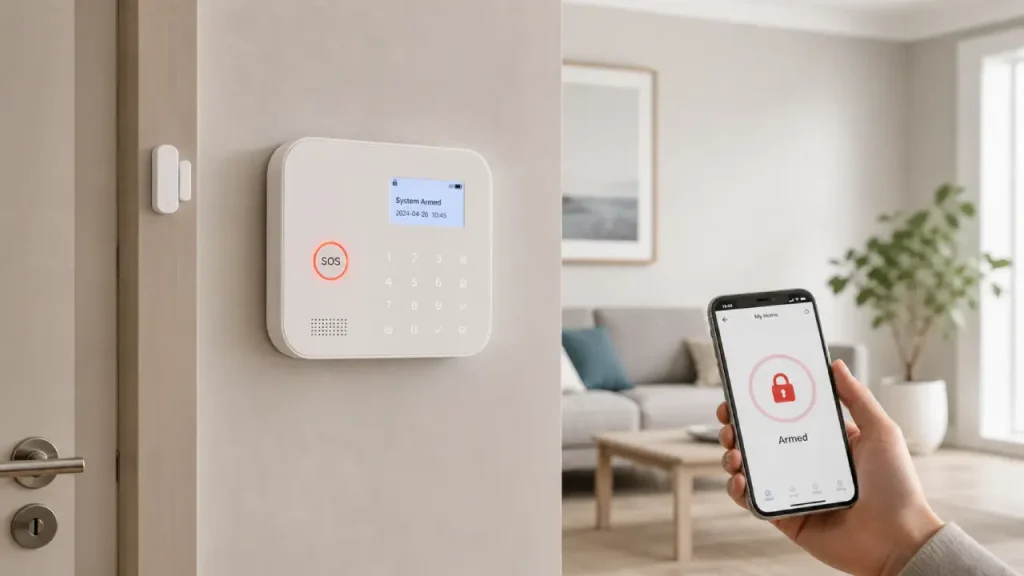
A safe home isn’t just about strong doors, good locks, or careful habits. Today, technology can add another layer of protection, and a smart home alarm can make that layer more responsive and convenient. Unlike traditional alarm systems, smart alarms can connect with sensors, smartphones, cameras, and other smart devices. As a result, homeowners can receive alerts, check activity, and respond to unusual events even when they are away.
However, choosing the right system is not simply about buying the device with the most features. Instead, you need to understand how it works, where to install it, which features matter, and how it fits into your existing home security setup. Therefore, this guide explains the basics in a simple, practical, and human-friendly way.
What Is a Smart Home Alarm?
A smart home alarm is a connected security system designed to detect unusual activity and notify homeowners when something unexpected happens. Depending on the system, it may work with door and window sensors, motion detectors, cameras, smoke detectors, or other smart devices.
For example, imagine that someone opens a back door while you are at work. A connected sensor can detect the activity and send an alert to your smartphone. Consequently, you can check what happened instead of waiting until you return home.
Moreover, many modern systems allow users to control alarm settings through a mobile app. You may be able to arm the system before leaving, disarm it when you return, or create specific schedules.
This connected approach makes home security more flexible. When combined with cameras, smart locks, sensors, and other connected devices, an alarm can become an important part of a complete smart home security setup. Rather than relying on one device, you can build a system where several devices work together.
How Does a Smart Home Alarm Work?
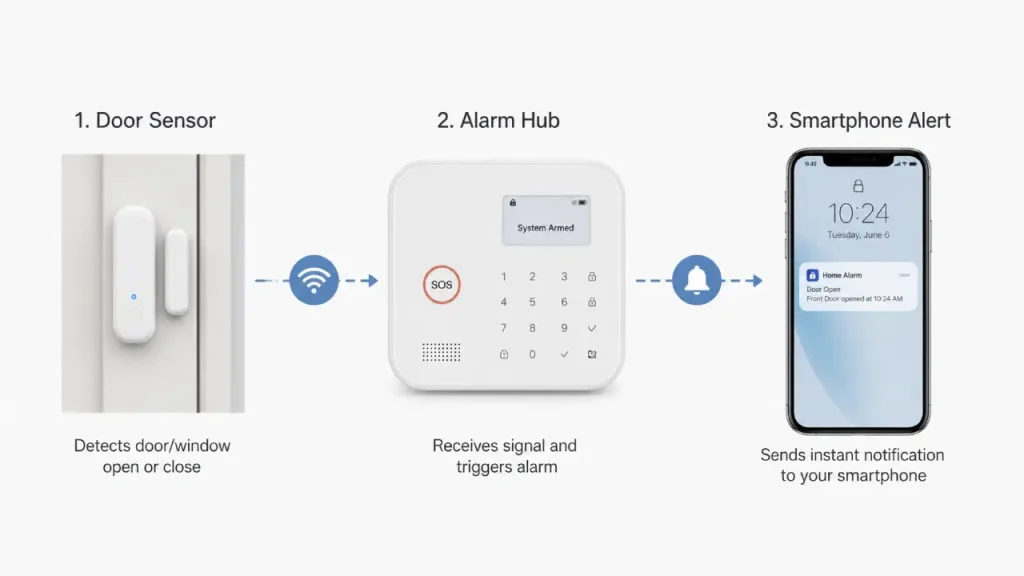
Although smart alarm systems can look complicated, the basic process is quite straightforward.
First, sensors monitor specific areas of your home. A door sensor, for instance, can detect when a door opens. Similarly, a motion sensor can detect movement in a particular area.
Next, the sensor communicates with the alarm hub or another compatible device. The system then evaluates the event based on its programmed settings.
If the activity matches an alert condition, the system can trigger an alarm or send a notification. Depending on the model, you may receive the alert through a smartphone app, hear a siren, or see an event recorded by a connected camera.
The process generally looks like this:
Sensor detects activity → Hub processes the event → Alarm or notification activates → Homeowner responds
However, the exact process varies between brands and models. Some systems rely heavily on Wi-Fi, while others may use additional wireless communication technologies. Therefore, you should always check the connectivity requirements before purchasing a system.
Why Use a Smart Alarm at Home?
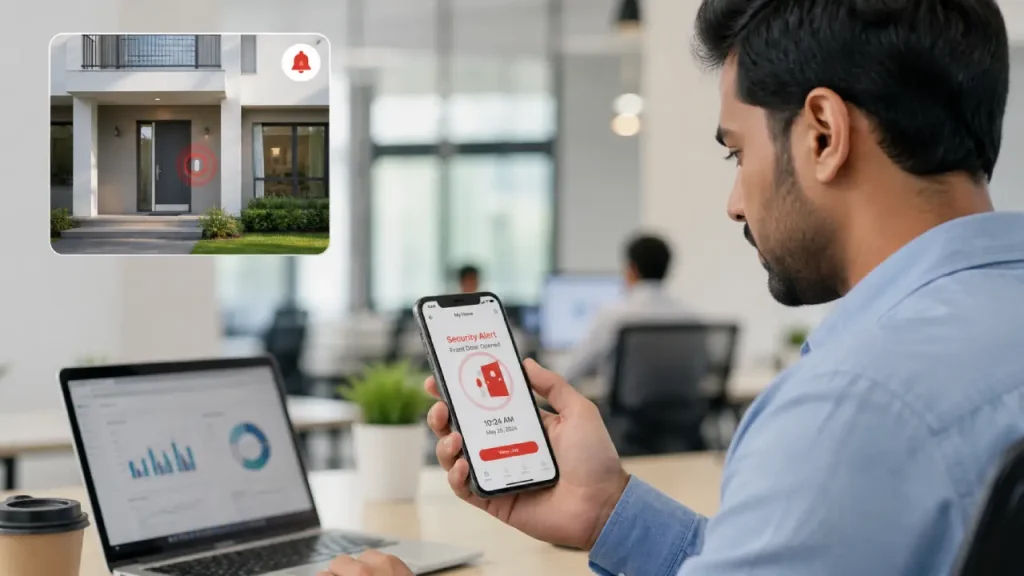
A smart alarm can offer several practical benefits. Most importantly, it can help you become aware of unusual activity sooner.
1. Get Alerts When Something Happens
One of the biggest advantages is remote notification. If a sensor detects unexpected activity, the system can send an alert to your phone.
For example, you might receive a notification when:
- A door opens unexpectedly
- A window sensor detects activity
- Motion occurs in a monitored area
- A connected smoke detector detects smoke
- A security device changes status
Therefore, you do not have to be physically present to know what is happening.
2. Monitor Your Home Remotely
Smart security systems can make remote monitoring easier. While travelling, working, or simply spending the day outside, you can check your system through a compatible app.
In addition, some systems can work with security cameras. If you receive an unexpected motion alert, you may be able to check the camera feed and understand the situation more clearly.
This combination can reduce unnecessary worry. Instead of wondering whether an alert is serious, you can gather more information before deciding what to do.
3. Connect Different Security Devices
A major strength of smart home technology is integration. You can often connect several security devices and manage them through one ecosystem.
For example, a setup may include:
- Door and window sensors
- Motion sensors
- Security cameras
- Smart locks
- Indoor or outdoor sirens
- Smoke or environmental sensors
- Smartphone controls
As a result, your security setup can become more coordinated instead of operating as a collection of unrelated devices.
4. Create Security Routines
Another useful feature is automation. Depending on the system, you may create routines based on time, device activity, or other conditions.
For instance, you could schedule the alarm to activate at a certain time every night. Similarly, you could connect certain devices so that one event triggers another action.
However, automation should support your security habits rather than replace them. You should still check doors, windows, and other important entry points regularly.
Key Features to Look For in a Smart Home Alarm
Not every system offers the same features. Therefore, compare the essentials before making a decision.
Smartphone Notifications
A good connected alarm should provide clear and timely notifications. Ideally, the app should make it easy to understand what triggered the alert.
For example, “Back door opened” is more useful than a vague message such as “Security event detected.”
Multiple Sensor Support
A system becomes more useful when it supports different types of sensors. Door, window, and motion sensors can cover different parts of your home.
Consequently, you can design the system according to your home’s layout rather than depending on one central device.
Backup Power
Power interruptions can affect connected security equipment. Therefore, backup power can be an important consideration.
A system with battery backup may continue operating for some time during an outage. However, the actual backup duration depends on the product and its configuration.
Reliable Connectivity
Connectivity matters because smart security devices often communicate wirelessly. Wi-Fi can be convenient, but you should also consider what happens if the internet connection goes down.
Some systems provide alternative communication options or local alarm functions. Therefore, check what remains operational during an internet or power outage.
Easy App Control
A complicated app can make even an advanced security system frustrating. Look for an interface that makes basic tasks simple.
You should ideally be able to:
- Arm or disarm the system
- View alerts
- Check connected devices
- Change basic settings
- Manage users
- Review relevant activity
Furthermore, the app should provide understandable instructions rather than forcing users to search through complicated menus.
Where Should You Install the Alarm?
Placement plays a major role in the effectiveness of any home security setup. Instead of placing devices randomly, consider the areas where unusual activity is most important to detect.
Entry doors are usually a natural starting point because they provide direct access to the home. Windows can also require attention, particularly those located away from public view.
Next, consider hallways and areas that connect multiple rooms. A motion sensor in an appropriate location can help detect movement through these spaces.
However, avoid placing motion sensors where normal household activity will constantly trigger them. Pets, heating systems, moving curtains, or other environmental factors can sometimes contribute to unwanted alerts.
Therefore, take time to understand your home’s layout before deciding where each device should go.
Smart Home Alarm vs. Traditional Alarm Systems
Traditional alarm systems can still provide useful protection. However, smart systems generally focus more on connectivity and remote control.
A traditional alarm may primarily sound a siren when a sensor detects an event. In contrast, a connected system can potentially send an alert to your smartphone and communicate with other smart devices.
That does not automatically make one option better than the other. Instead, the right choice depends on your needs, budget, home layout, and preferred level of automation.
For homeowners who want remote access and device integration, a smart system can offer greater flexibility. On the other hand, someone who wants a simple alarm with minimal technology may prefer a more basic setup.
Does a Smart Home Alarm Work Without Wi-Fi?
This is one of the most common questions people ask.
The answer depends on the specific system. Some devices require an internet connection for remote notifications and app-based controls. However, certain systems can still perform local functions, such as activating a siren, when the internet is unavailable.
Therefore, do not assume that every system behaves the same way.
Before purchasing, check three things:
- What happens if Wi-Fi stops working?
- What happens if the power goes out?
- Which features continue working offline?
These questions can help you choose a system that matches your home’s needs.
How to Reduce False Alarms
False alarms can become frustrating, especially when they happen repeatedly. Fortunately, careful setup can reduce many unnecessary alerts.
First, position motion sensors correctly. Avoid pointing them directly at areas where pets frequently move if the device does not support reliable pet detection.
Next, review your alert settings. You may be able to adjust sensitivity or create activity zones depending on the system.
Also, make sure household members know how the alarm works. A family member who does not understand the system may accidentally trigger an alert.
Additionally, keep sensors clean and inspect them occasionally. Dust, poor placement, weak batteries, or environmental changes can affect performance.
Most importantly, do not ignore repeated false alarms. Instead, investigate why they occur and adjust the system.
Security and Privacy Matter Too
Connected security devices can collect information about activity inside or around your home. Therefore, privacy should be part of your buying decision.
Before choosing a system, review its privacy and security features. Look for account protection options such as strong passwords and multi-factor authentication when available.
You should also keep device firmware and mobile apps updated. Manufacturers often release updates that improve functionality or address security issues.
Furthermore, avoid sharing your security account with more people than necessary. If the system supports separate user accounts, use them instead of sharing one password.
A smart security device should make you feel more secure, not create unnecessary privacy concerns.
Is a Smart Home Alarm Worth It?
For many households, the answer can be yes, especially if remote alerts and connected devices are useful to you.
However, you do not necessarily need the most expensive system. A smaller home may only require a few carefully placed sensors and an alarm hub. Meanwhile, a larger property may benefit from additional sensors, cameras, and other connected devices.
Therefore, start with your actual security needs.
Ask yourself:
- Which entry points need monitoring?
- Do I want smartphone alerts?
- Do I need camera integration?
- Will several people use the system?
- What happens during a power or internet outage?
- Can I expand the system later?
Once you answer these questions, it becomes much easier to compare different options.
Common Mistakes to Avoid
Even a good security system can become less useful when homeowners install or manage it poorly.
Choosing Features You Do Not Need
More features do not always mean better protection. If you never use certain functions, they may only make the system harder to manage.
Instead, focus on features that solve real problems in your home.
Ignoring Entry Points
Some homeowners focus on the front door and forget about side doors, windows, garages, or other accessible areas.
Therefore, walk around your property and identify realistic entry points before planning your setup.
Using Weak Account Security
A connected alarm depends partly on the security of its account. Consequently, using a unique and strong password is essential.
When available, enable multi-factor authentication as an additional layer of protection.
Forgetting Maintenance
Smart devices still require attention. Batteries need replacement, software may need updates, and sensors can require occasional inspection.
Set a simple routine so that you do not discover a problem when you actually need the system.
A Simple Setup for Beginners
If you are new to smart home security, you do not need to build a complicated system immediately.
Start with the most important entry point, usually the main door. Then consider adding sensors to other accessible doors and windows.
After that, add a motion sensor in a suitable central area if your home layout makes it useful. You can then consider a security camera if you want visual verification.
Finally, connect compatible devices and configure smartphone notifications.
This gradual approach has two advantages. First, it keeps the initial setup manageable. Second, it allows you to understand your needs before spending more money.
Frequently Asked Questions
What is the main purpose of a smart home alarm?
Its main purpose is to detect unusual activity and alert you. Depending on the system, it may also connect with sensors, cameras, locks, and other smart devices.
Can I control a smart alarm from my phone?
Many connected alarm systems provide smartphone apps for remote control and notifications. However, available features vary by product.
Do I need cameras with an alarm?
No. An alarm can work without cameras. However, cameras can add visual information when an alert occurs, which may help you understand what is happening.
Can renters use smart alarms?
Yes. Many wireless security devices can work well in rental homes because they require less permanent installation. Still, check your rental agreement before installing anything that requires drilling or permanent changes.
How many sensors do I need?
There is no universal number. Start by identifying the doors, windows, and areas that matter most. Then expand the system if necessary.
Are smart alarms difficult to install?
Many modern systems are designed for relatively simple installation. Nevertheless, installation requirements vary, so always follow the manufacturer’s instructions.
Final Thoughts
Home security does not have to be complicated. A well-planned smart home alarm can help you stay aware of unusual activity while giving you more control over your security setup. Moreover, when you connect it with suitable sensors, cameras, smart locks, and mobile notifications, it can become part of a broader and more flexible home security strategy.
However, technology works best when you use it thoughtfully. Choose devices based on your actual needs, place sensors carefully, protect your accounts, and maintain the system regularly. Most importantly, do not rely on one device as your only line of defense.
Instead, combine sensible security habits with technology. That balanced approach can help create a home environment that feels safer, more connected, and easier to monitor every day.