
Smart home technology has transformed the way people manage home security, and smart locks have become one of the most popular upgrades. As more homeowners switch from traditional locks to digital solutions, one question continues to come up: are smart locks safe?
Modern smart locks are designed to provide both convenience and security. Instead of relying only on a physical key, they offer digital access through smartphone apps, PIN codes, fingerprint recognition, Bluetooth, Wi-Fi, and other secure methods. Many models also include features such as automatic locking, activity logs, and remote access, giving homeowners greater control over who can enter their property.
Like any security device, the level of protection depends on the quality of the product, proper installation, and regular maintenance. Understanding how smart locks work and the security features they offer can help you decide whether they’re the right choice for your home.
In this guide, you’ll learn how smart locks protect your property, how they compare with traditional locks, the factors that influence their security, and practical tips for using them safely.
Table of Contents
- Are Smart Locks Safe?
- How Safe Are Smart Locks?
- Why Are Smart Locks Safe?
- Are Smart Locks Safe Compared to Traditional Locks?
- Are Smart Locks Safe from Hacking?
- Tips for Keeping Your Smart Lock Secure
- Are Smart Locks Safe? Frequently Asked Questions
- Final Thoughts o
Are Smart Locks Safe?
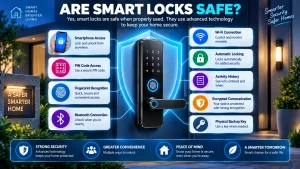
Yes, modern smart locks are generally considered safe when they’re installed correctly and used according to the manufacturer’s recommendations.
Unlike conventional locks that rely entirely on physical keys, smart locks combine traditional locking mechanisms with electronic authentication. Depending on the model, you can unlock the door using a mobile app, keypad, fingerprint scanner, Bluetooth connection, or a physical backup key.
Many reputable manufacturers also include multiple security features that help protect against unauthorized access. These may include encrypted communication, automatic locking, activity history, user management, and firmware updates that improve both performance and security over time.
While no lock can eliminate every possible security risk, choosing a quality smart lock and following good security practices can provide reliable protection for most homes.
How Safe Are Smart Locks?
The security of a smart lock depends on both its hardware and software. Modern models are built with several layers of protection that work together to secure your home while making everyday access more convenient.
Encrypted Communication
Most smart locks encrypt the information exchanged between the lock and authorized devices. This helps protect commands and account information from being intercepted during transmission.
Secure Authentication
Before unlocking the door, the lock verifies that the user is authorized. Depending on the model, authentication may include the following:
- Smartphone verification
- PIN codes
- Fingerprint recognition
- Bluetooth identification
- Temporary digital access codes
These methods help ensure that only approved users can gain entry.
Automatic Locking
Many smart locks can lock themselves automatically after the door closes or after a selected period of time.
This reduces the chance of accidentally leaving your front door unlocked.
Activity History
Some models record when the lock is used and which authorized account unlocked the door.
This information allows homeowners to review access history whenever needed.
Tamper Notifications
Certain smart locks can detect repeated unsuccessful access attempts or possible tampering and send alerts through the companion mobile app.
These features work together to create several layers of protection beyond a standard mechanical lock.
Why Are Smart Locks Safe?
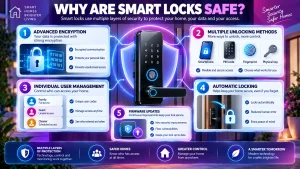
Modern smart locks include several built-in features that help protect your home while making access more convenient. Although no lock can guarantee complete security, these features significantly reduce the risk of unauthorized entry when used correctly.
Advanced Encryption
Most reputable smart locks use encrypted communication between the lock, your smartphone, and connected devices.
Encryption helps protect sensitive information and prevents unauthorized users from easily intercepting data during communication.
Multiple Unlocking Methods
Unlike traditional locks that rely on a single physical key, many smart locks support several secure access methods, including:
- Smartphone apps
- PIN codes
- Fingerprint recognition
- Bluetooth
- Physical backup keys
This flexibility allows homeowners to choose the method that best suits their needs while maintaining controlled access.
Individual User Management
Many smart locks allow you to create separate access credentials for different users.
For example, family members can each have their own PIN code or mobile app access, while temporary permissions can be created for guests, cleaners, or contractors and removed whenever they are no longer required.
Automatic Locking
One of the most useful security features is automatic locking.
Instead of relying on someone to remember to lock the door, the lock can secure itself automatically after the door closes or after a preset time.
Firmware Updates
Manufacturers regularly release firmware updates that improve performance and strengthen security.
Keeping your smart lock updated helps ensure it continues to operate with the latest improvements and protections.
Are Smart Locks Safe Compared to Traditional Locks?
Both smart locks and traditional locks are designed to secure your property, but they offer different ways to manage access and protect your home.
| Feature | Smart Lock | Traditional Lock |
|---|---|---|
| Physical Key | Usually included | Yes |
| Smartphone Access | Yes | No |
| PIN Code Entry | Available on many models | No |
| Fingerprint Access | Available on some models | No |
| Remote Locking | Available on many models | No |
| Automatic Locking | Available | No |
| Activity History | Available on many models | No |
| User Management | Yes | No |
Traditional locks remain a reliable choice for many homes because of their simple mechanical design. Smart locks, however, add extra convenience by allowing homeowners to manage access remotely, create temporary user permissions, and monitor lock activity.
Choosing between the two depends on your preferences, security needs, and the features that are most important for your household.
Are Smart Locks Safe from Hacking?
One of the biggest concerns surrounding smart locks is whether they can be hacked.
Like other internet-connected devices, smart locks are not completely immune to cyber threats. However, reputable manufacturers use several security measures to reduce these risks.
Modern smart locks often include:
- Encrypted wireless communication
- Secure user authentication
- Regular firmware updates
- Password protection
- Activity monitoring
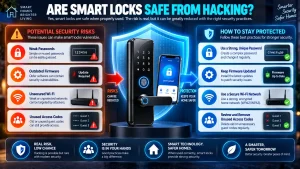
Most security issues occur because of weak passwords, outdated firmware, or poor account security rather than problems with the lock itself.
Homeowners can reduce potential risks by:
- Using a strong, unique password
- Installing firmware updates promptly
- Securing their home Wi-Fi network
- Reviewing user permissions regularly
- Removing unused guest access codes
Following these simple practices helps improve the overall security of any connected smart home device.
Tips for Keeping Your Smart Lock Secure
Although smart locks are designed with security in mind, following a few simple practices can help you get the best protection.
Keep the Firmware Updated
Install updates whenever they’re available to benefit from the latest security improvements and performance enhancements.
Use Strong Passwords
Choose a unique password for your smart lock account and avoid using the same password across multiple online services.
Enable Additional Security Features
If your smart lock supports features such as two-factor authentication, automatic locking, or security notifications, enable them for added protection.
Review User Permissions
Check who has access to your smart lock from time to time and remove accounts or temporary codes that are no longer needed.
Replace Batteries Promptly
Most smart locks provide low-battery notifications before power becomes critically low.
Replacing the batteries promptly helps ensure reliable operation.
Test Your Backup Entry Method
If your smart lock includes a physical key or emergency power option, test it occasionally so you’re familiar with how it works if you ever need it.