
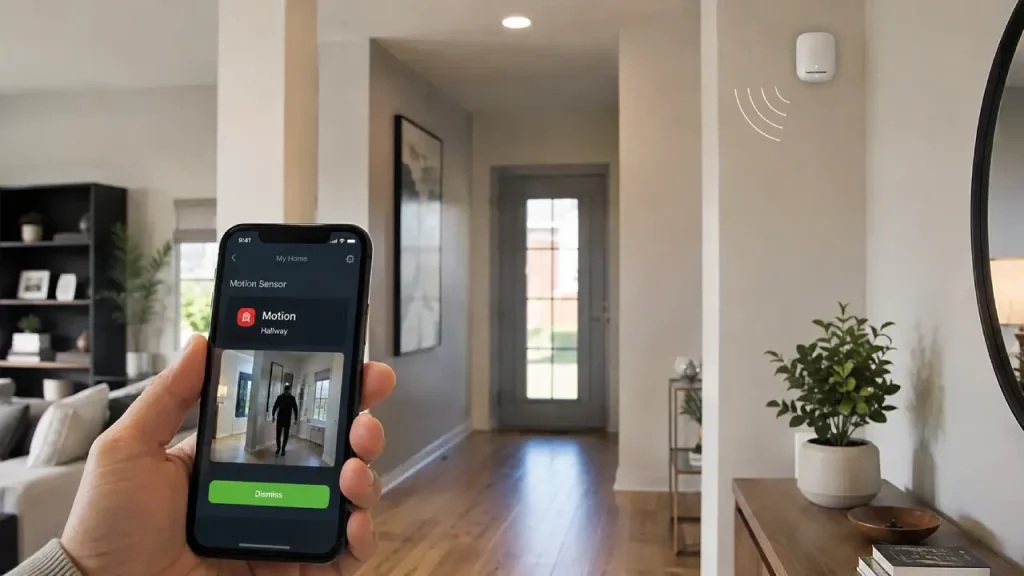
A smart motion sensor can make home security more responsive, convenient, and efficient. Unlike a traditional sensor that simply detects movement, a smart version can connect with your smartphone, security system, lights, alarms, and other smart devices. As a result, you can receive alerts, automate actions, and monitor activity more easily.
Today, homeowners want more than just a lock on the door. They want a security system that can react quickly when something unusual happens. Therefore, motion detection has become an important part of modern home protection. Whether you want to monitor an entryway, hallway, garage, or an entire room, the right sensor can add another useful layer of awareness.
What Is a Smart Motion Sensor?
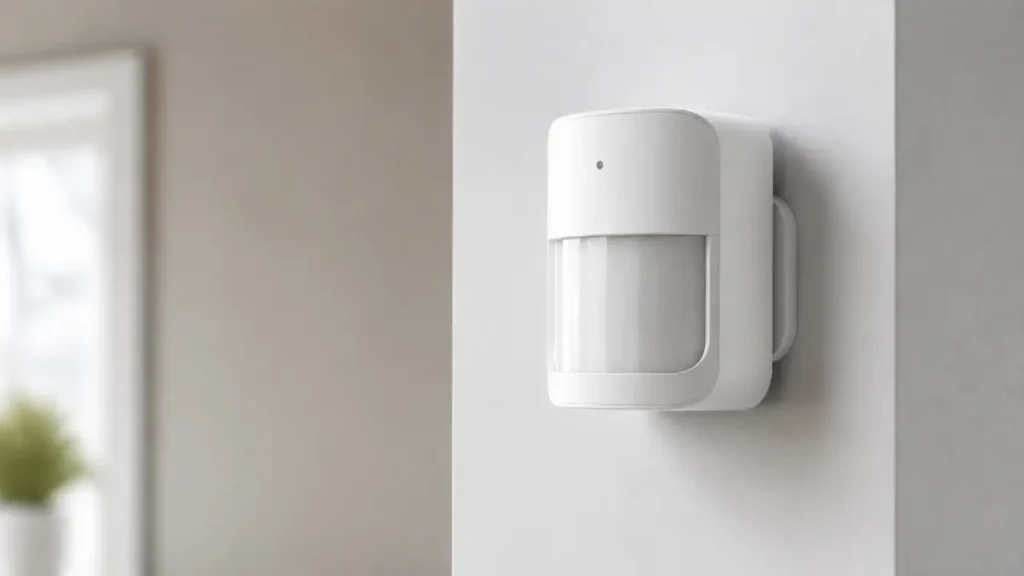
A smart motion sensor is a connected device that detects movement within a specific area and communicates that information to another device or system. For example, when someone walks into a room, the sensor may send a notification to your phone. It can also trigger smart lights, activate a camera, or sound an alarm.
Most modern sensors connect through Wi-Fi, Zigbee, Z-Wave, Bluetooth, Thread, or a compatible smart home hub. However, the exact connection method depends on the device and ecosystem.
The main purpose is simple: detect movement and respond intelligently.
For instance, imagine that you are away from home. If motion occurs near your main entrance, the sensor can notify you immediately. At the same time, your connected security camera may begin recording. Consequently, you gain more awareness of what is happening around your property.
This is one reason motion sensors work well as part of a complete smart home security system. Instead of relying on a single device, different security tools can work together.
How Does a Smart Motion Sensor Work?
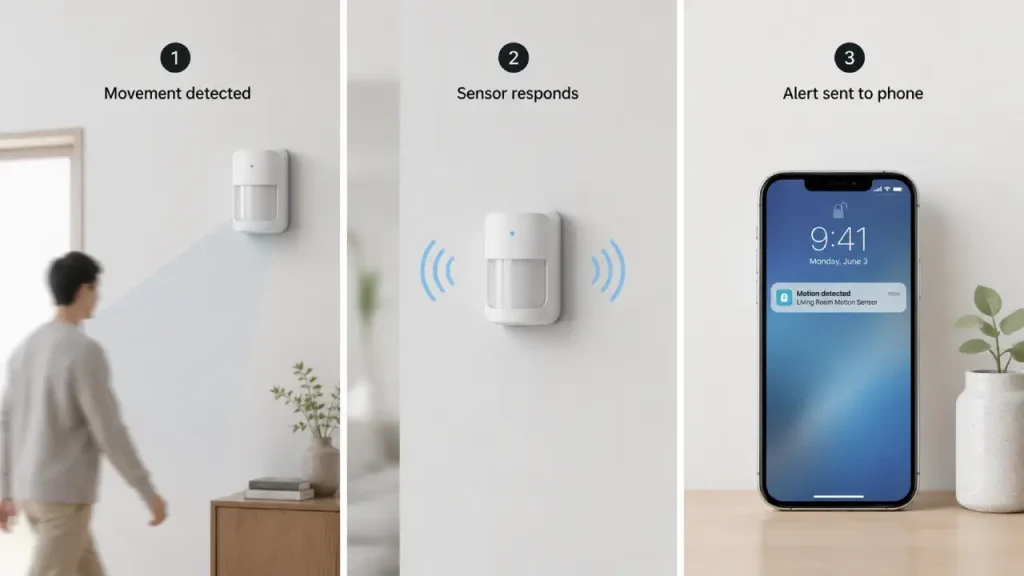
Although different models use different technologies, most sensors follow a similar process.
First, the device monitors a selected area. Then, when it detects a change that suggests movement, it sends a signal. After that, the connected system performs an action based on your settings.
For example, the process may look like this:
- The sensor detects movement.
- It sends information to your smart home system.
- The system checks the automation or security rule.
- A connected device responds.
- You may receive an alert on your smartphone.
Therefore, one small sensor can trigger several actions at once.
Some devices use passive infrared (PIR) technology. PIR sensors detect changes in infrared energy, which often occur when a person or animal moves through the detection area. Other models may use microwave, ultrasonic, or combined sensing technologies.
The goal, however, remains the same: detect meaningful movement while reducing unnecessary alerts.
Why a Smart Motion Sensor Matters for Home Security
A smart motion sensor adds another layer of protection because it helps your security system react to activity rather than simply record it.
A security camera is useful for seeing what happened. A smart lock helps control who enters. Door and window sensors can notify you when an entry point opens. Meanwhile, a motion sensor can monitor movement inside or around a selected area.
As a result, these devices can complement each other.
For example, suppose someone enters your home through an unlocked door. A motion sensor placed in the hallway may detect movement even if the door itself did not trigger an alert. Similarly, a sensor in the garage can notify you when unexpected activity occurs.
Therefore, motion detection can help cover areas that other devices may not monitor continuously.
Key Benefits of Using a Smart Motion Sensor
1. Smart Motion Sensor Provides Real-Time Alerts
One of the biggest advantages is instant notification.
When the sensor detects movement, you may receive an alert through a mobile app. Consequently, you do not need to wait until you return home to discover that something unusual happened.
However, notification speed can depend on your internet connection, hub, device settings, and the smart home platform you use.
Real-time alerts can be especially useful for monitoring:
- Entryways
- Hallways
- Garages
- Storage rooms
- Back doors
- Living rooms
- Areas containing valuable belongings
Moreover, many systems allow you to customize notifications. Therefore, you may have more control over when and how often you receive alerts.
2. Smart Motion Sensor Can Automate Your Home
Security is not the only reason to use these devices. Automation is another major benefit.
For example, when the sensor detects movement in a hallway at night, it can turn on a smart light automatically. Then, after a period of inactivity, the light can switch off.
This approach can make your home more convenient. At the same time, it may help avoid leaving lights on unnecessarily.
You can create automations such as:
- Turn on hallway lights when motion is detected.
- Activate outdoor lighting when someone approaches.
- Start a camera recording when movement occurs.
- Send an alert if motion happens during selected hours.
- Trigger an alarm when the security system is armed.
- Turn off lights after no movement is detected for a set period.
As a result, the sensor becomes more than a security device. It becomes part of your everyday smart home routine.
3. Smart Motion Sensor Can Support Energy Efficiency
Smart automation can also help manage energy use.
For instance, lights in less-used spaces do not always need to remain on. A sensor can trigger lighting when someone enters and turn it off after the area has been inactive for a set period.
However, motion detection is not the same as perfect occupancy detection. A person sitting still for a long time may not trigger some sensors consistently. Therefore, placement and automation settings matter.
Still, for hallways, closets, bathrooms, garages, and other transitional spaces, motion-based automation can be very practical.
Where Should You Place a Smart Motion Sensor?
Correct placement plays a major role in performance. Even an advanced device may not work effectively if you install it in the wrong location.
Generally, place the sensor where people are likely to move across its detection area.
Entryways and Hallways
Hallways are excellent locations because most people must pass through them when moving between rooms.
Positioning the sensor where movement crosses its field of view can improve detection. However, avoid placing it where unnecessary activity could constantly trigger alerts.
Living Areas
A living room can be useful if you want to monitor movement while you are away.
For example, you can create an automation that sends an alert if motion occurs during work hours or when the home security system is armed.
Garage
Garages often contain vehicles, tools, and other valuable items. Therefore, a motion sensor can add useful awareness to the space.
It may also activate lights automatically when you enter, making the area more convenient and safer to navigate.
Near Important Entry Points
Although door and window sensors are ideal for detecting when an entry point opens, motion sensors can provide additional coverage inside the home.
For example, you might place one near a hallway that leads away from the main entrance. As a result, your system can detect movement after someone enters the property.
Smart Motion Sensor Features to Look For
Not every device offers the same experience. Therefore, consider your home, existing devices, and security goals before choosing one.
Connectivity and Compatibility
First, check how the sensor connects.
Some devices work directly through Wi-Fi. Others require a smart home hub or use protocols such as Zigbee, Z-Wave, Thread, or Bluetooth.
Before buying, make sure the sensor works with your existing ecosystem.
Compatibility can be especially important if you already use:
- Smart lights
- Smart locks
- Security cameras
- Voice assistants
- Home security hubs
- Smart displays
A compatible system can create smoother automations and reduce unnecessary setup problems.
Detection Range and Coverage
Different sensors can monitor different-sized areas.
Therefore, check the detection range before deciding where to install the device. A large living room may require broader coverage than a narrow hallway.
However, a wider range is not always better. If the sensor covers areas where people frequently pass, you may receive unnecessary alerts.
The best option depends on the location and purpose.
Pet-Friendly Detection
Pets can cause false alerts if the sensor cannot distinguish between human and animal movement effectively.
Some devices offer pet-friendly settings or sensitivity adjustments. However, performance can vary depending on the pet’s size, movement, distance from the sensor, and installation position.
Therefore, test the sensor after installation rather than assuming every pet-friendly feature will work perfectly in your home.
Adjustable Sensitivity
Sensitivity controls can help you fine-tune how the device responds.
If the sensor triggers too often, reducing sensitivity may help. On the other hand, if it misses important movement, increasing sensitivity or changing the placement may improve results.
Nevertheless, avoid relying only on software settings. Physical placement often makes an equally important difference.
Battery Life
Many smart motion sensors run on batteries, while others use wired power or rechargeable batteries.
Battery-powered models are generally easier to place because you do not need to install them near an outlet. However, you must monitor battery levels.
Fortunately, many smart systems can send low-battery notifications. As a result, you can replace or recharge the battery before the device stops working completely.
How to Use a Smart Motion Sensor with Other Devices
The real strength of smart home technology often comes from combining devices.
For example, your motion sensor can work with a smart security camera. When motion occurs, the camera can begin recording or send an alert. This setup may help you review what caused the movement.
Similarly, you can connect the sensor with a smart door lock. Although the sensor does not control entry directly, both devices can contribute to a broader security setup.
Here are a few practical combinations:
Motion Sensor + Smart Lights
When movement occurs, the lights turn on automatically.
This is useful for:
- Hallways
- Staircases
- Garages
- Outdoor paths
- Bathrooms
Motion Sensor + Security Camera
When movement occurs, the camera can record or notify you.
Consequently, you may receive both a movement alert and visual information.
Motion Sensor + Alarm System
You can configure the sensor to trigger an alarm when your security system is armed.
However, test the setup carefully. You do not want normal household activity to activate the alarm unexpectedly.
Motion Sensor + Smart Home Security Setup
This combination creates a more connected approach to home protection.
For example, if motion occurs at an unusual time, the system could send an alert, activate a camera, turn on selected lights, and record the event.
Therefore, multiple devices can provide stronger awareness than a single device working alone.
Common Mistakes to Avoid
Even a good device can perform poorly when installed incorrectly. Fortunately, many problems are easy to avoid.
Placing It Near Heat Sources
Heat sources may interfere with certain infrared-based sensors.
Therefore, avoid placing the device too close to:
- Heating equipment
- Fireplaces
- Strong heat sources
- Areas with rapid temperature changes
Always check the manufacturer’s installation instructions for the specific model.
Ignoring the Detection Angle
Do not simply place the sensor wherever it looks convenient.
Instead, think about how people move through the room. Test the detection area after installation and adjust the position if necessary.
A small change in angle can sometimes make a noticeable difference.
Installing It Too Low
The recommended mounting height varies by device. Therefore, follow the manufacturer’s guidance.
If you install the sensor too low or too high, it may not cover the intended area effectively.
Creating Too Many Automations
Automation should make life easier, not more confusing.
For example, if several devices respond to the same motion event, you may receive too many notifications or create unnecessary actions.
Start with simple rules. Then, gradually add more automation as you learn how the system behaves.
Are Smart Motion Sensors Reliable?
A well-installed smart motion sensor can be a useful and reliable part of a home security system. However, no device is perfect.
Several factors can affect performance, including:
- Installation location
- Sensor technology
- Detection range
- Battery level
- Network connection
- Environmental conditions
- Device settings
- Obstructions
Therefore, testing is important.
After installation, walk through the monitored area several times. Check how quickly alerts arrive and whether the sensor detects movement from different directions.
Also, test your automations. Make sure lights, cameras, alarms, and notifications respond as expected.
Regular testing can help you discover problems before you depend on the system during an important situation.
Privacy and Security Considerations
Because smart devices connect to networks and apps, cybersecurity also matters.
Start by using a strong, unique password for your smart home account. Additionally, enable two-factor authentication if the platform supports it.
You should also keep device firmware and mobile apps updated. Updates may improve performance and address security issues.
Moreover, only install smart home devices from manufacturers you trust. Before purchasing, review the privacy settings and understand what information the device collects.
A motion sensor usually collects less visual information than a camera. Nevertheless, any connected device can introduce privacy or security considerations.
Therefore, treat your smart home setup as part of your overall digital security strategy.
Is a Smart Motion Sensor Worth It?
For many homes, yes.
A smart motion sensor can provide useful alerts, support automation, and strengthen the connection between different smart security devices. It is particularly valuable when you want to monitor movement in areas that cameras, locks, or door sensors do not fully cover.
However, the best results come from proper planning.
Before choosing a device, ask yourself:
- Which area do I want to monitor?
- Do I need security alerts, automation, or both?
- Which smart home platform do I already use?
- Do I have pets?
- Do I need battery-powered or wired installation?
- What other devices should work with the sensor?
Once you answer these questions, choosing the right setup becomes much easier.
Final Thoughts
A smart home becomes more useful when its devices can respond to what is happening around them. That is exactly where motion detection can make a difference.
By placing sensors in the right locations and connecting them with lights, cameras, alarms, and other devices, you can create a home that responds more intelligently to everyday activity.
Most importantly, do not think of a motion sensor as a complete security solution by itself. Instead, consider it one part of a larger system. When combined with smart locks, security cameras, door and window sensors, alarms, and strong account security, it can help create a more connected and responsive home.
Start with the areas that matter most, test your setup carefully, and keep your automations simple. Then, as your needs grow, you can expand your smart home security system step by step.
A well-planned smart motion sensor setup can offer both convenience and added awareness—without making your home security unnecessarily complicated.